







































Tide Pass
For the heatmap and everyday questions
$4.99/mo
80 Amber a month- 80 Amber every month
- Ask in Standard mode
- Catch heatmap and hex grid
- 1 GB of offline maps
- Title, frame, chat bubble, map pin
 AskFish · AI fishing guide · Spot map · Bite forecast
AskFish reads the weather, tides and pressure on your water, checks real spots nearby and what anglers caught lately — and answers like a local guide.
This phone works — tap itTap × to close Ask and see the map — or tap the trip plan, or the mode under the text box
Sound on
Weather, tides, spots, catches and 650+ fish — all in one app. You just ask.
Ask about a lake, a pier or a river. AskFish looks up real spots nearby, the conditions for your target fish and what anglers caught lately, then tells you when to go, where to cast and what to throw.
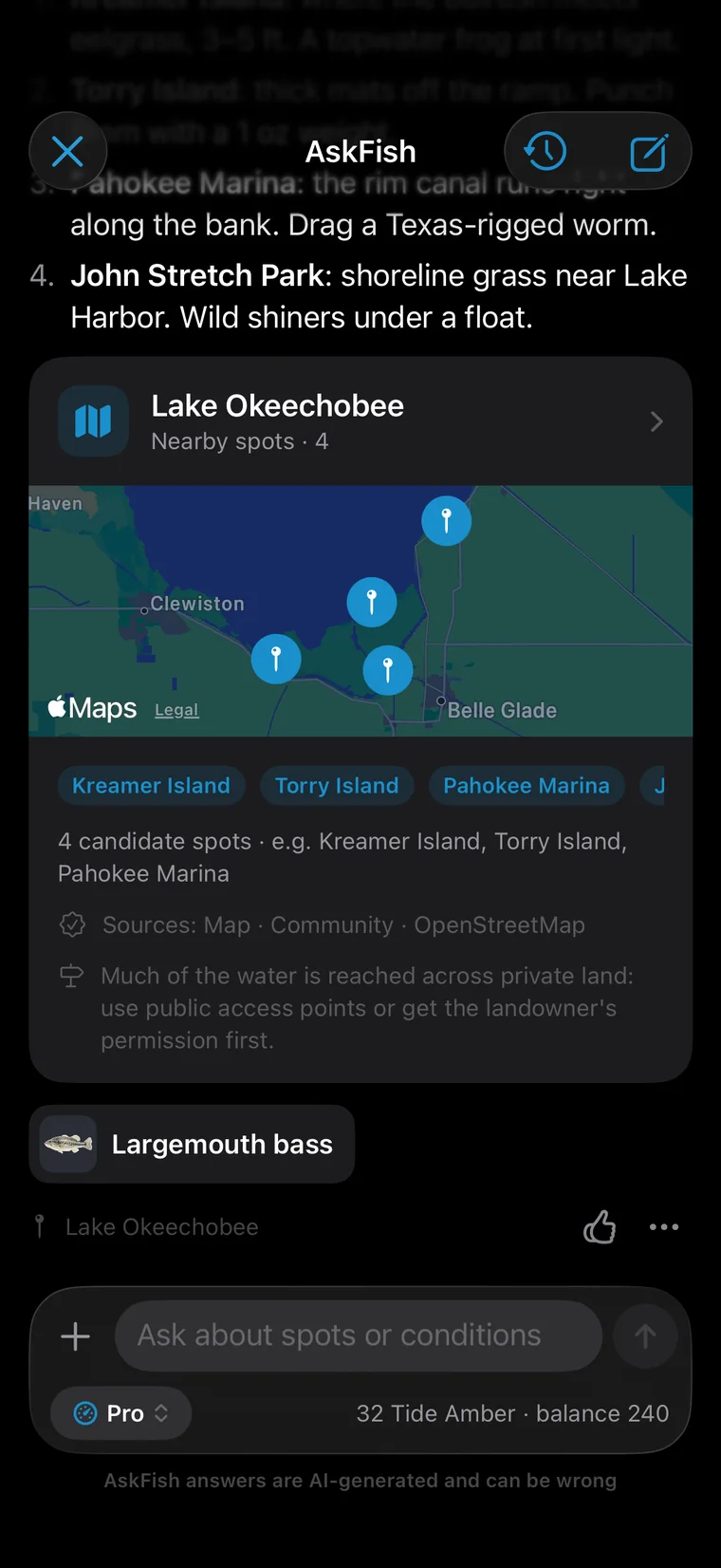
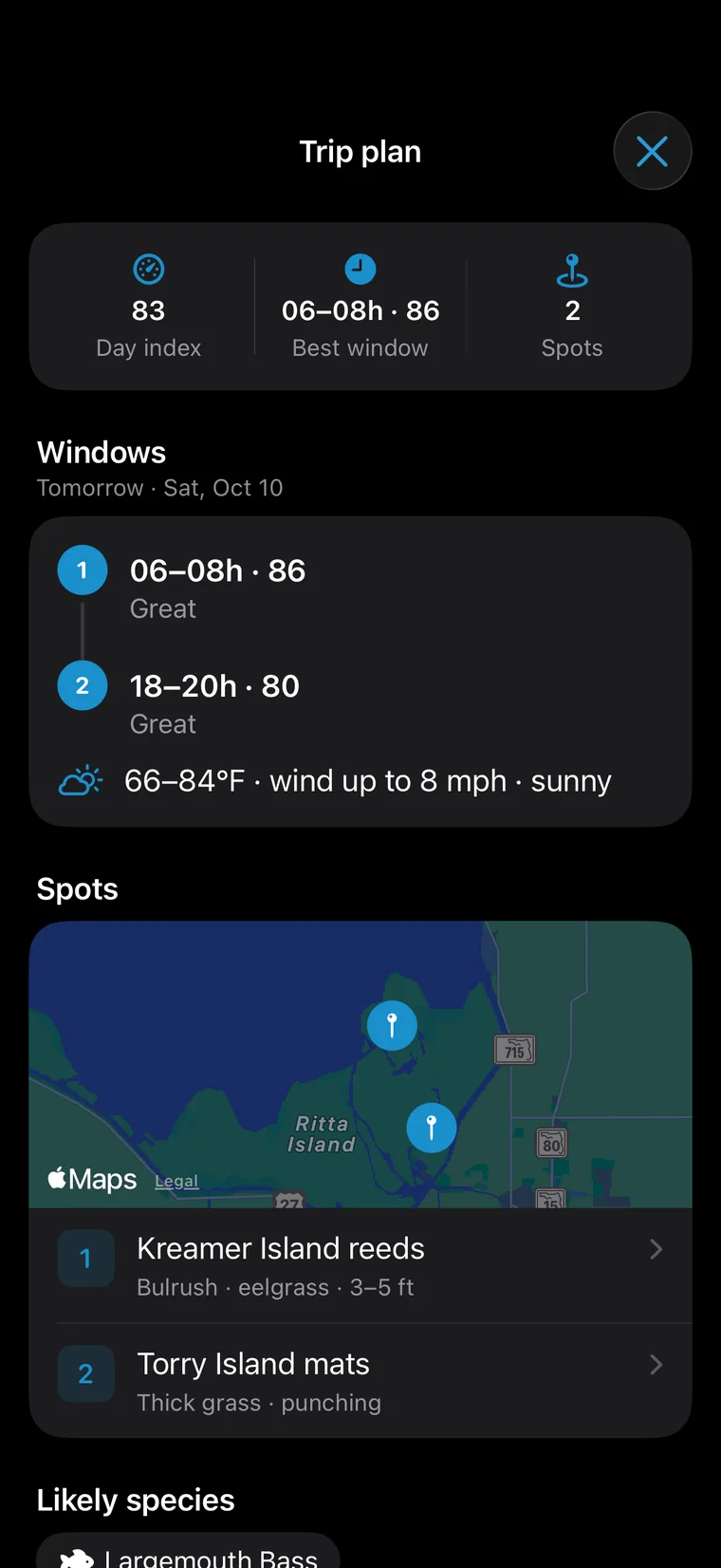
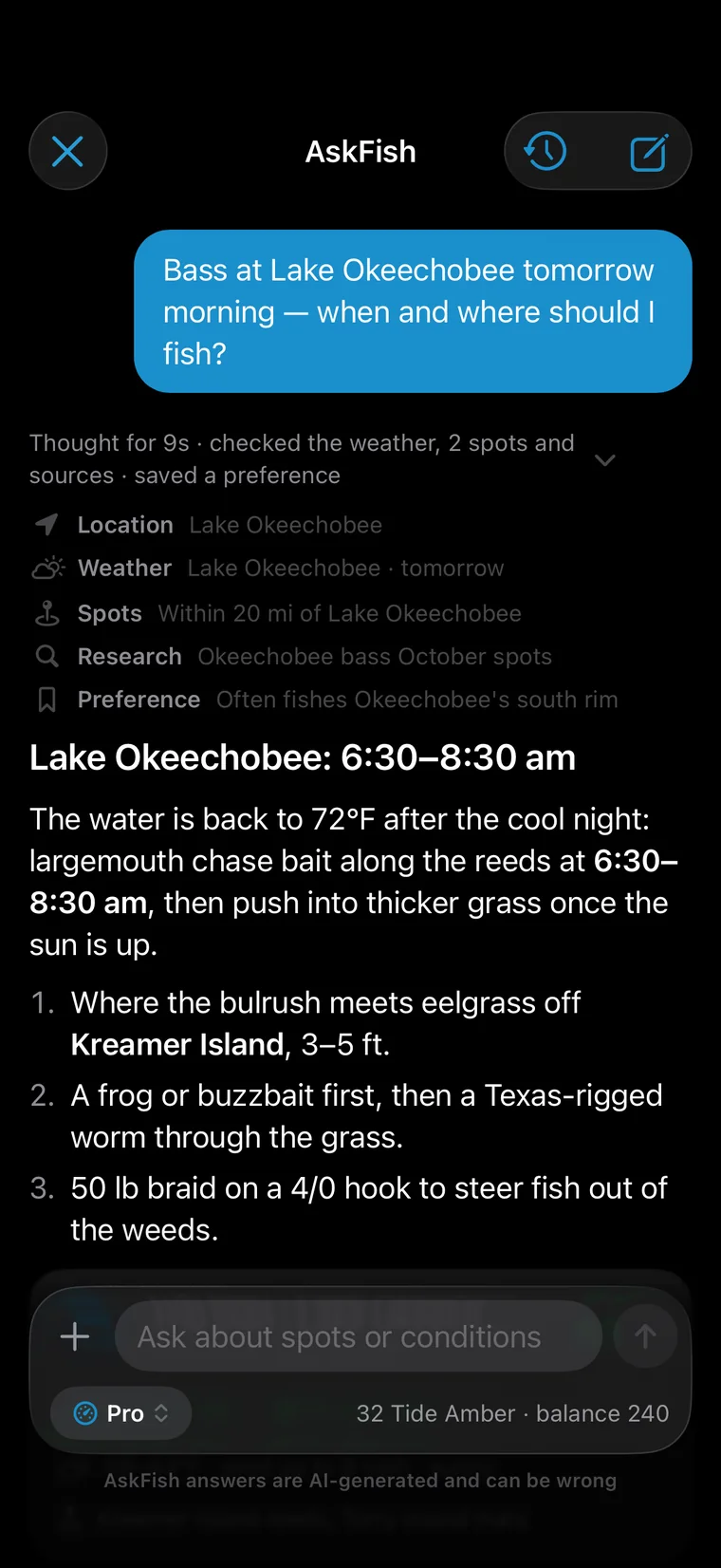
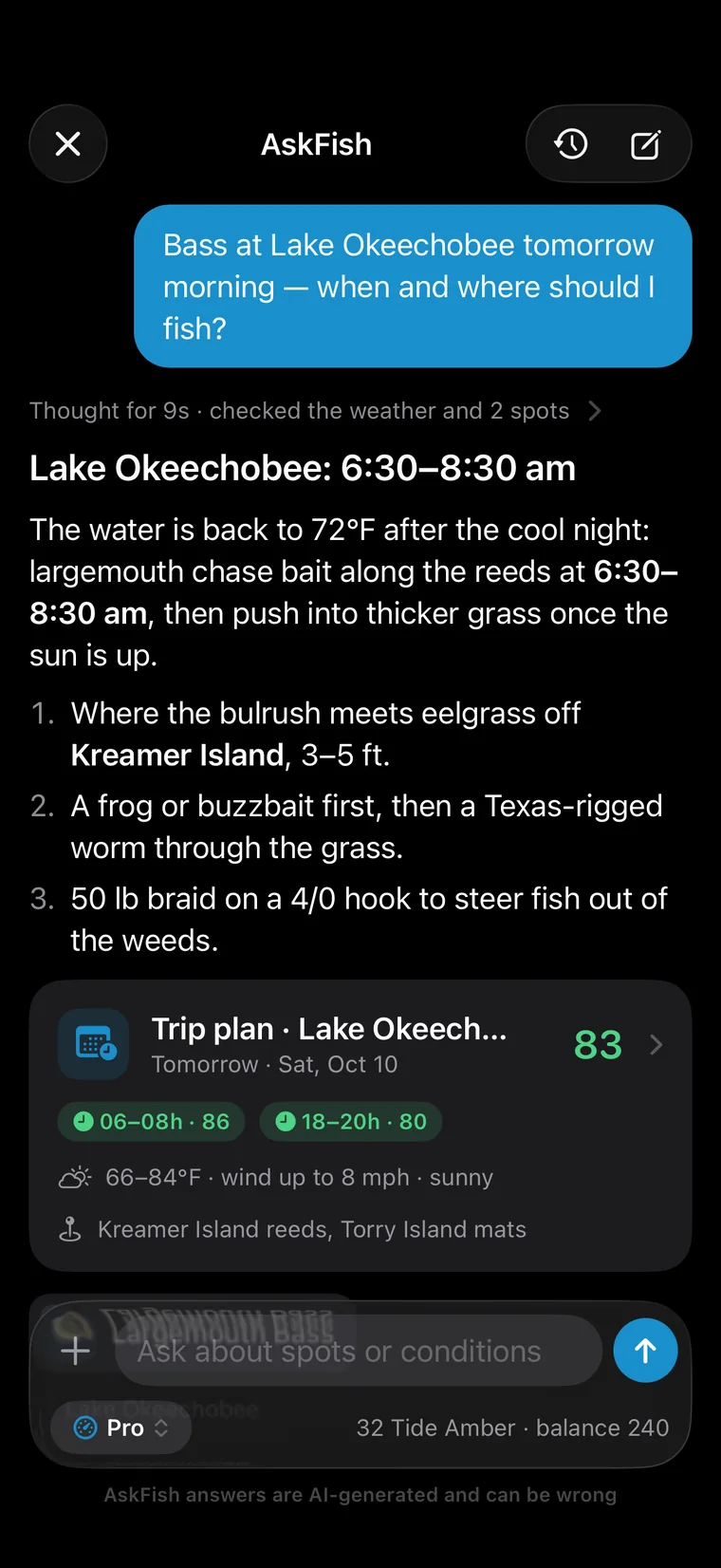
“Bass on Lake Okeechobee tomorrow morning — what time, and where?” You get the window, the spot and the bait, plus a trip plan.
Every water an answer names is checked against the map, open fishing-spot data and anglers' catches. If one doesn't check out, it tells you.
Each hour is scored on weather, wind, pressure and light, with the day's best windows marked and the spots to try lined up.
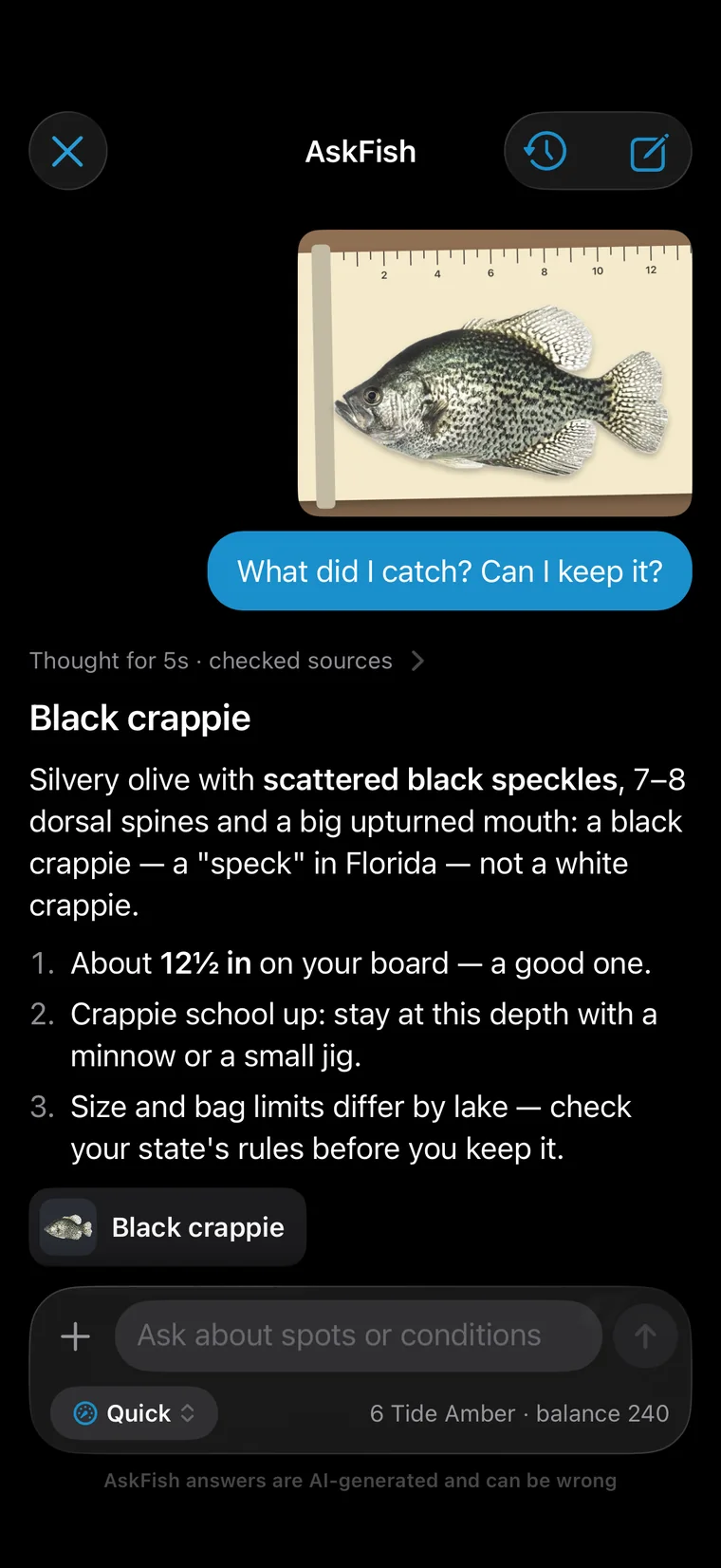
Take or pick a photo: the species, how to tell it from look-alikes, what to check before you keep it, and how to catch more.
The weather it checked, the spots it searched and the fish it looked up are listed above the answer. Tap to expand.
Ask it things like
Switch right under the text box. Deeper modes think harder and spend more Tide Amber per question.
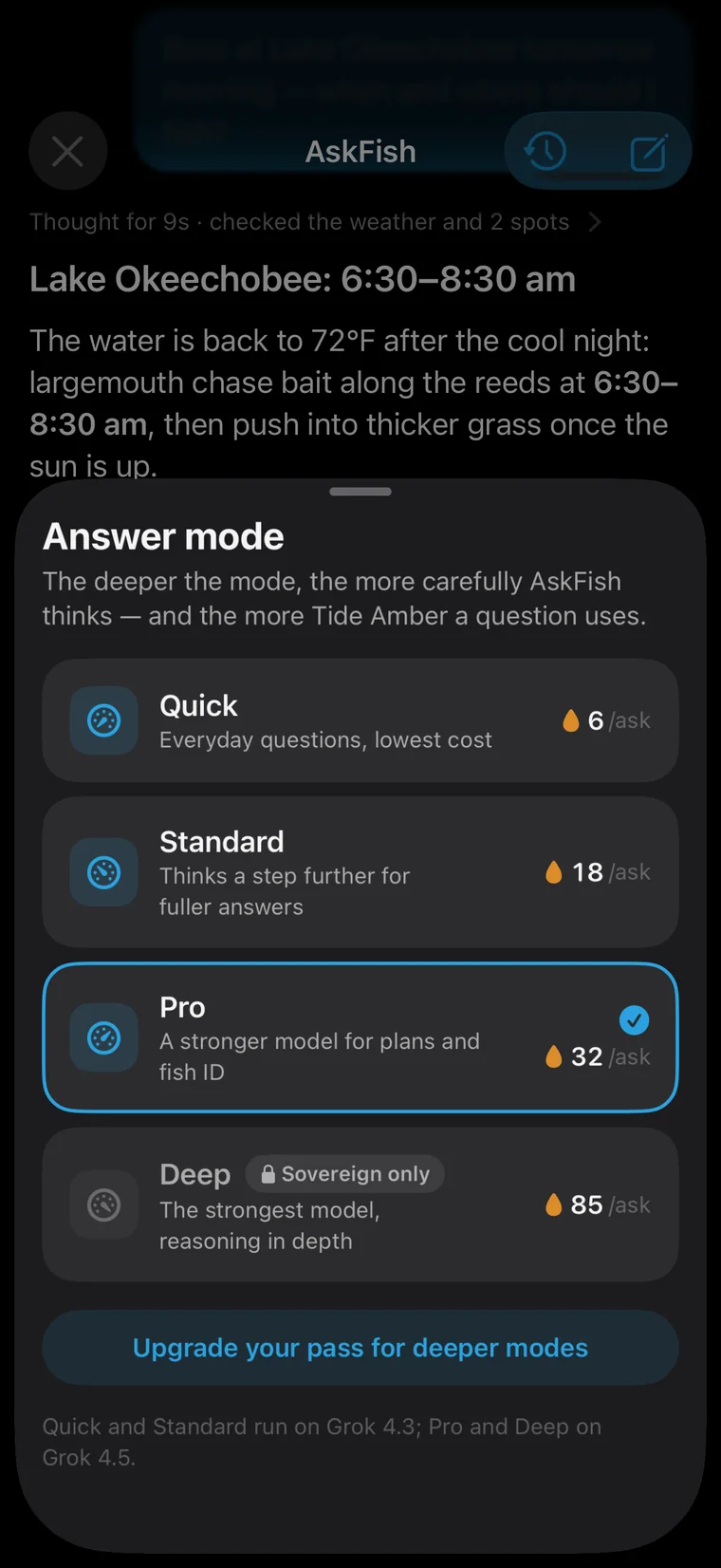
The mode sits under the text box, with each mode's price and who can use it.
Everyday questions, lowest cost
Is it windy today? How do I tie this knot?
Thinks a step further for fuller answers
Where should I go this weekend? What bait now?
A stronger model for plans and fish ID
A full trip plan; a fish from a photo
The strongest model, reasoning in depth
Weighing several waters; a tricky rig
Adding a photo to identify adds 7–9 Amber. Prices as shown in the app.
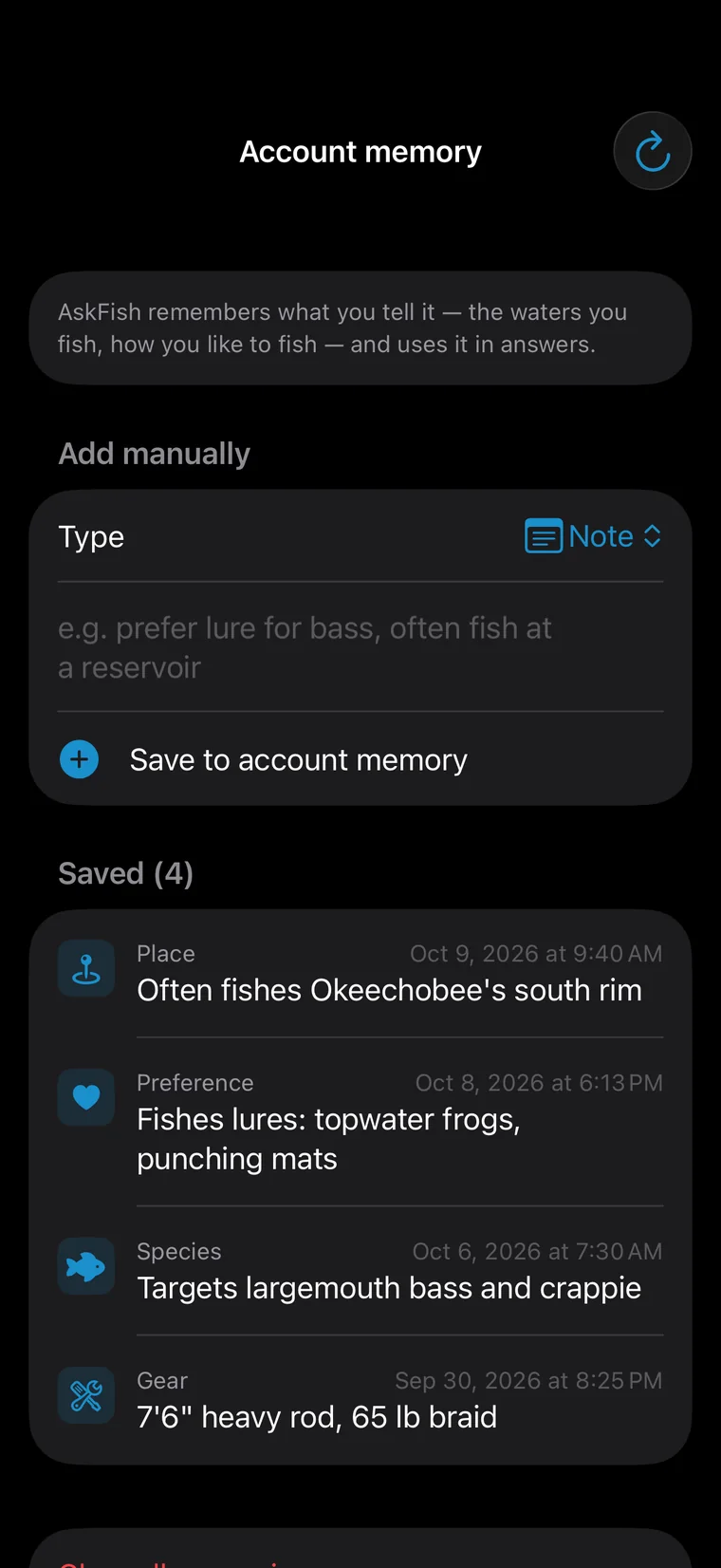
It remembers the fish and methods you like, for questions like “where should I go?” Say you're after catfish today, and it answers about catfish.
Name a lake or a pier, or just say “near me.” Correct it once and it follows.
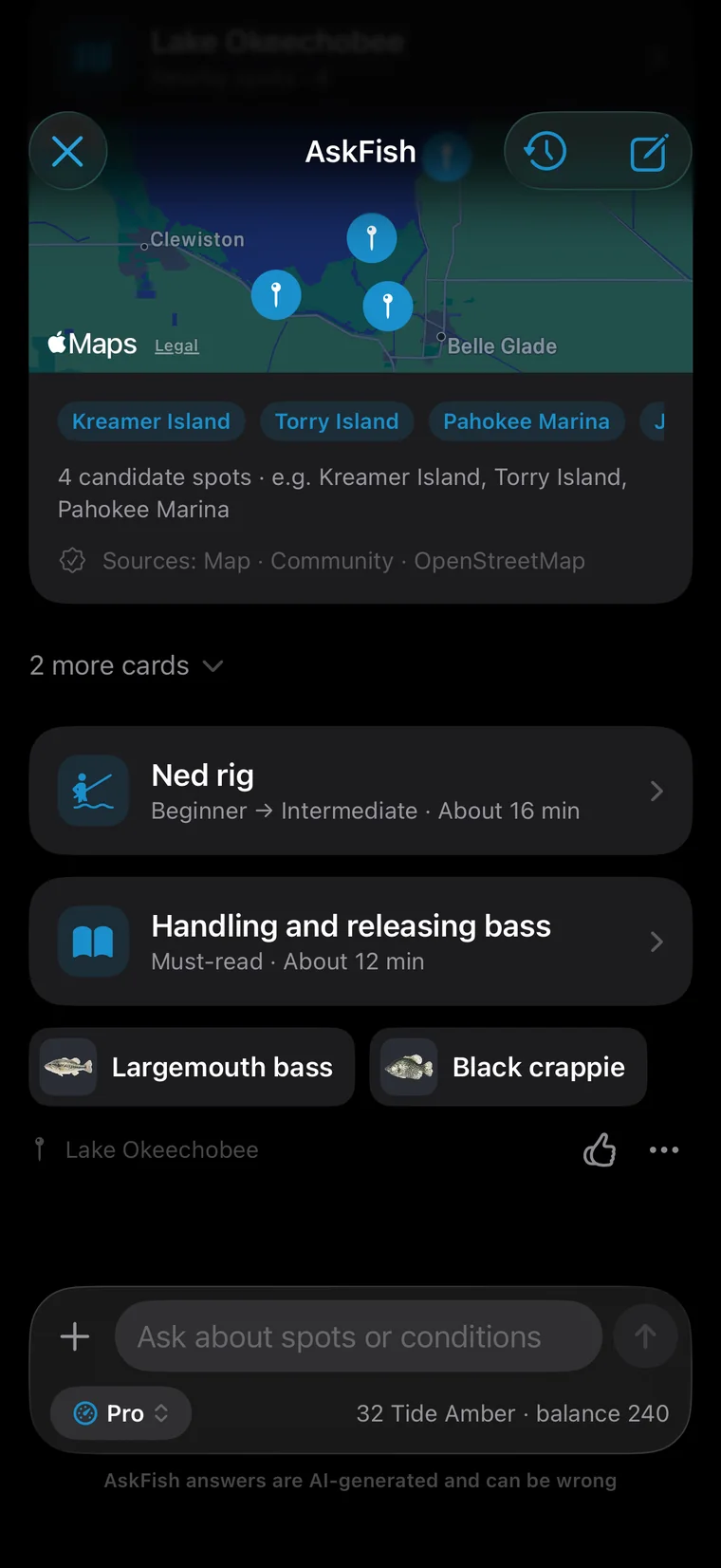
Spots, fish and lessons it mentions come as cards. Tap through to the map, the guide or the academy.
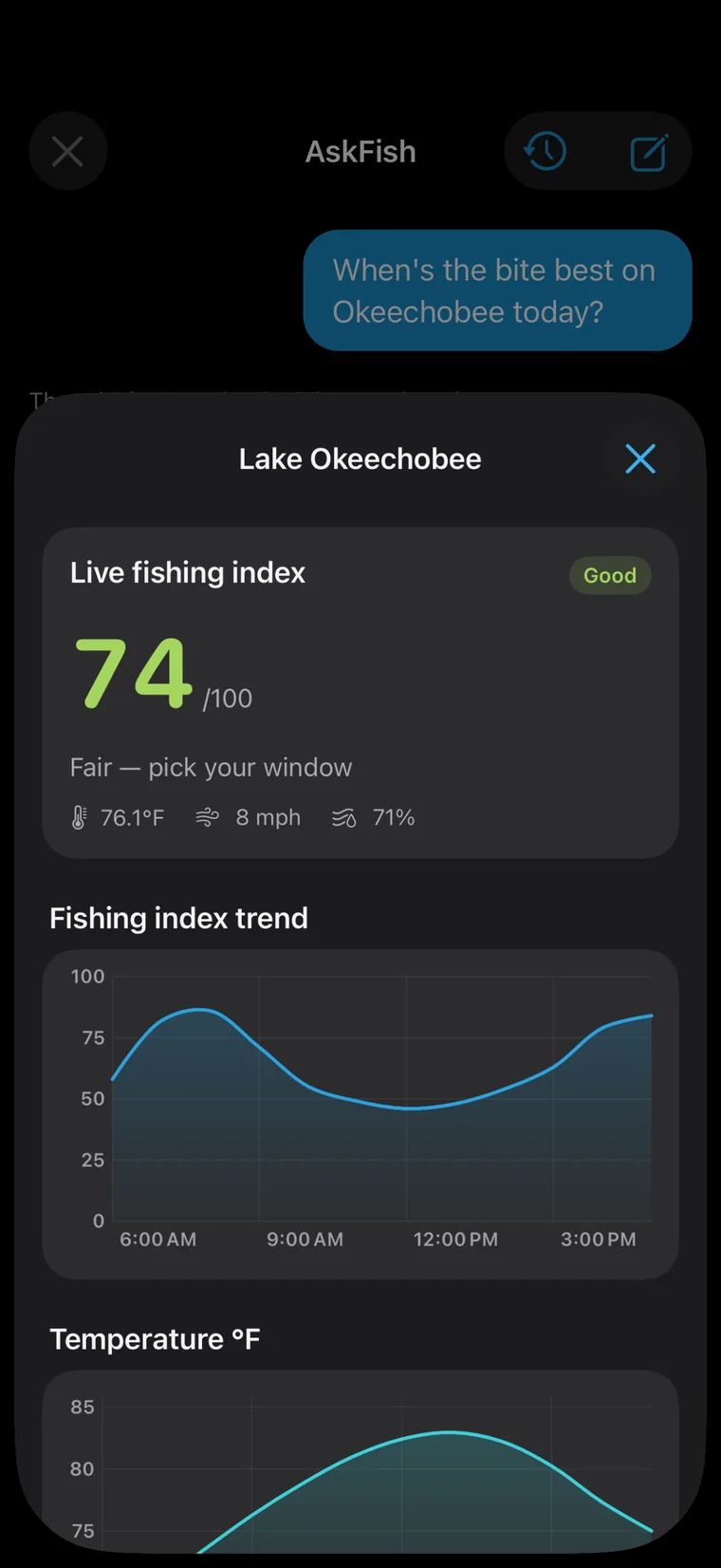
Ask about weather or timing and the answer carries that water's bite score and the day's curve — no app switching.
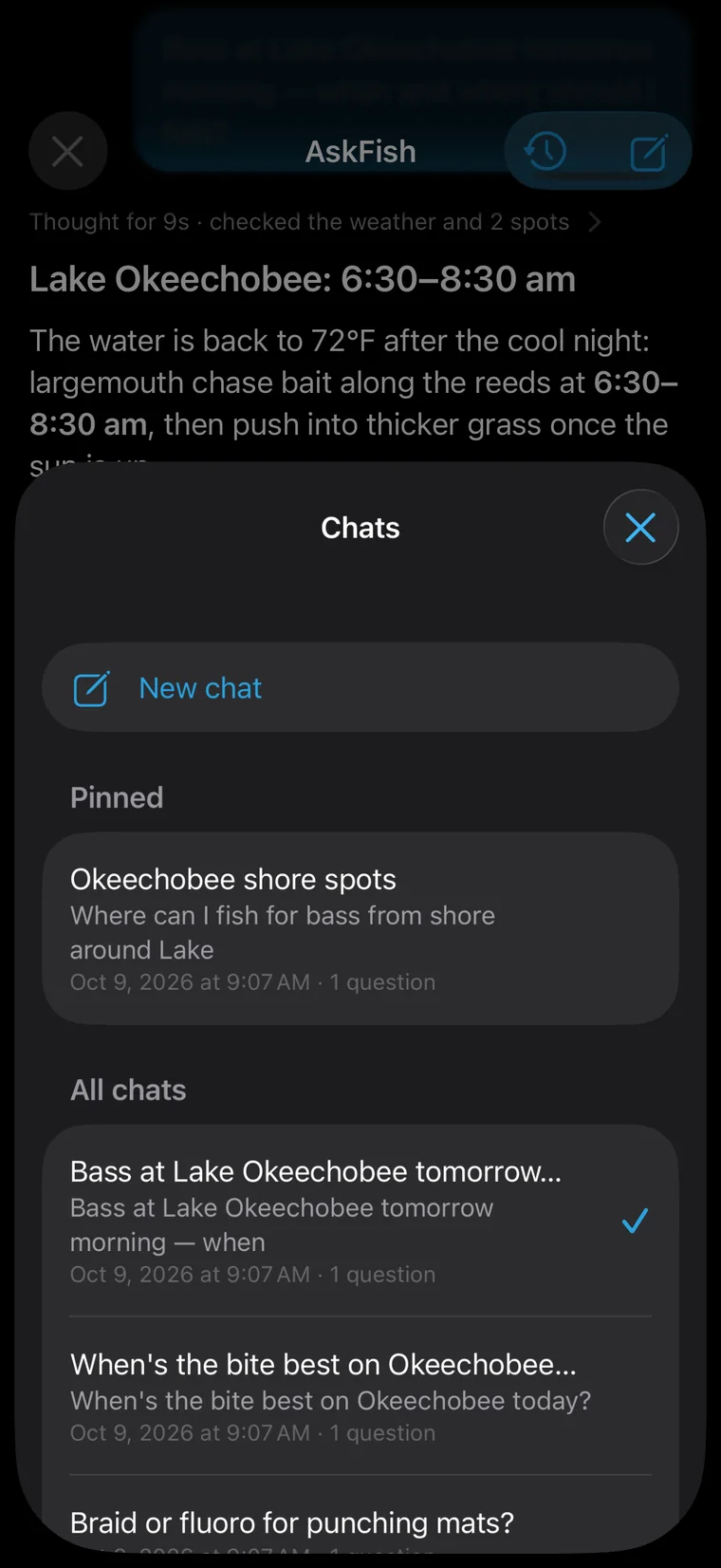
Pin the chats you use most; they follow you to a new phone.
Switch apps mid-answer and it picks up where it left off. Retry never charges twice.
For fresh news like local catch reports it searches the web, and shows where each line came from.
English, Simplified and Traditional Chinese, Japanese and Korean, in imperial or metric units.
AskFish answers are written by AI and can be wrong. Check local rules, weather and water safety before you go.
More than a weather report. Conditions scores your water, your fish and your method — pressure, wind, rain, light, tides and moon, hour by hour — and sums it up in a sentence.
Open it and see whether today is worth it, the best hours, and why.
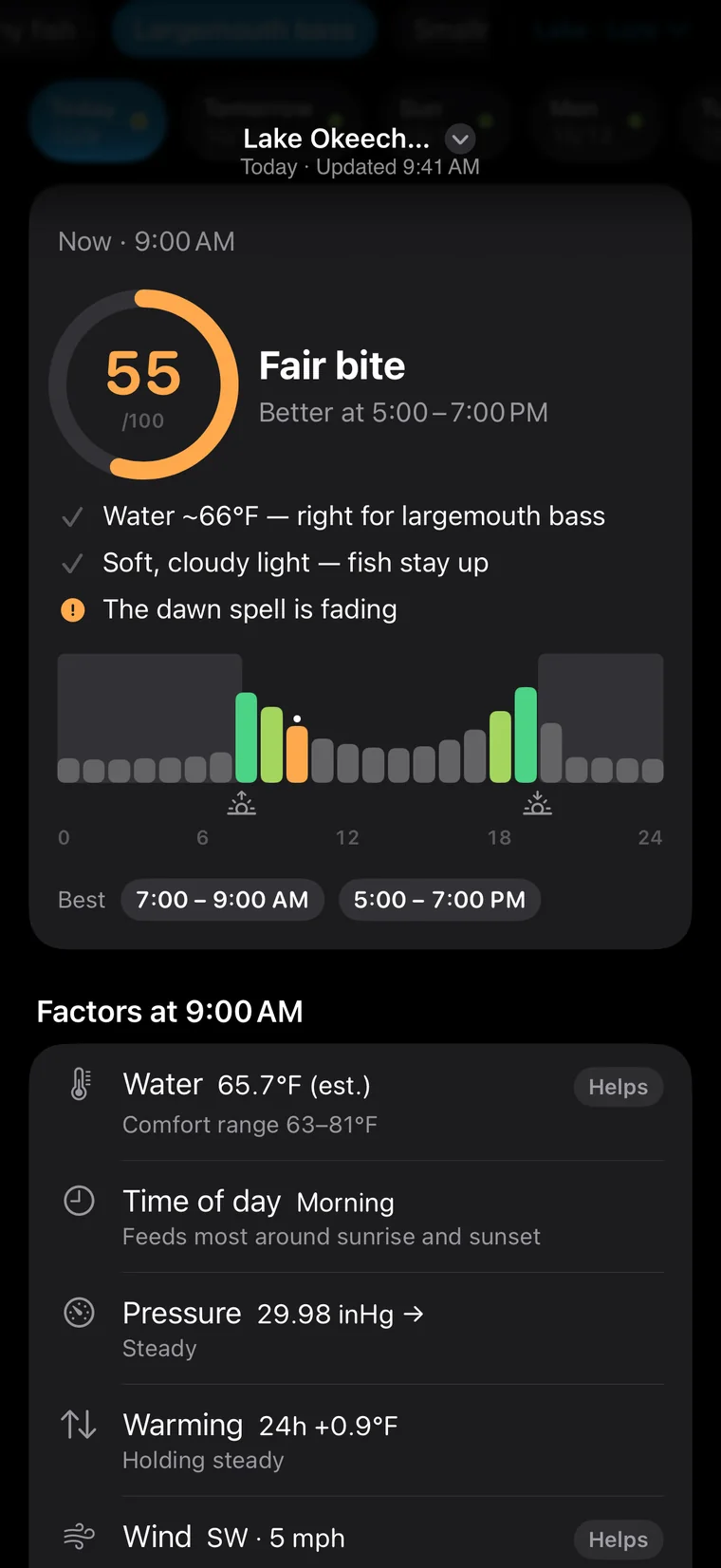
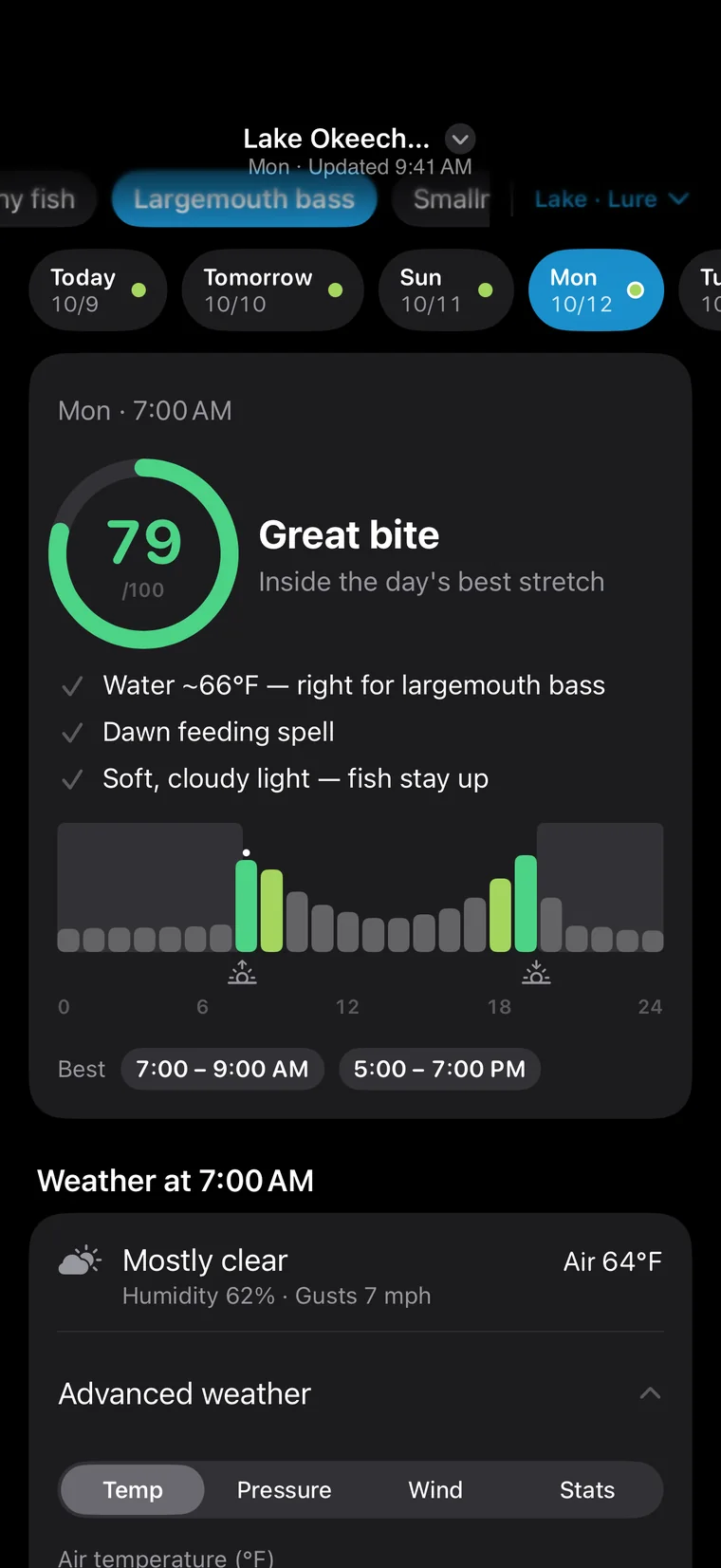
An hour-by-hour bite index with the best windows marked, and every factor listed below it.
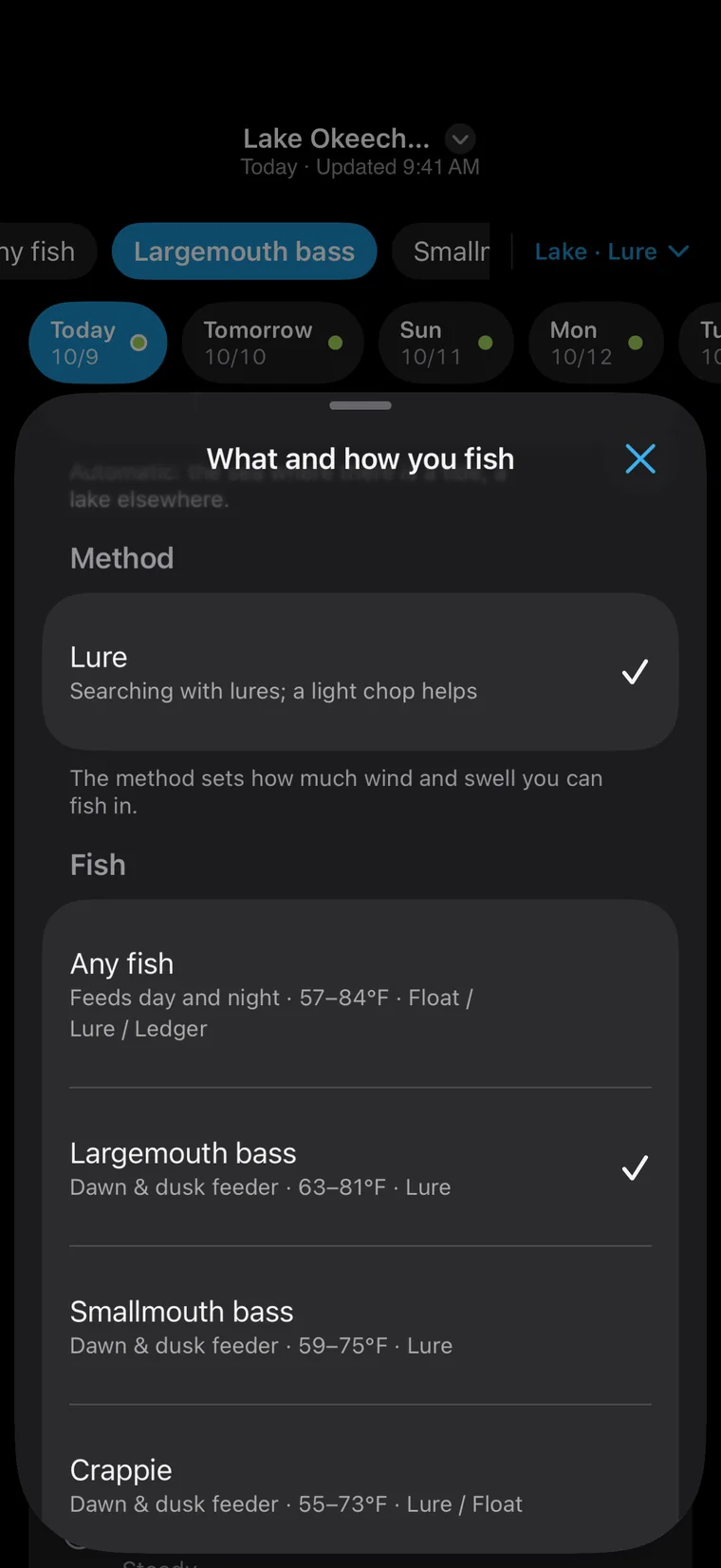
Lake, river, pond or sea, scored for the fish you're after and how you fish it: float, lure, casting, rock or boat.
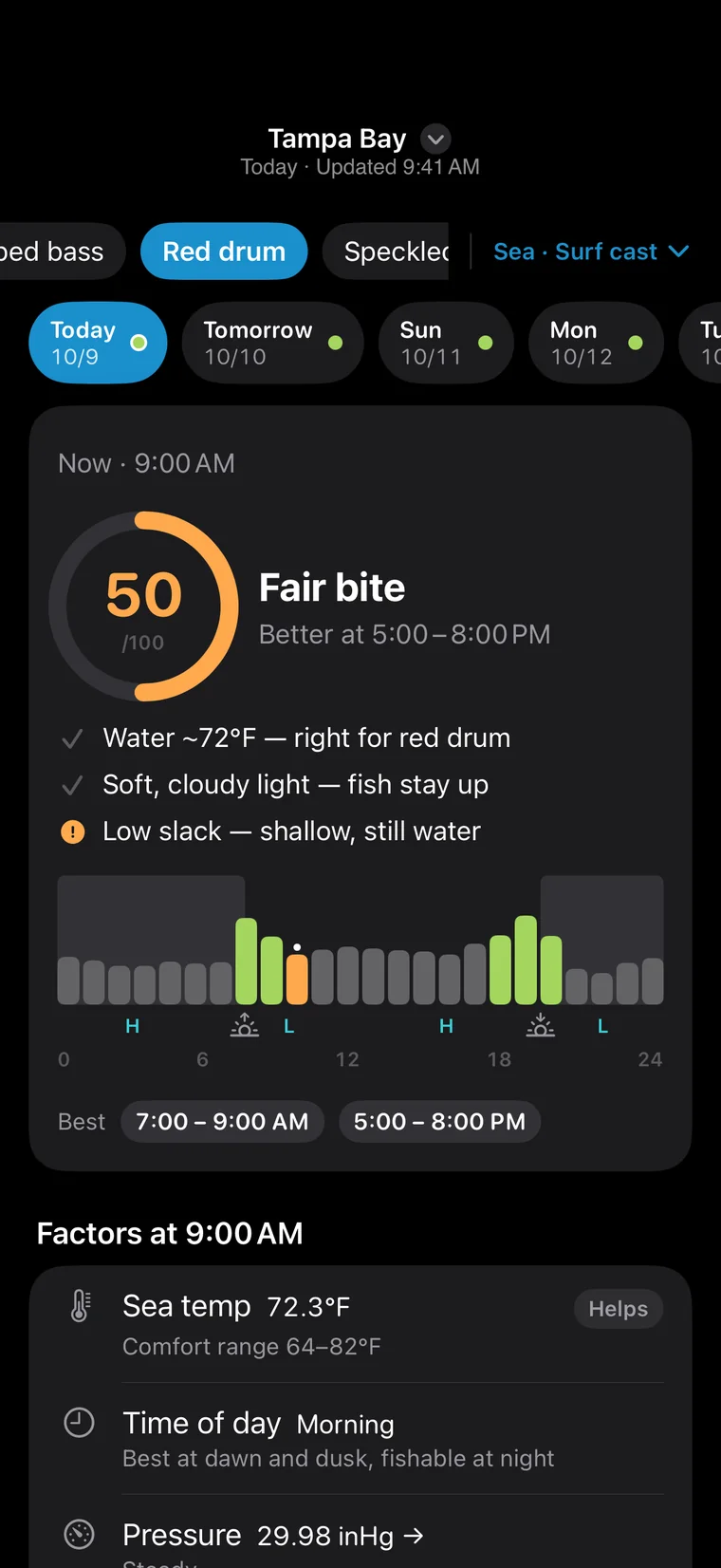
Tide stages, spring and neap tides, sun and moon times — all counted in on the coast.
Ponds, rivers and lakes warm and cool at different speeds, so Conditions estimates the water temperature for the water you fish.
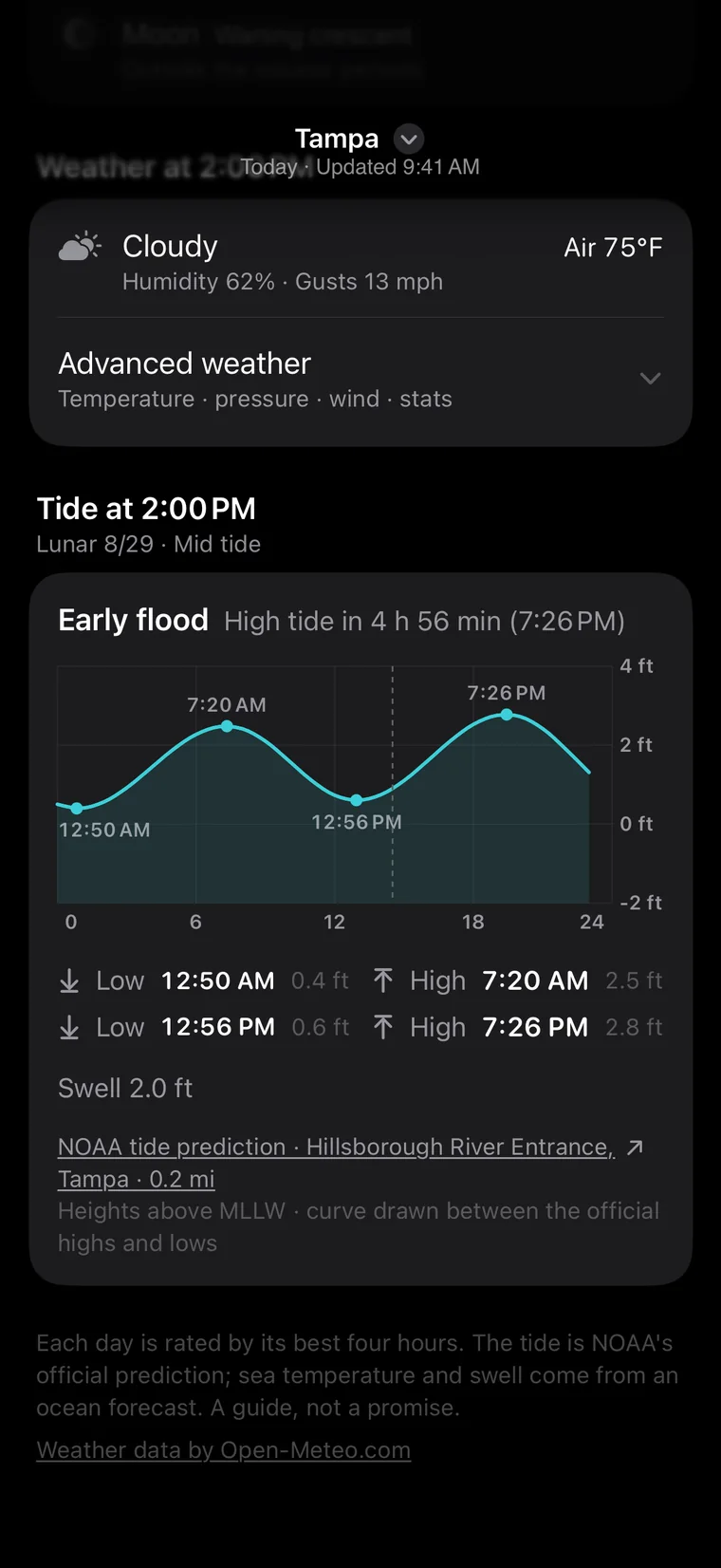
Tide predictions from NOAA stations, right in Conditions.
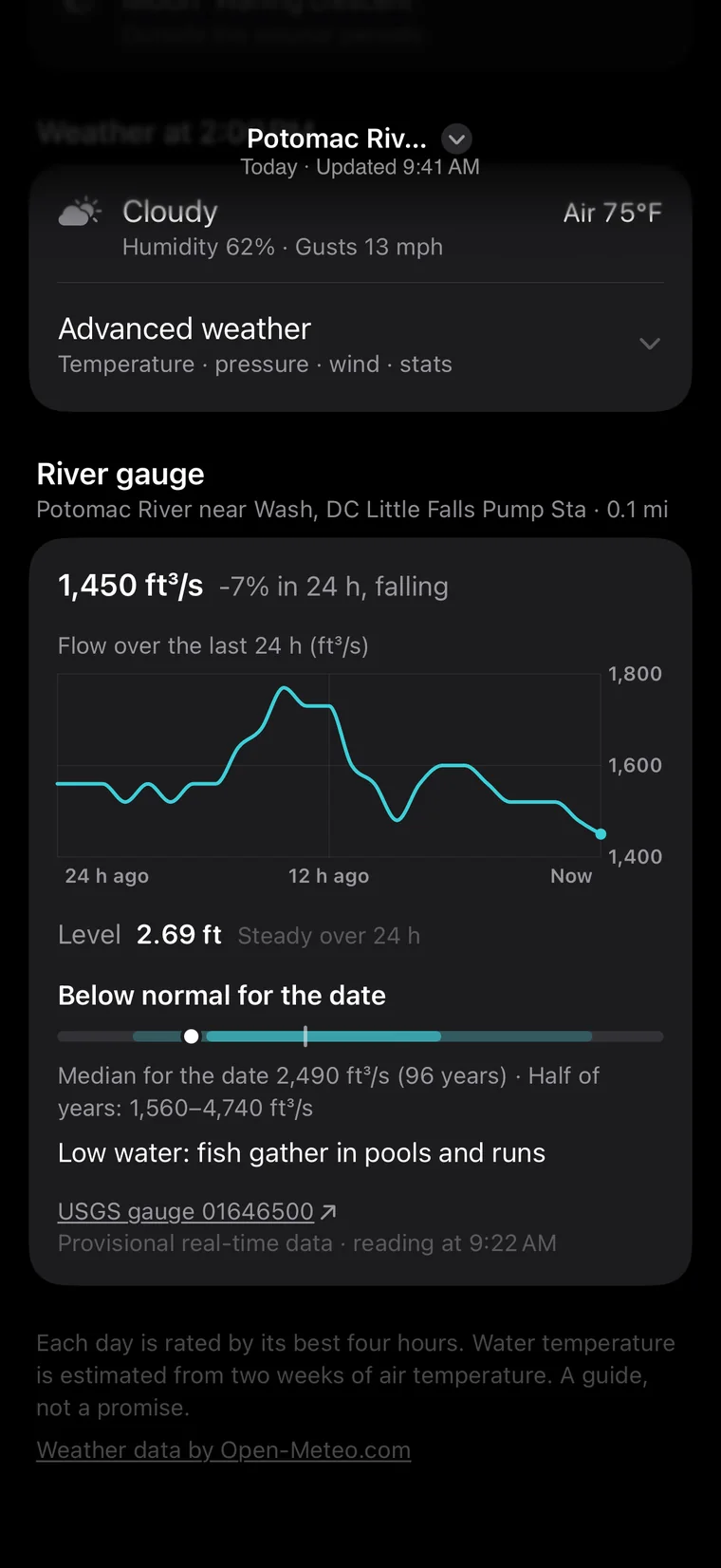
On a river, see live flow and gauge height from USGS stations.
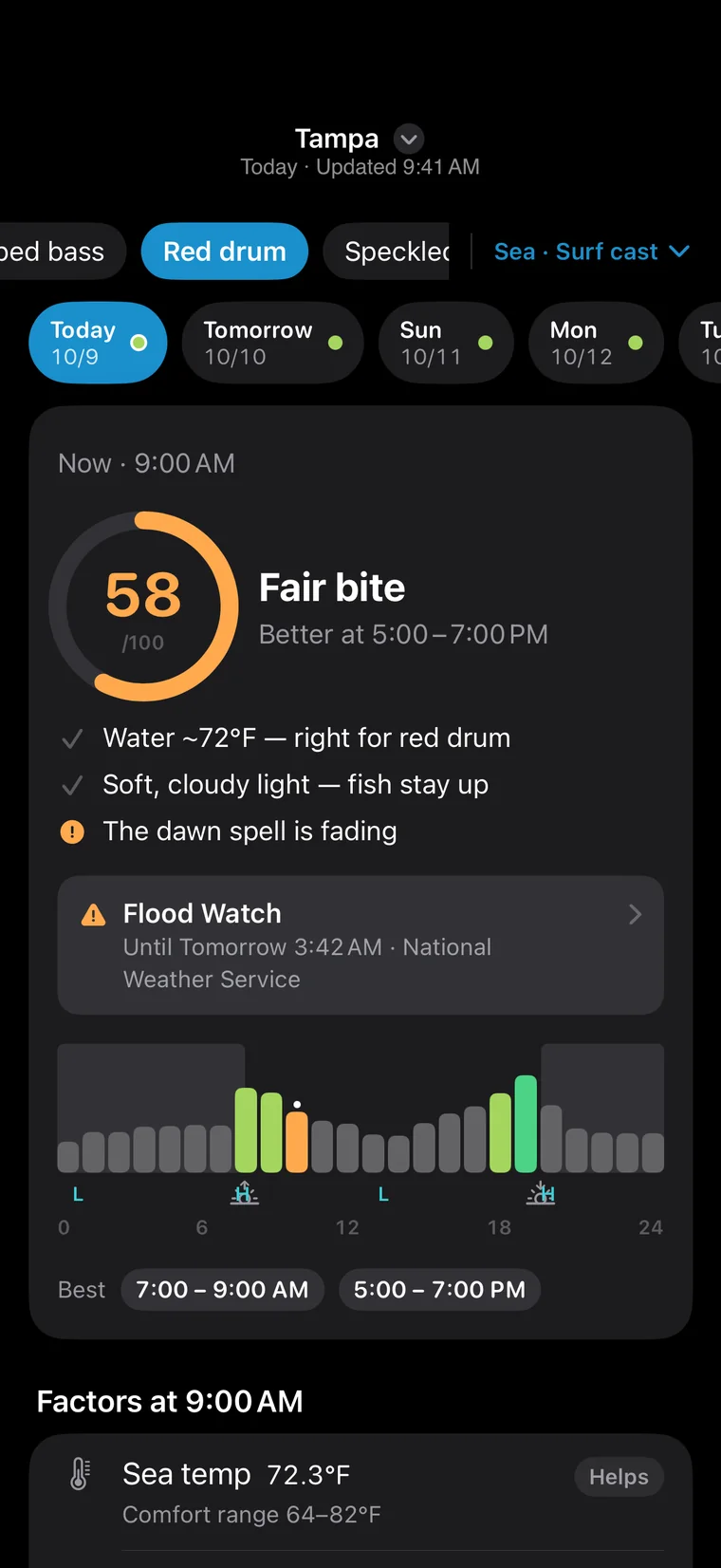
NWS warnings such as high wind or thunderstorms sit at the top, so you see them before you go.
Gold Tide and River Sovereign open the full 7 days, with pressure, wind and 24-hour curves.
Public fishing spots, piers and launches, catches anglers shared, and where fish bit lately. Long-press any water for its conditions.
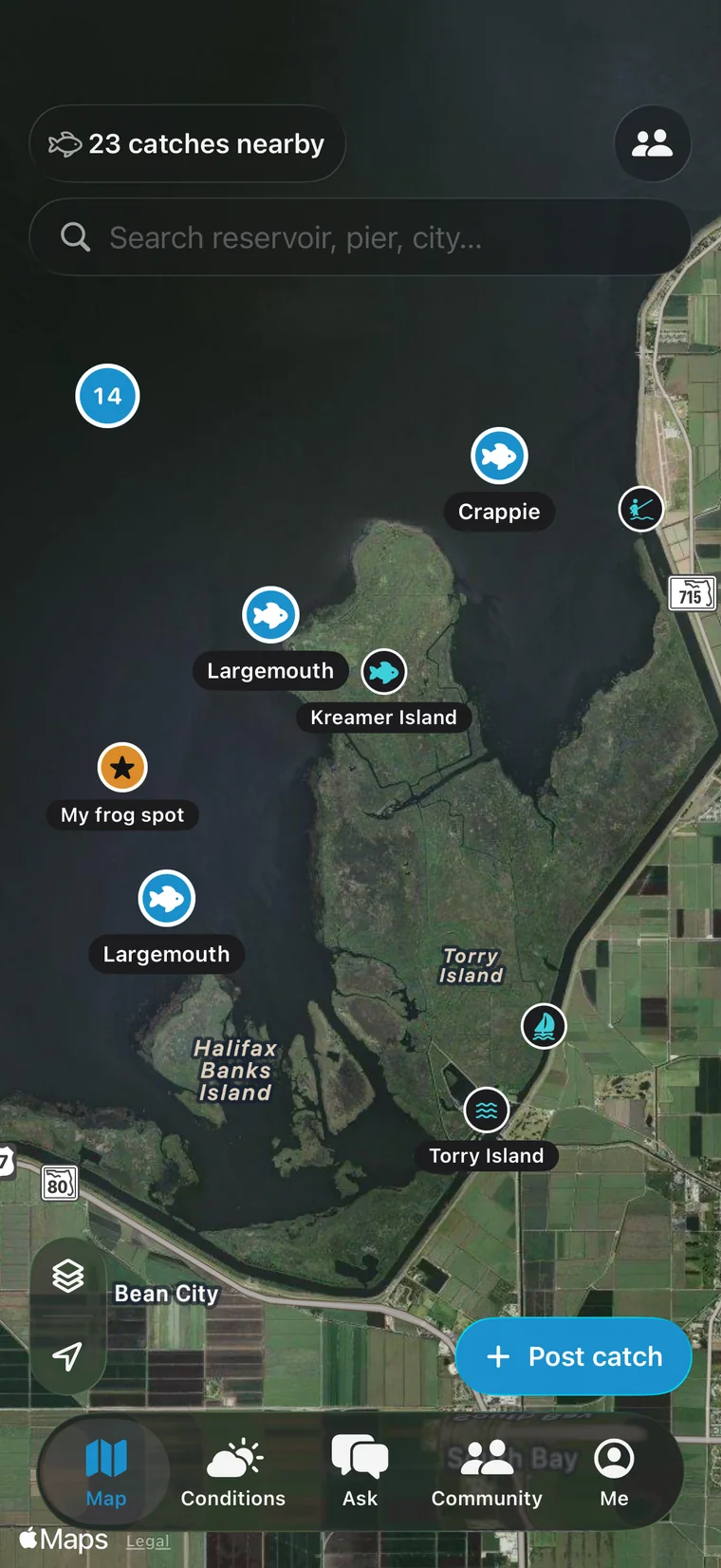
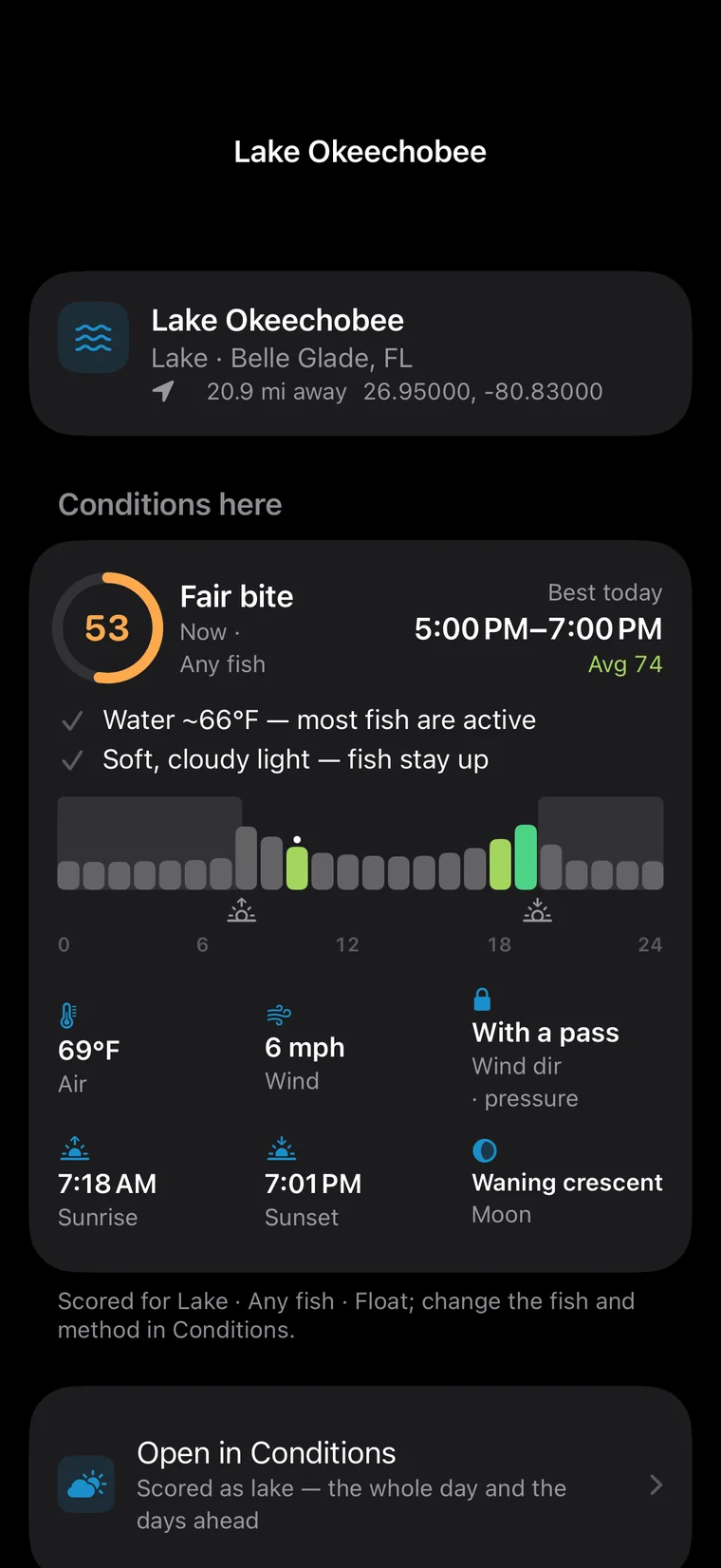
Fishing spots, piers, ramps and marinas, with no-fishing zones marked. Switch to satellite to see the reed edges and mats.
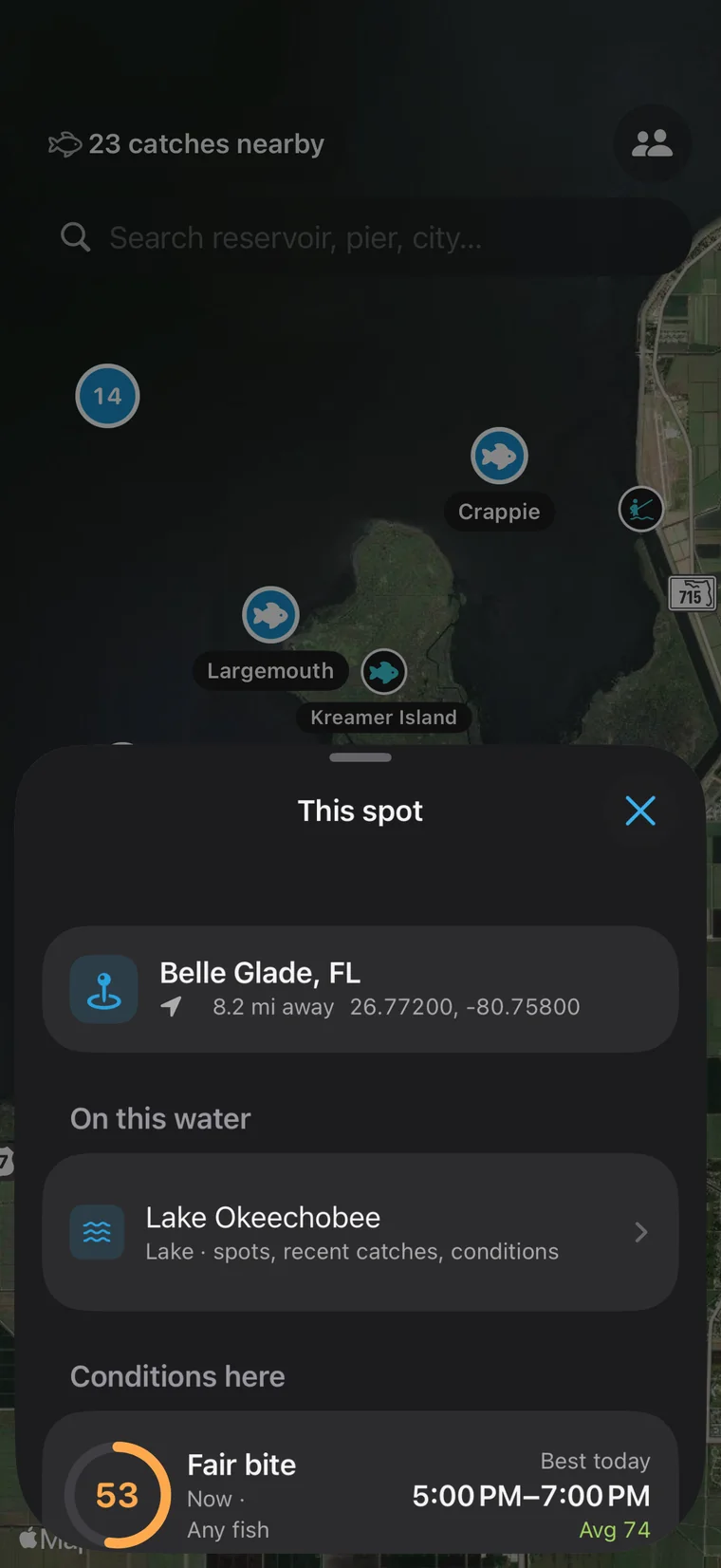
Press and hold anywhere: that spot's weather, bite score and anglers' catches nearby.
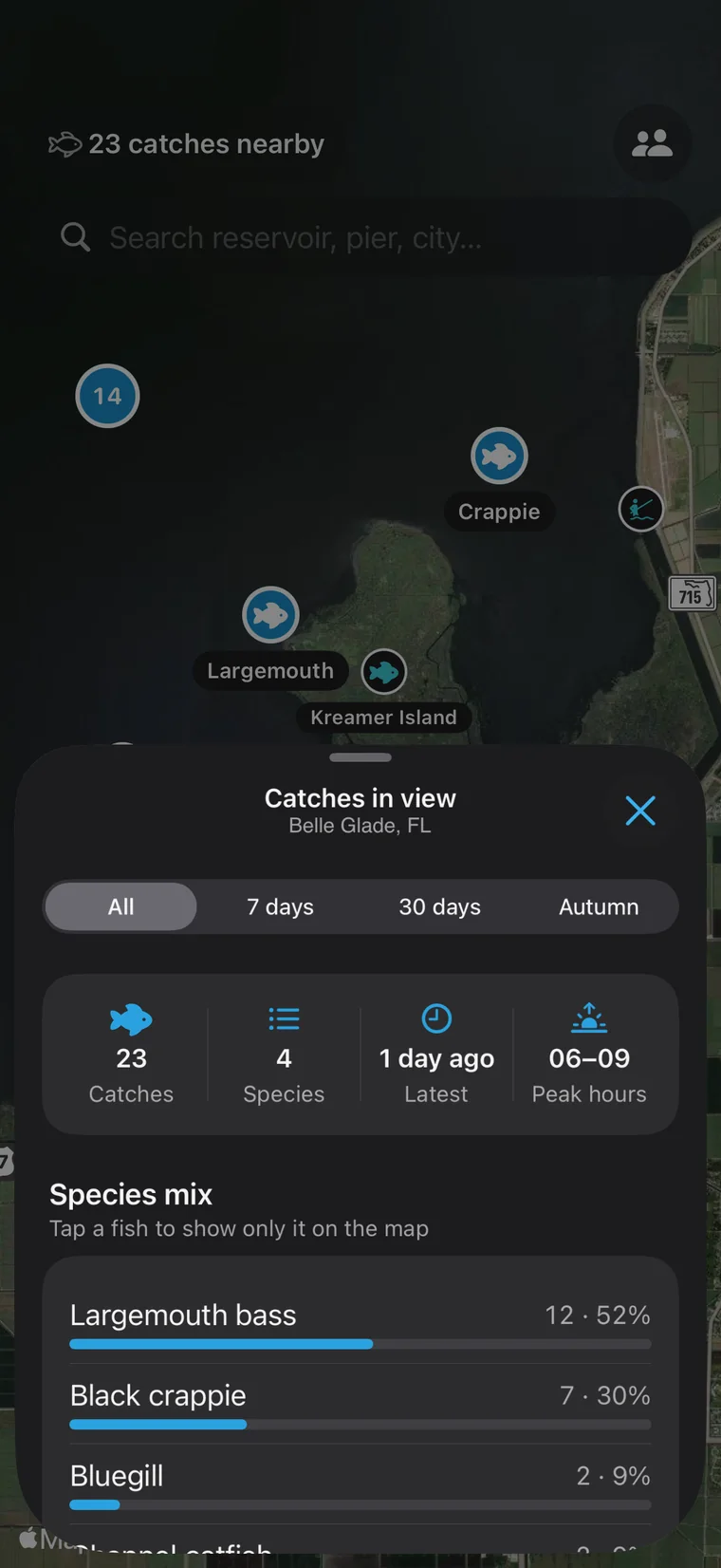
The last 7 days, 30 days or this season: which fish came out of this area, at what hours, and where it was busiest.
Named lakes, reservoirs and rivers get a page of their own: conditions for that water, its spots and anglers' catches.
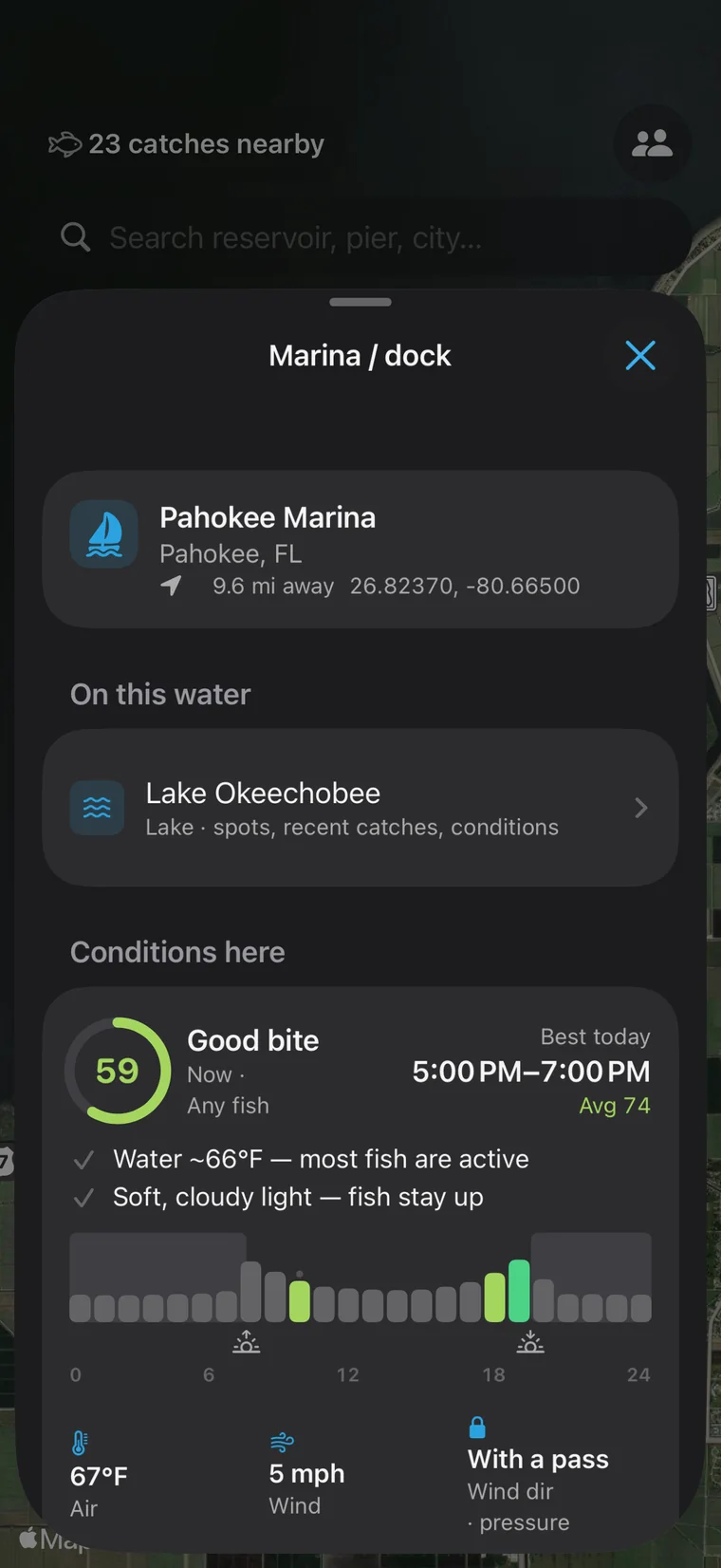
Marinas, ramps and fishing spots: which water, how far, the conditions there — and one tap to navigate.
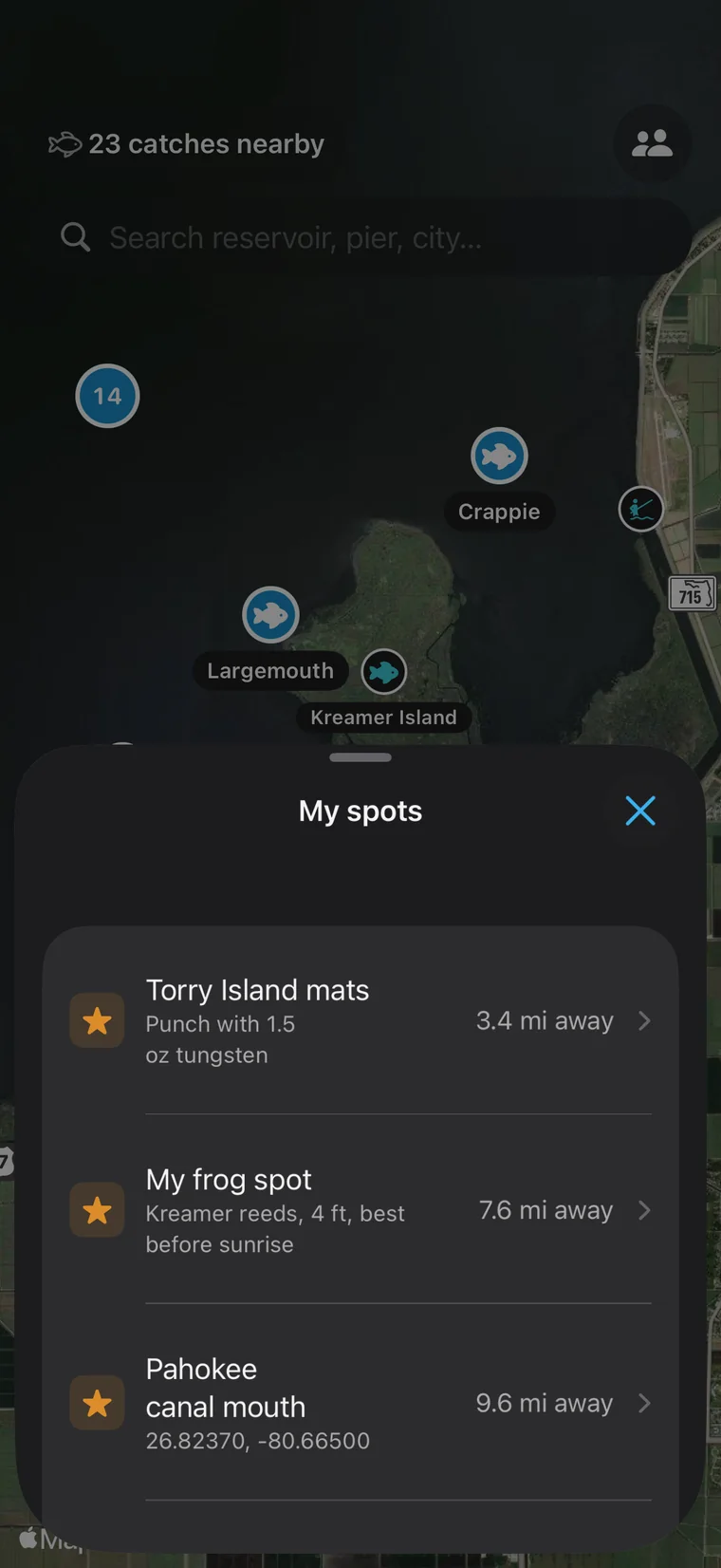
Save your own spots. They stay on your phone and are never uploaded.
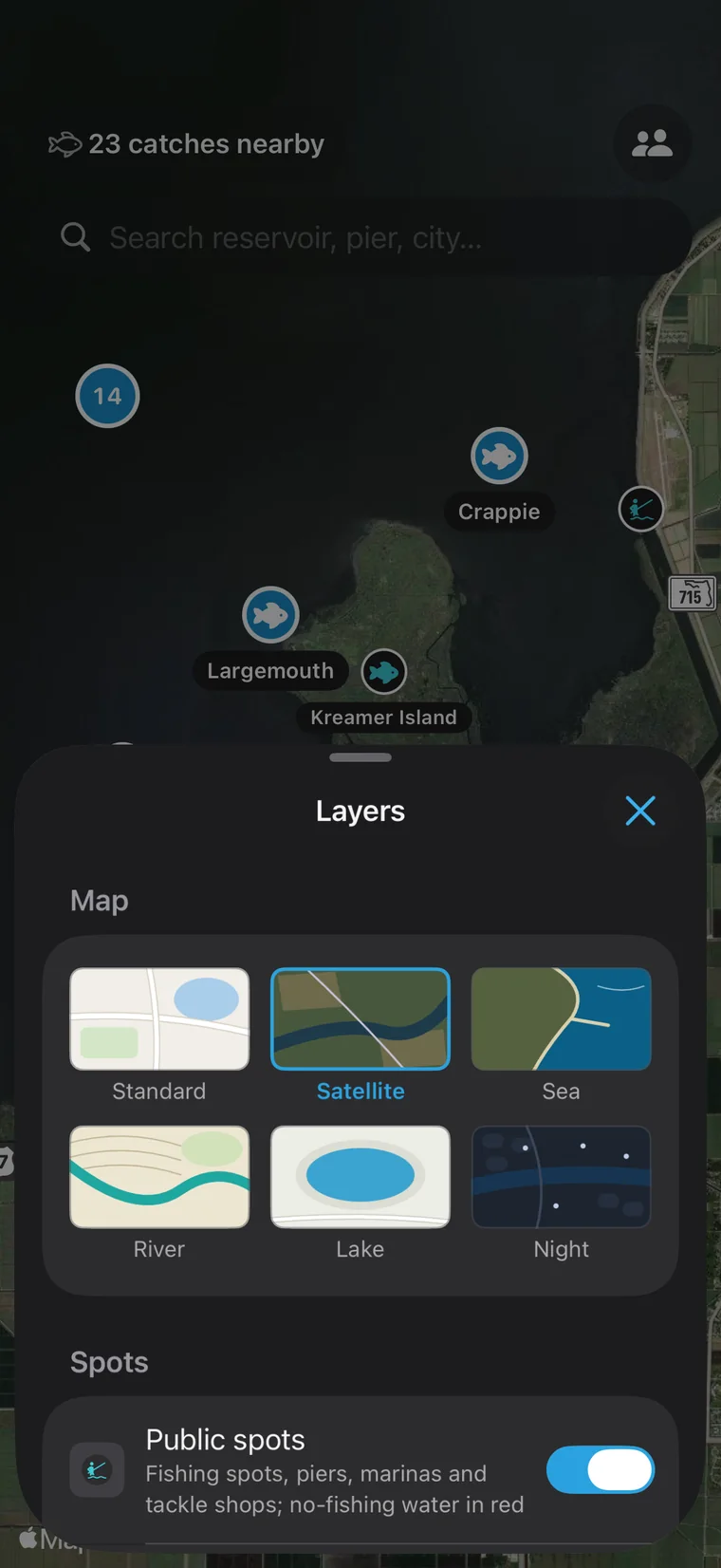
A pass turns on the catch heatmap and hex grid. Download your usual waters for no-signal days.
Anglers' catches appear rounded to about a kilometer, never the exact swim.
Share catches, ask questions and find fishing buddies — in any language, with one-tap translation.
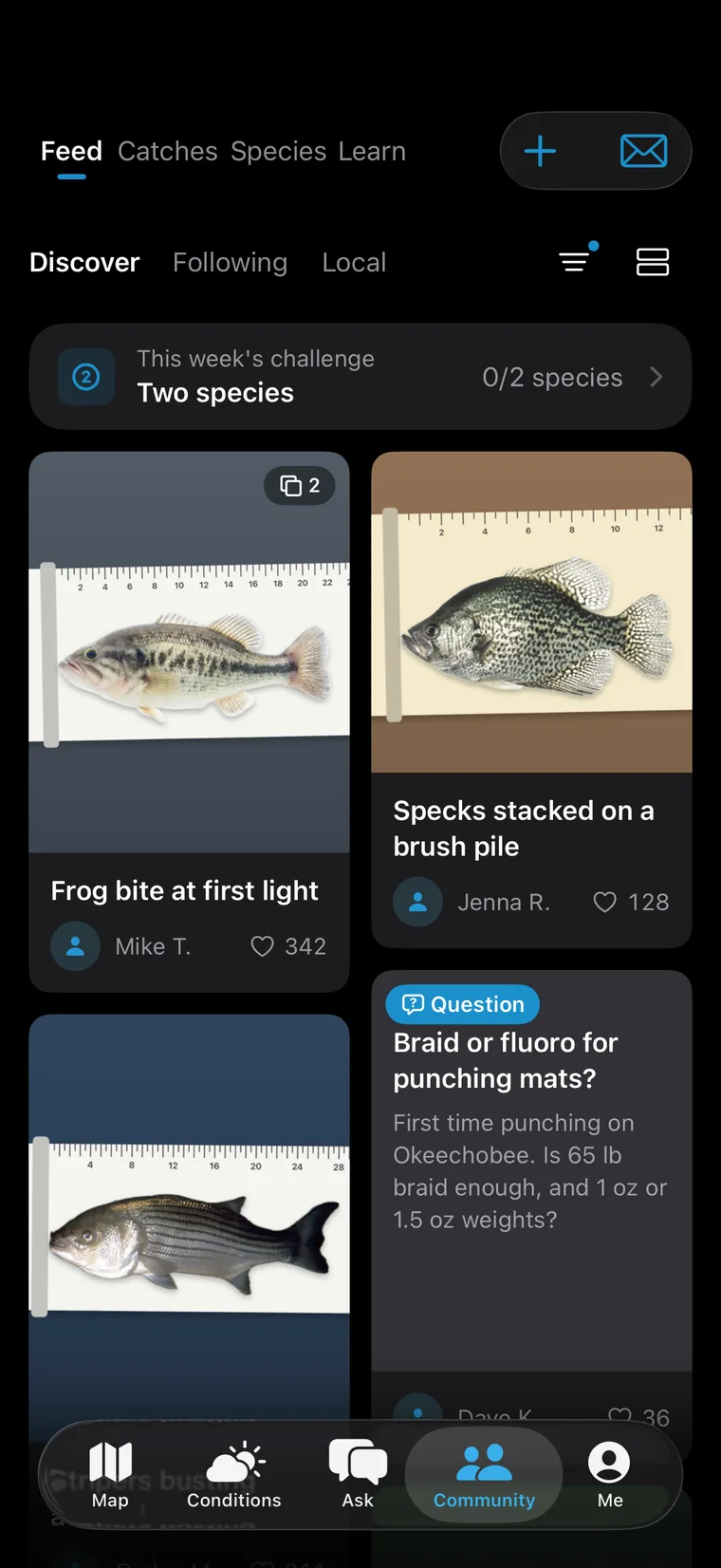
Three feeds: what everyone's catching, what the anglers you follow are catching, and what anglers in your own county or city are catching.
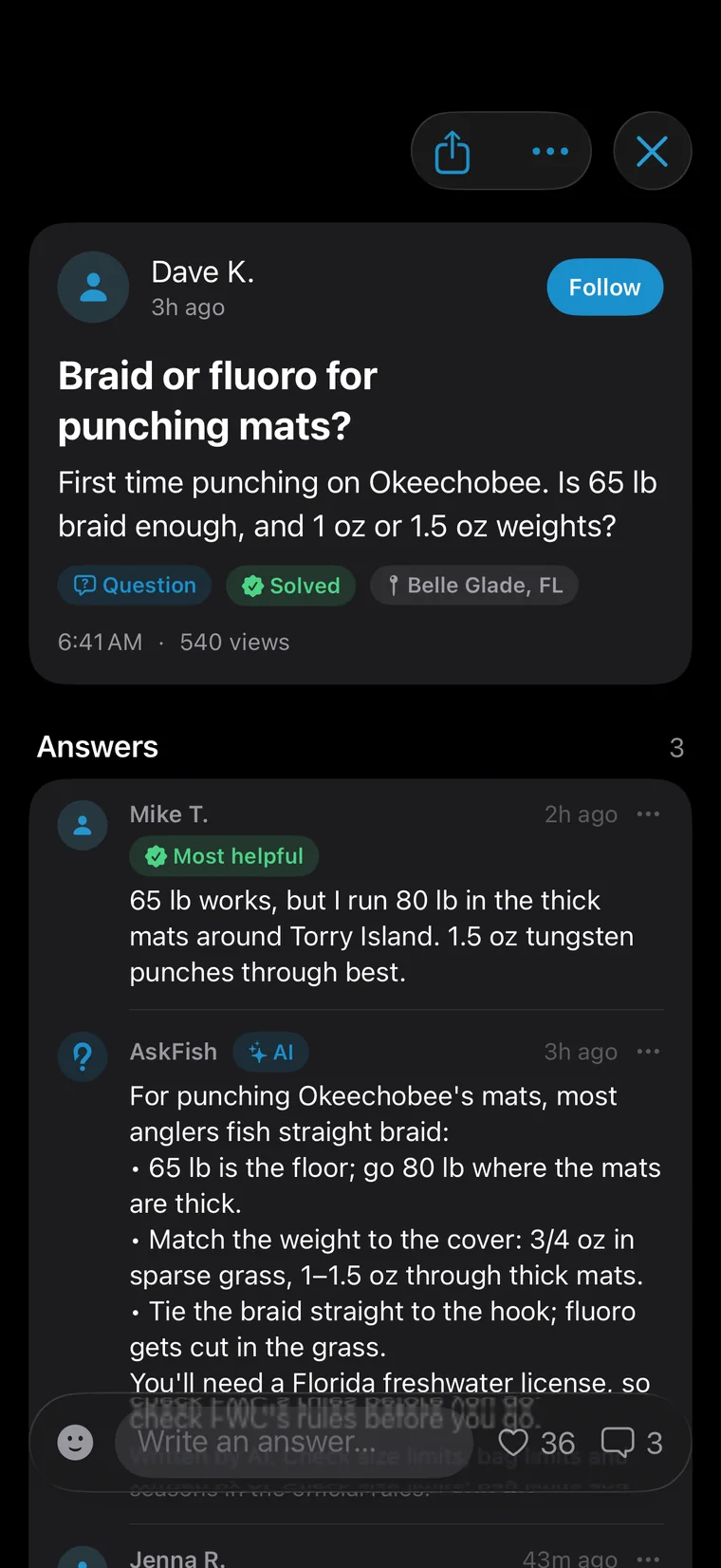
Post a question: AskFish answers first, anglers nearby weigh in, and the most helpful answer gets marked.
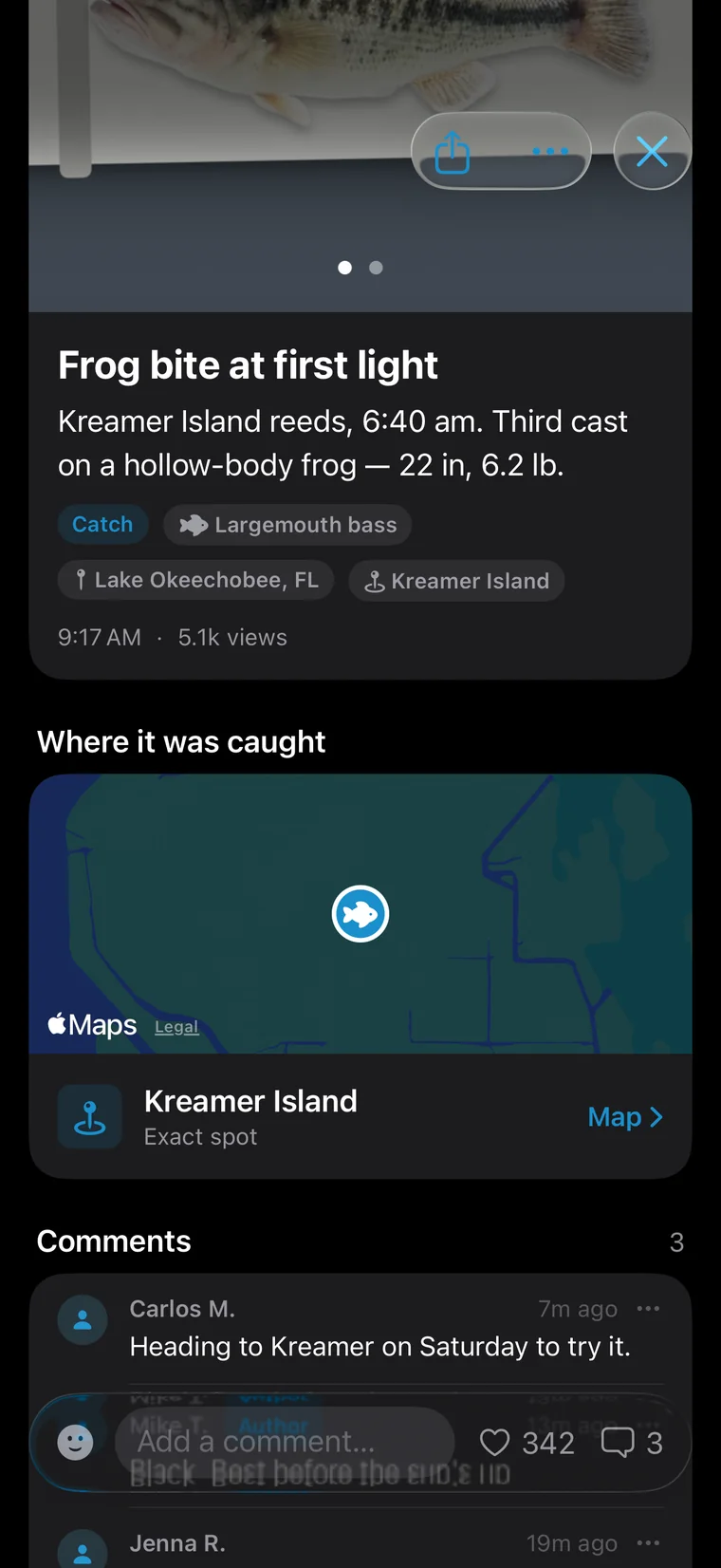
Catch posts carry a small map of roughly where it was caught. Tap to jump to that water.
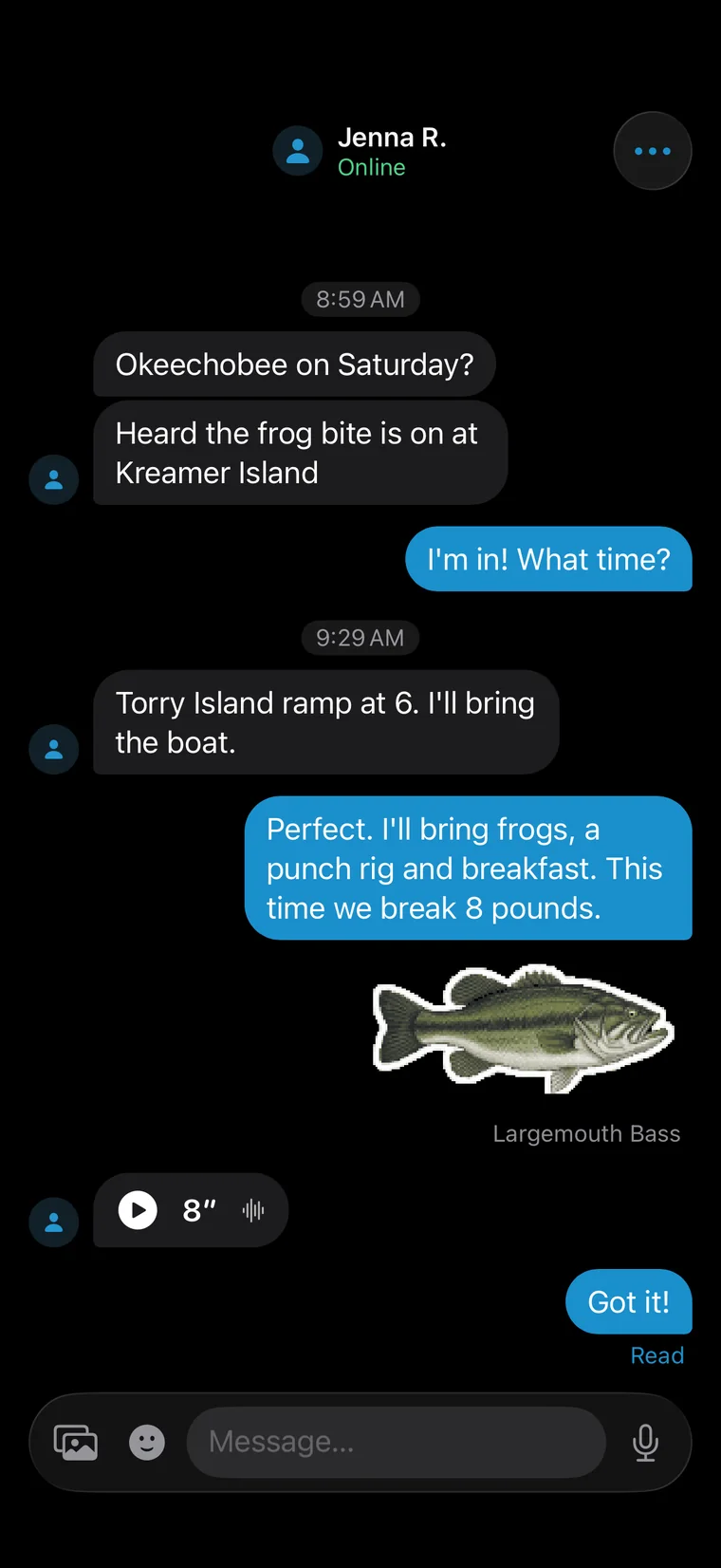
Text, photos and voice notes with friends. Only friends can message each other.
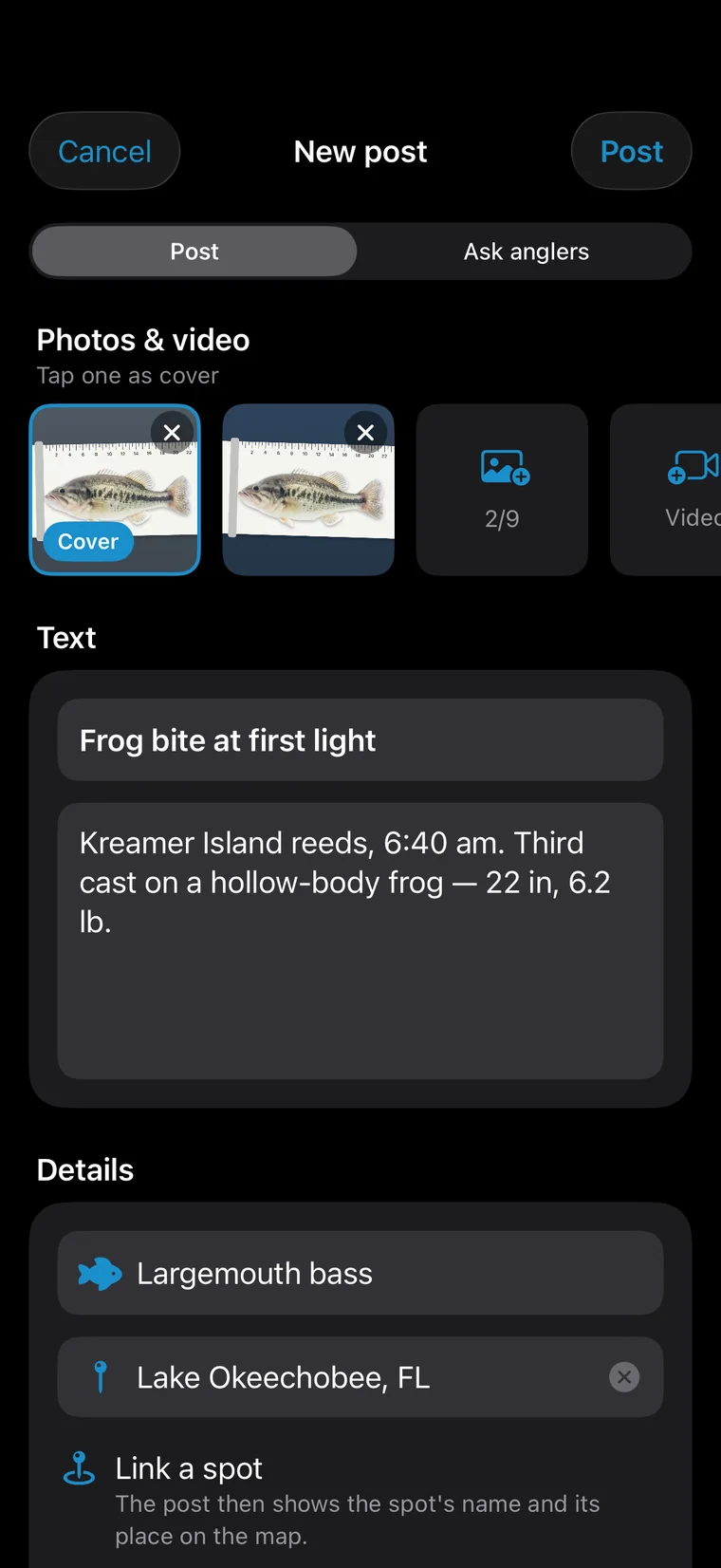
Photos and video, the species, the place — link a public spot if you like, or switch to Ask anglers.
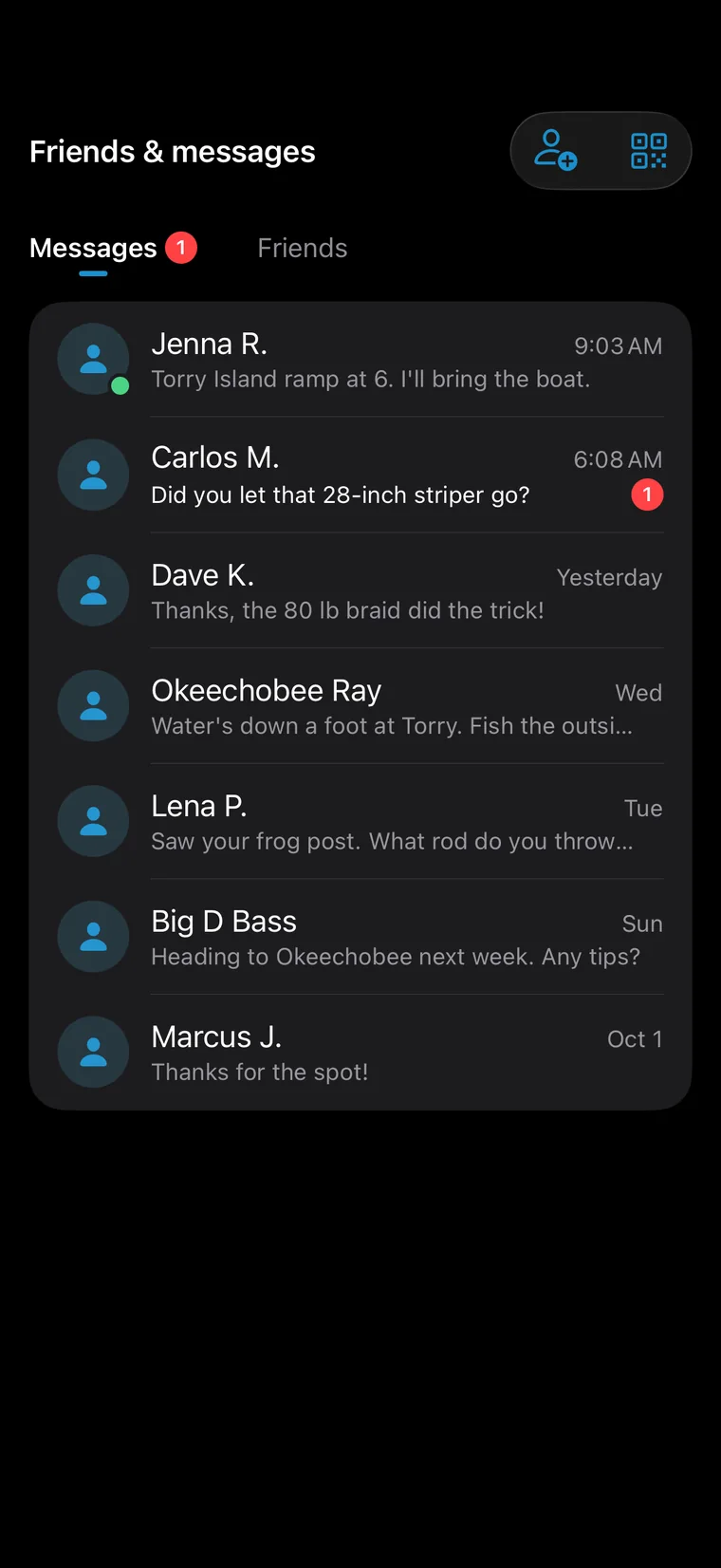
Every conversation with your fishing friends in one place, unread ones on top.
A post in another language? Tap Translate and read it.
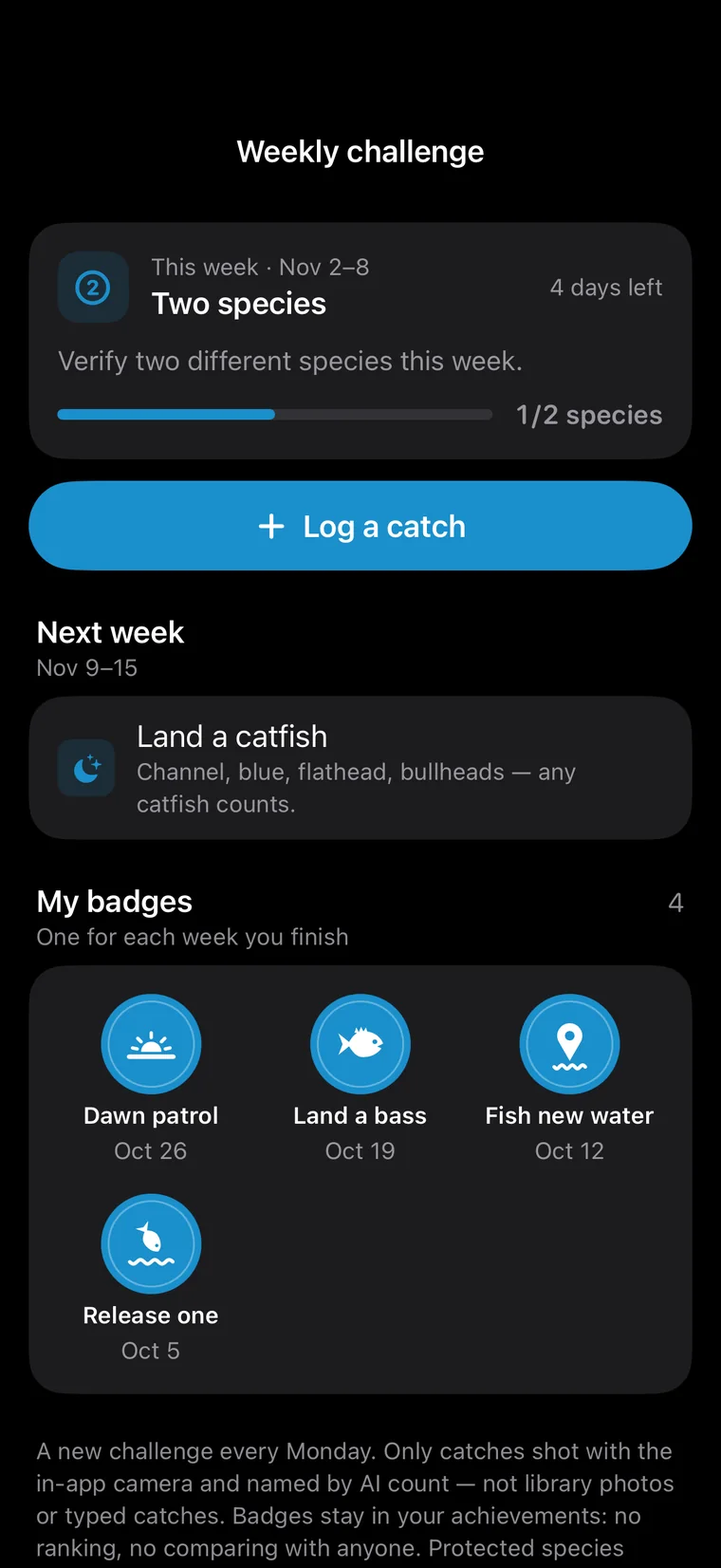
A new challenge every week. Only catches shot in the app and named by AI count.
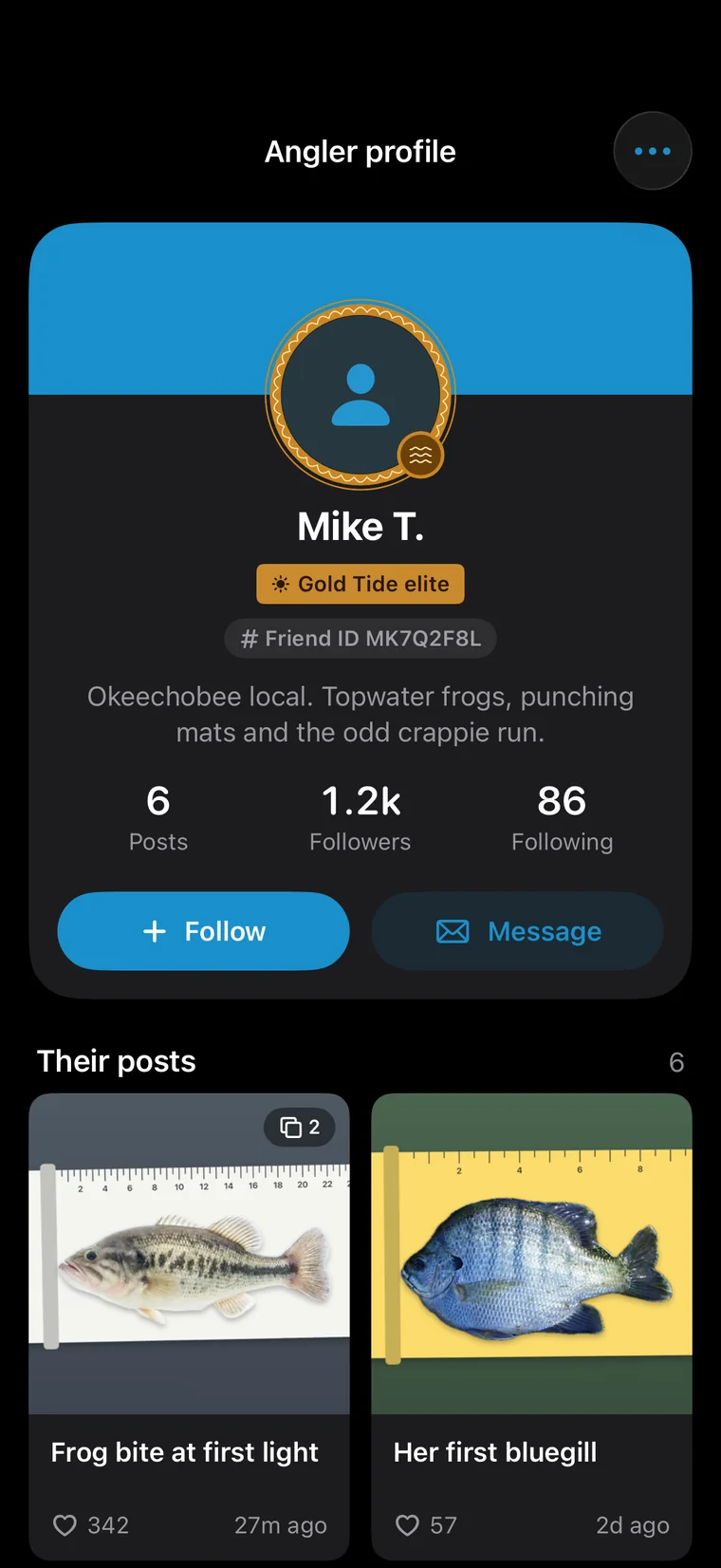
Level, achievements and a wall of catches: see who knows their water.
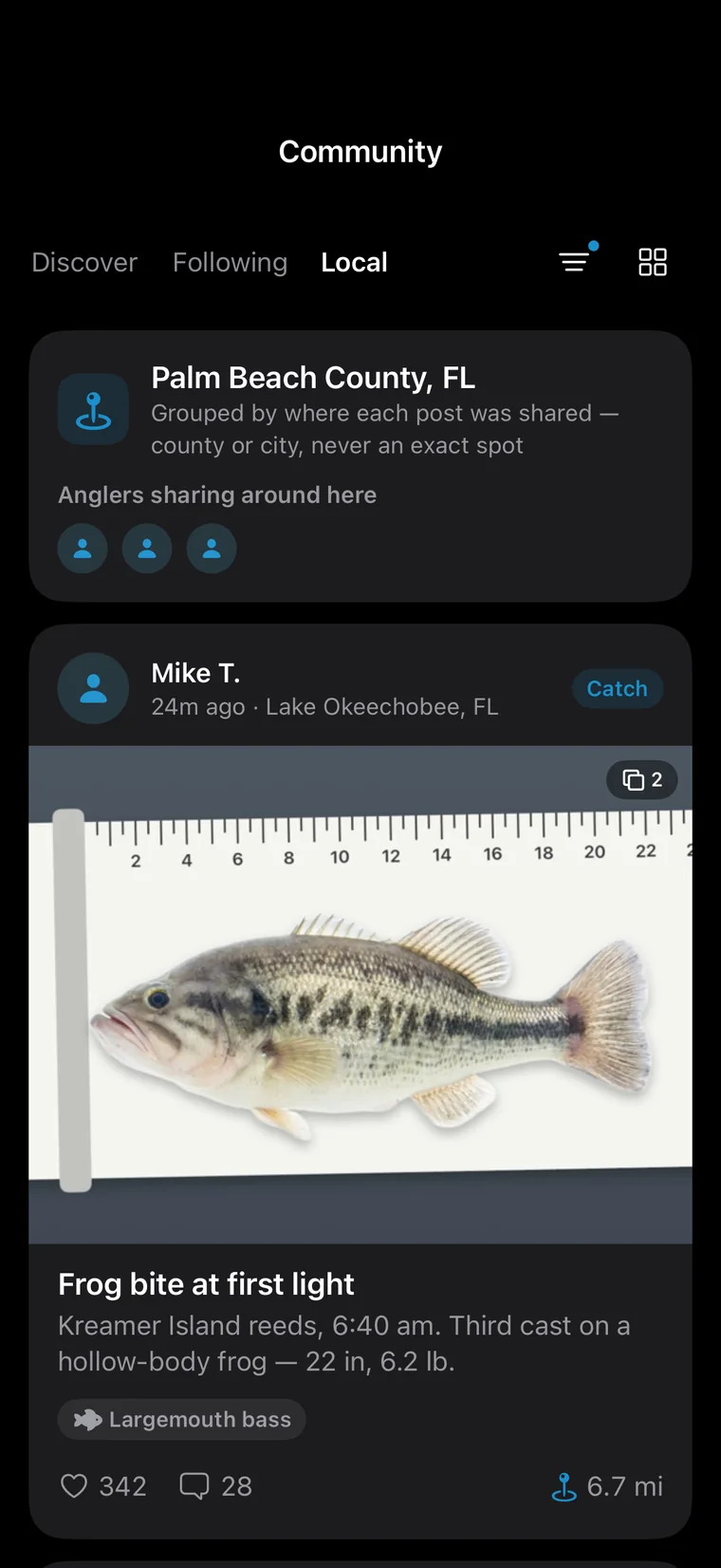
Posts from your own county or city get their own list, so nearby anglers are easy to find.
Likes, comments, answers, messages, friend requests — and AskFish finishing your question — all reach you.
When a friend joins with your code and makes a first post, you each get 30 Tide Amber.
Report any post, message or profile and it's reviewed within 24 hours. Block anyone with one tap.
Species, length, weight, bait, method and water, in inches or centimeters. Catches shot with the in-app camera unlock achievements.
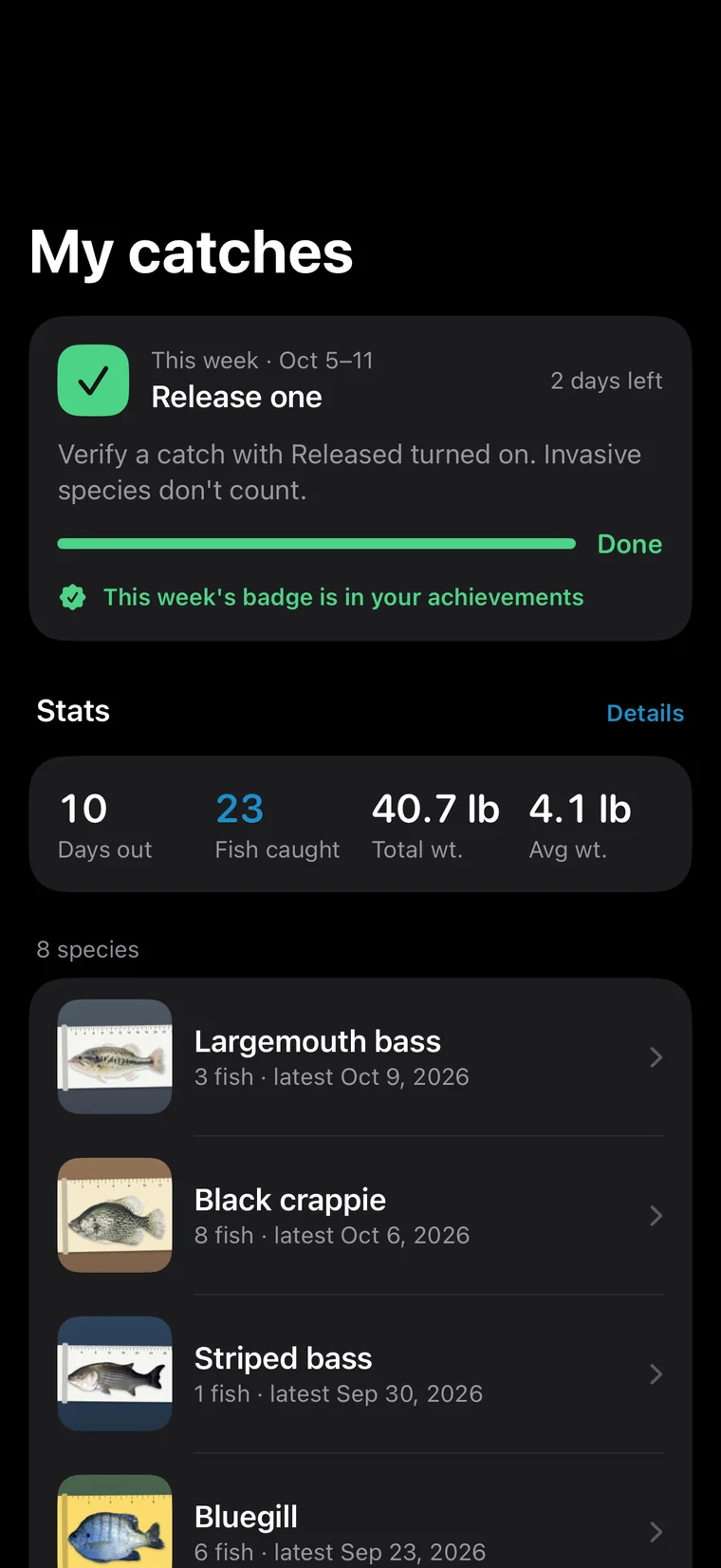
Sorted by date and species, and still there on a new phone.
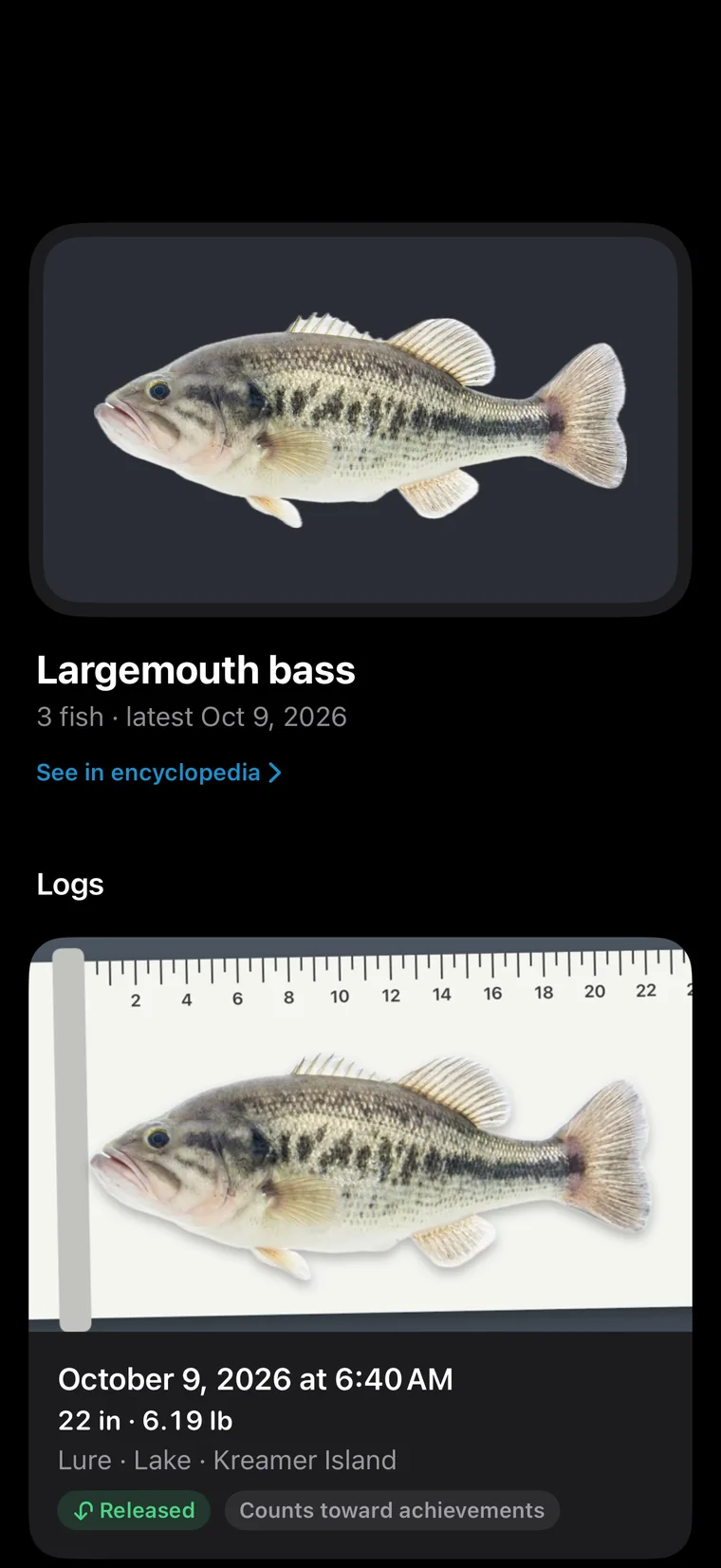
Every log of a species together: when, how big, how and where — and whether it counts toward achievements.
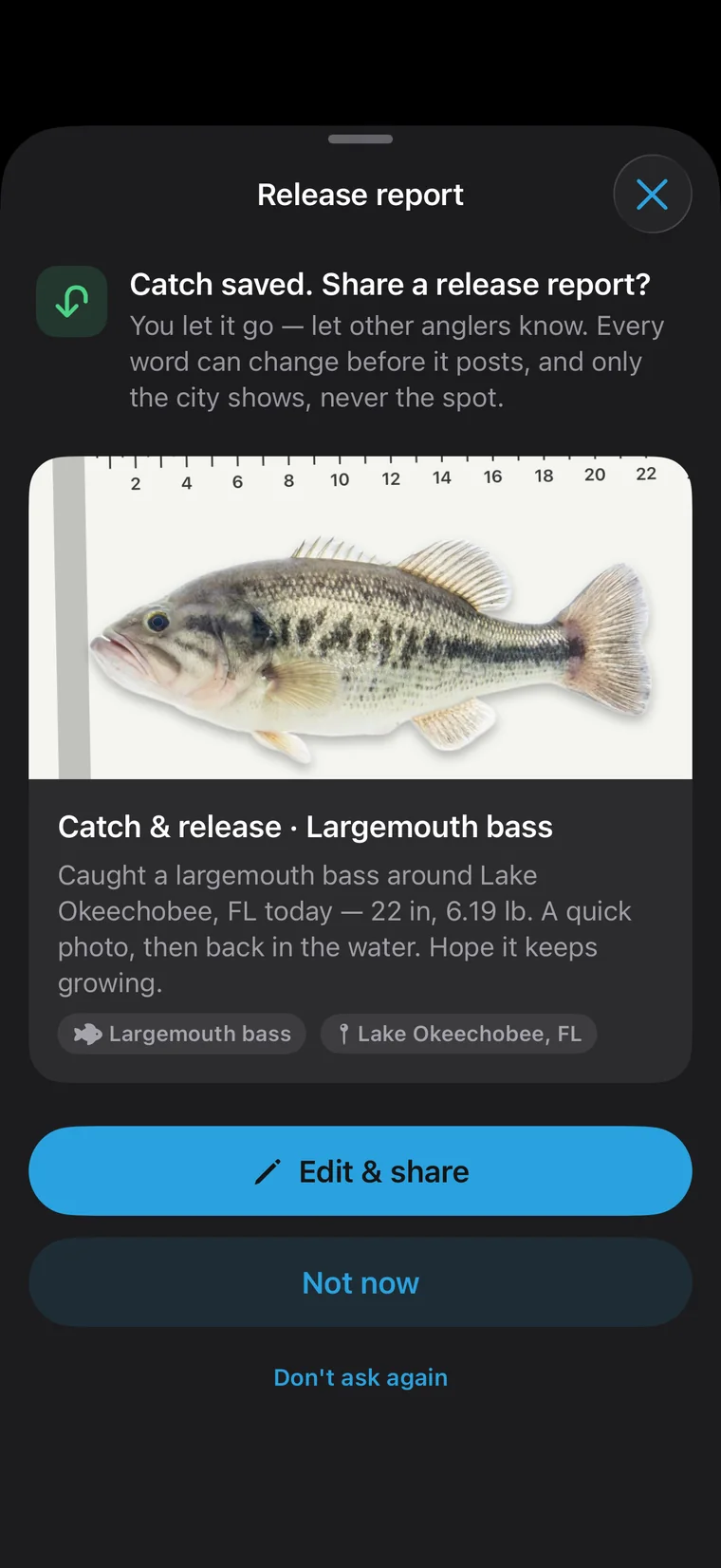
Caught and released? Share a release report — the photo stays, the place shows only the city.
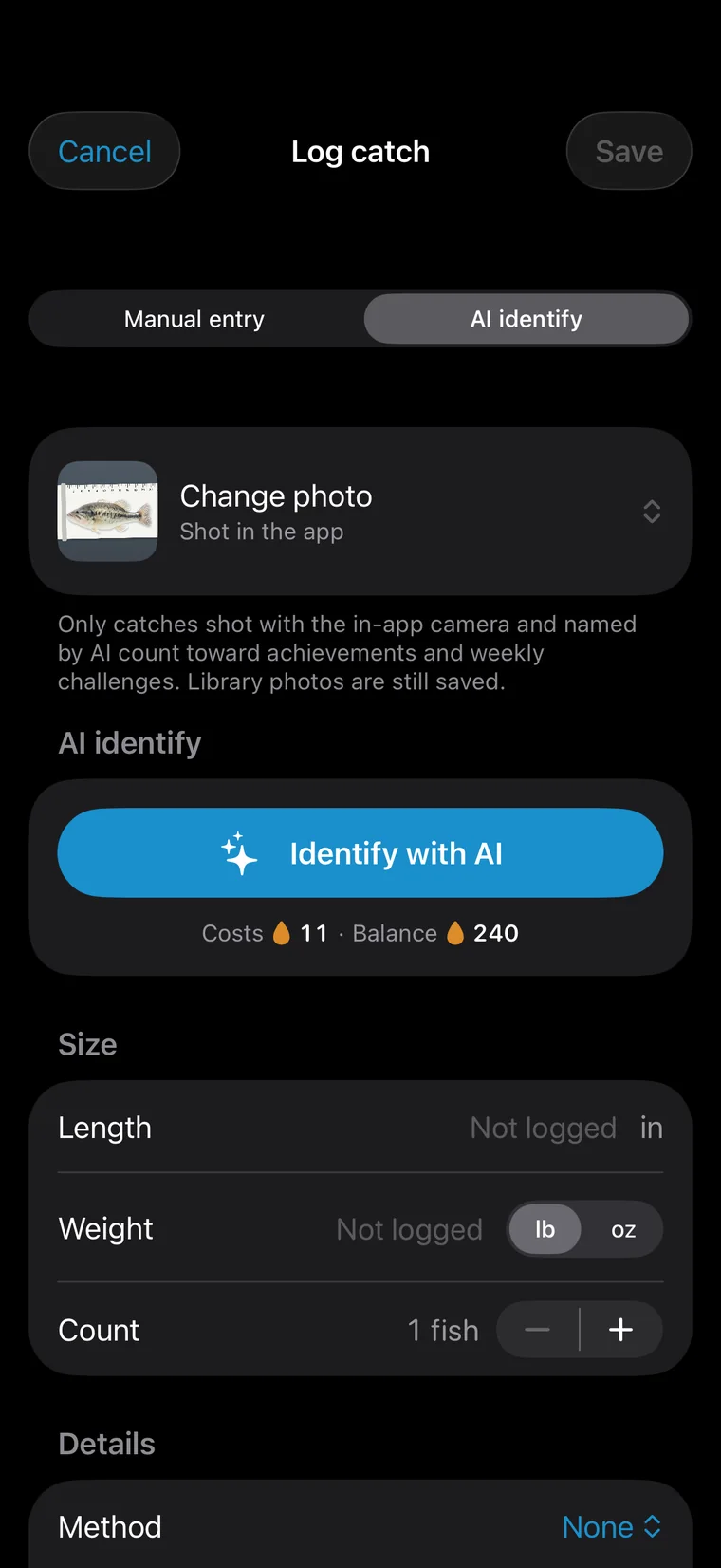
Shoot it with the in-app camera, let AI name the fish, and the time and place of the shot are kept. Only these catches earn achievements.
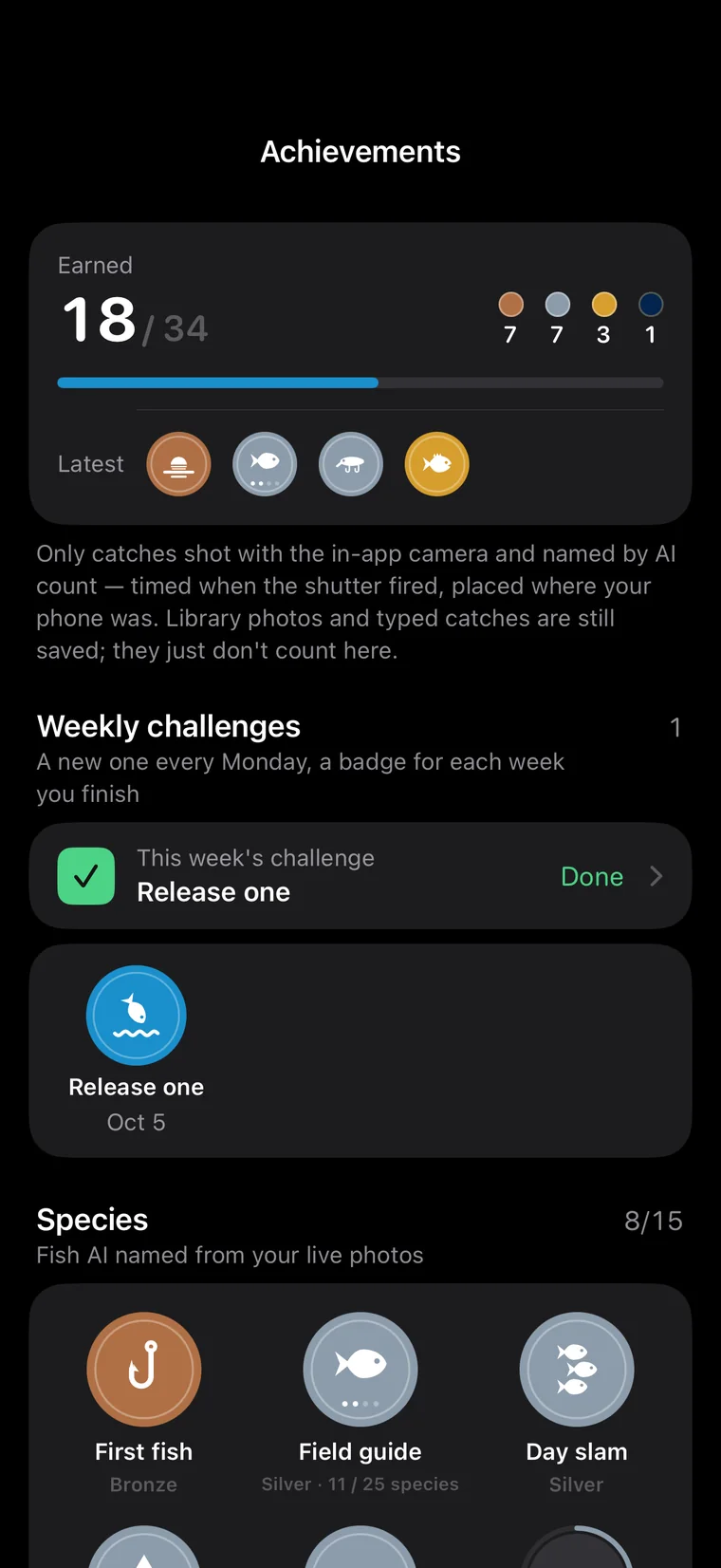
Species, sky & season and journeys, from bronze through silver and gold to master: first light, night fishing, full moon, all four seasons…
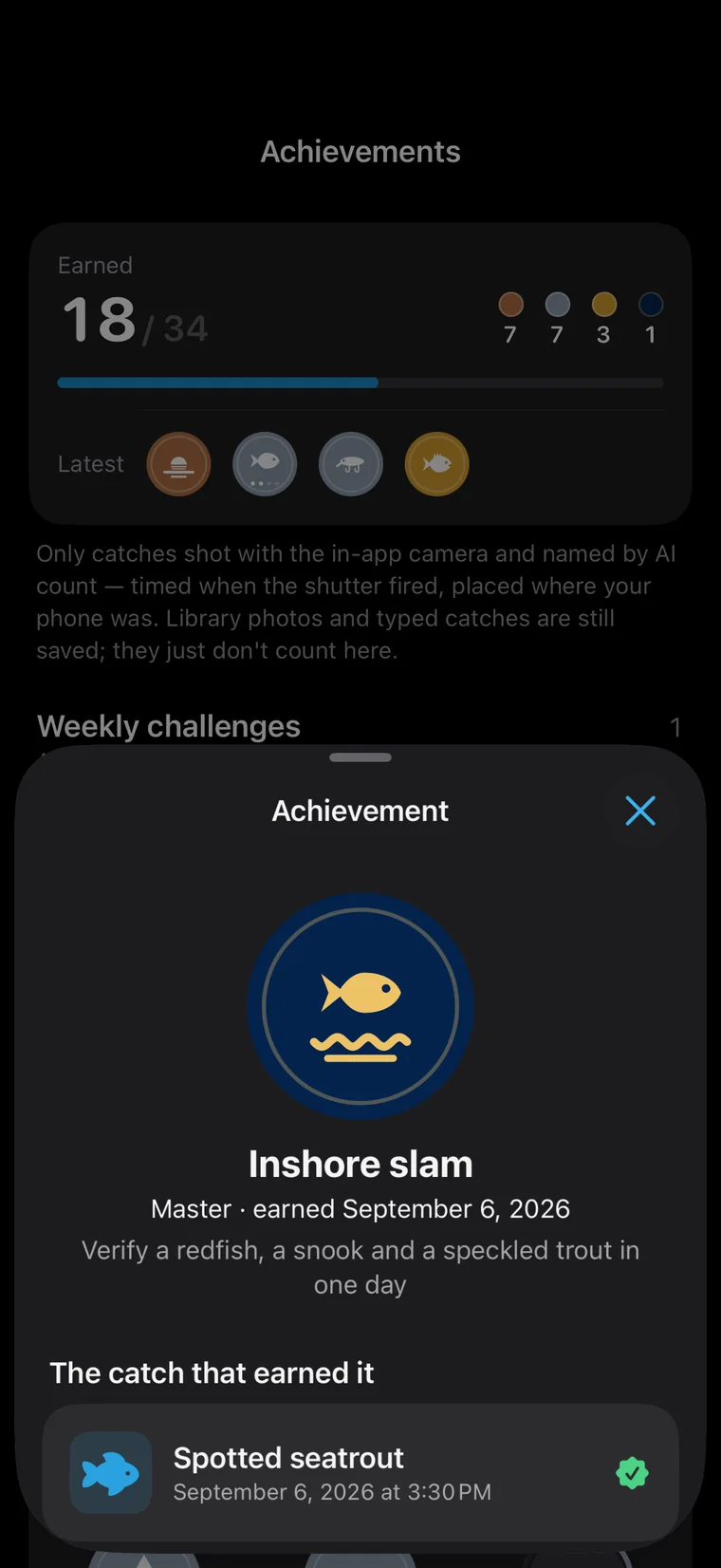
Open a badge to see which fish unlocked it, on which day and where.
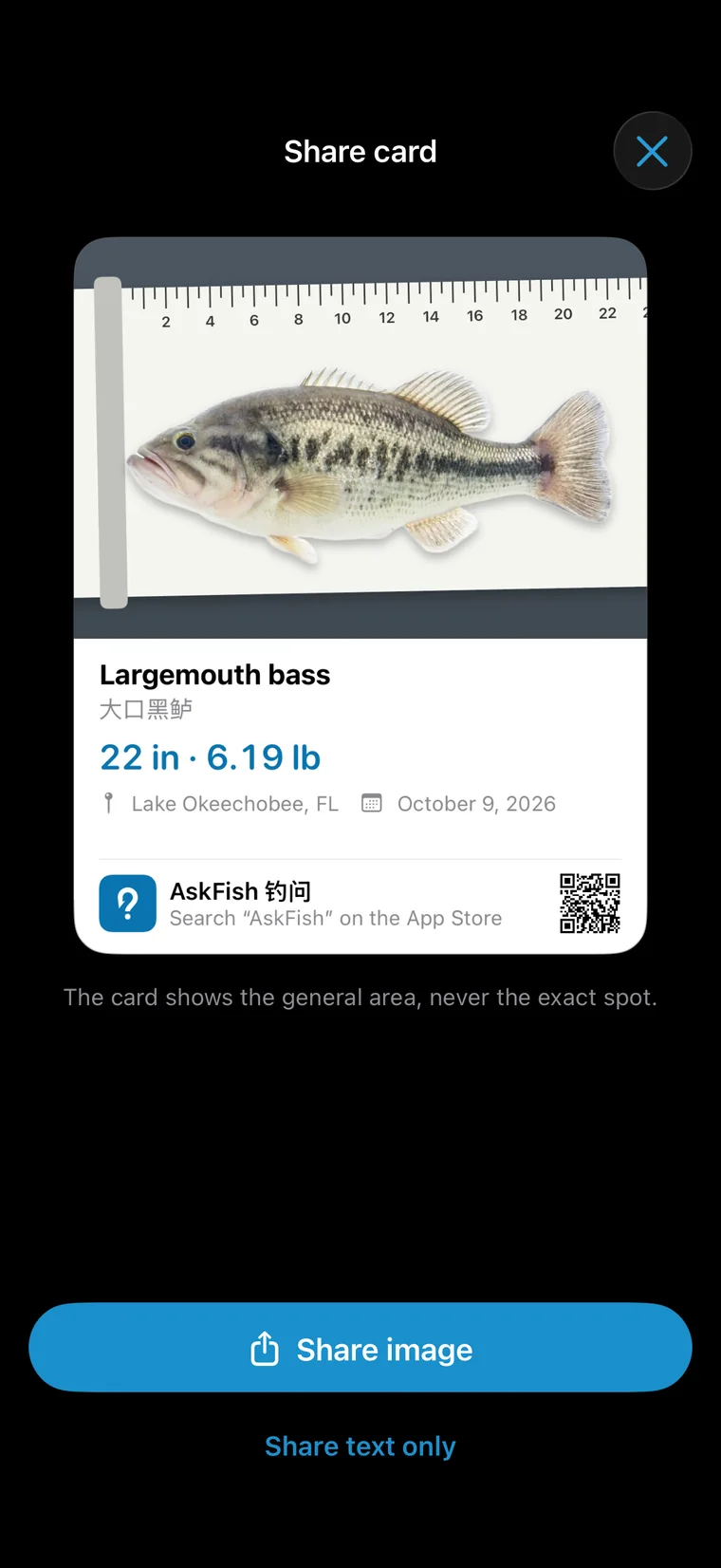
Turn any catch into a share card. Your exact spot never shows.
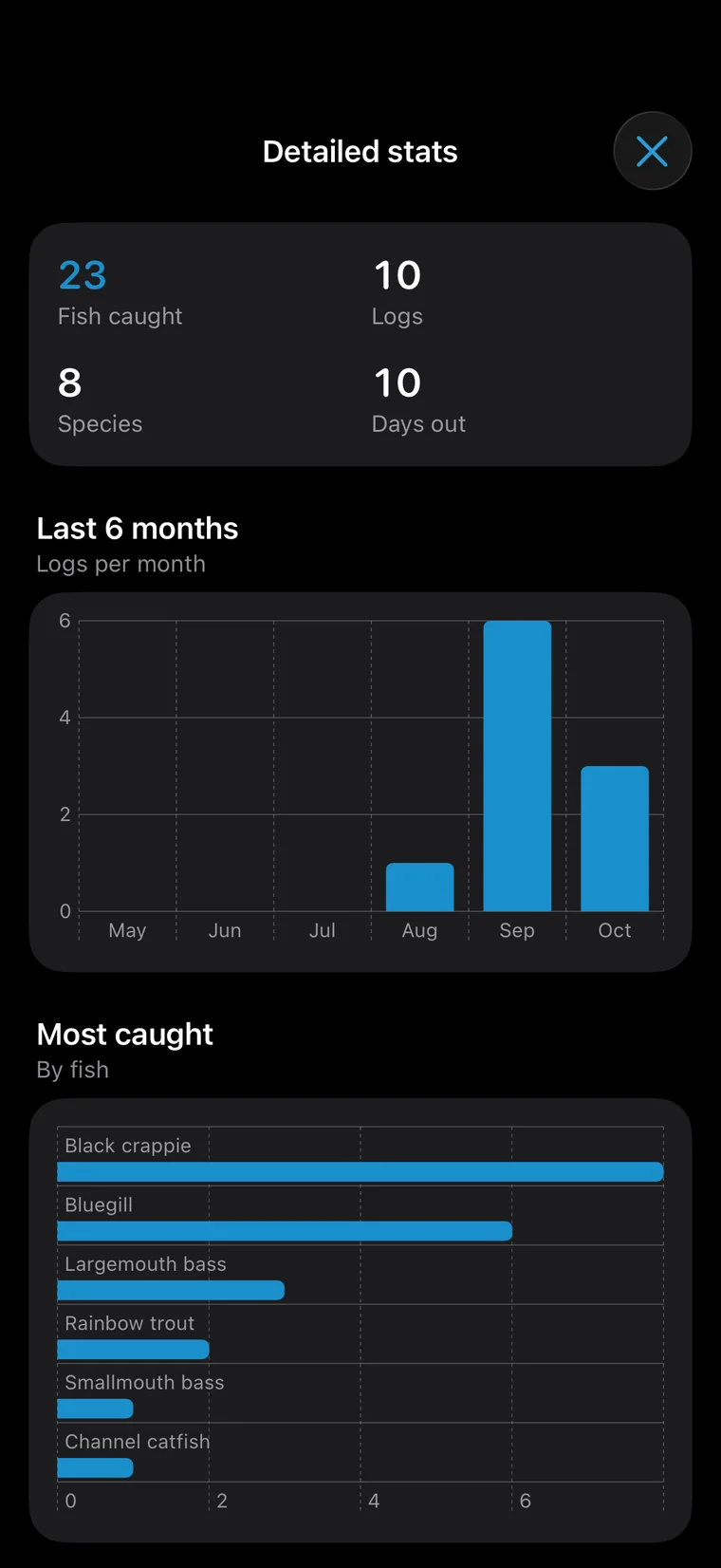
How many species, how many fish, your busiest months, on one page.
Real photos, usual and record sizes, where in the water it lives, range maps and best months — plus how to tell it apart and catch it.
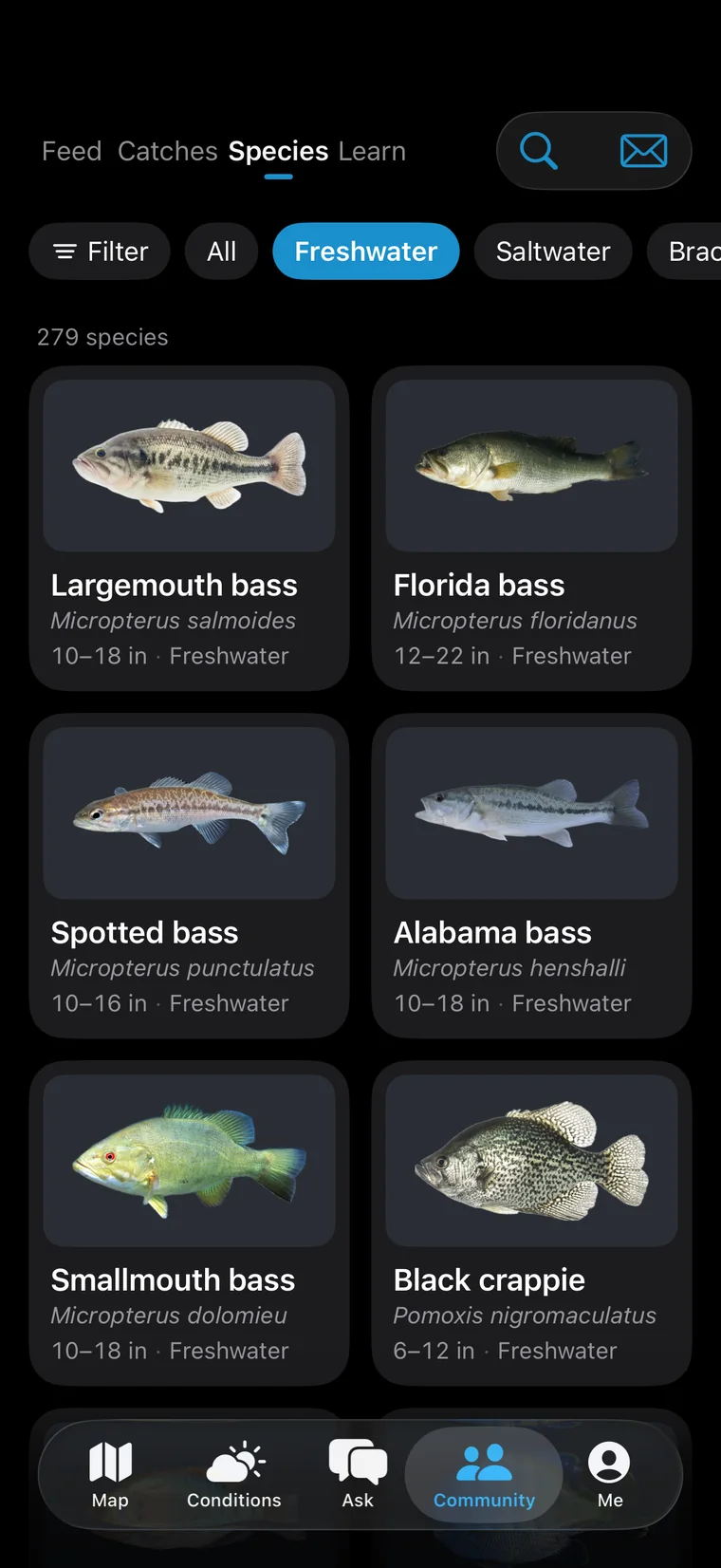
Freshwater, saltwater or a family in one tap, with the fish near you listed first.
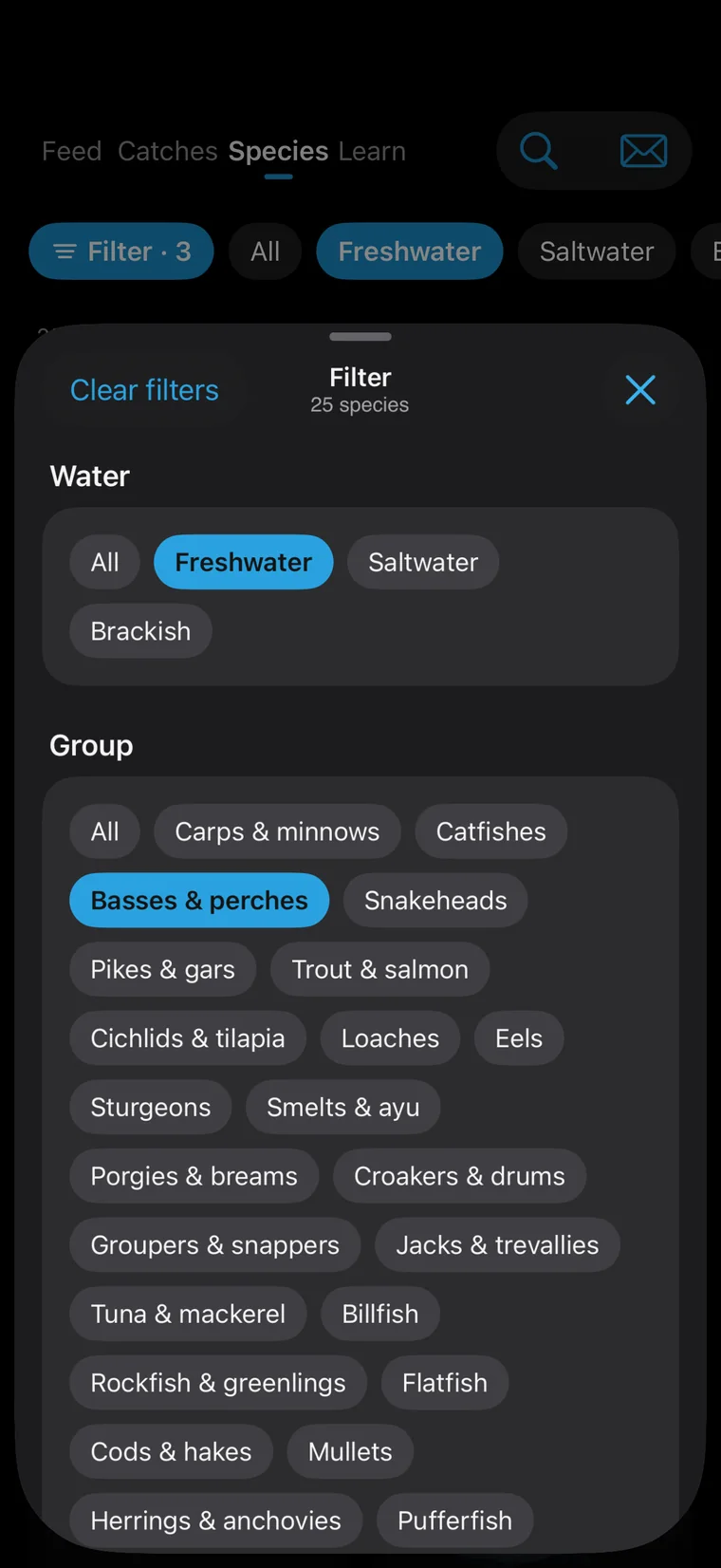
Fresh, salt or brackish; basses, catfishes, trout, groupers — narrow it down to the fish you want.
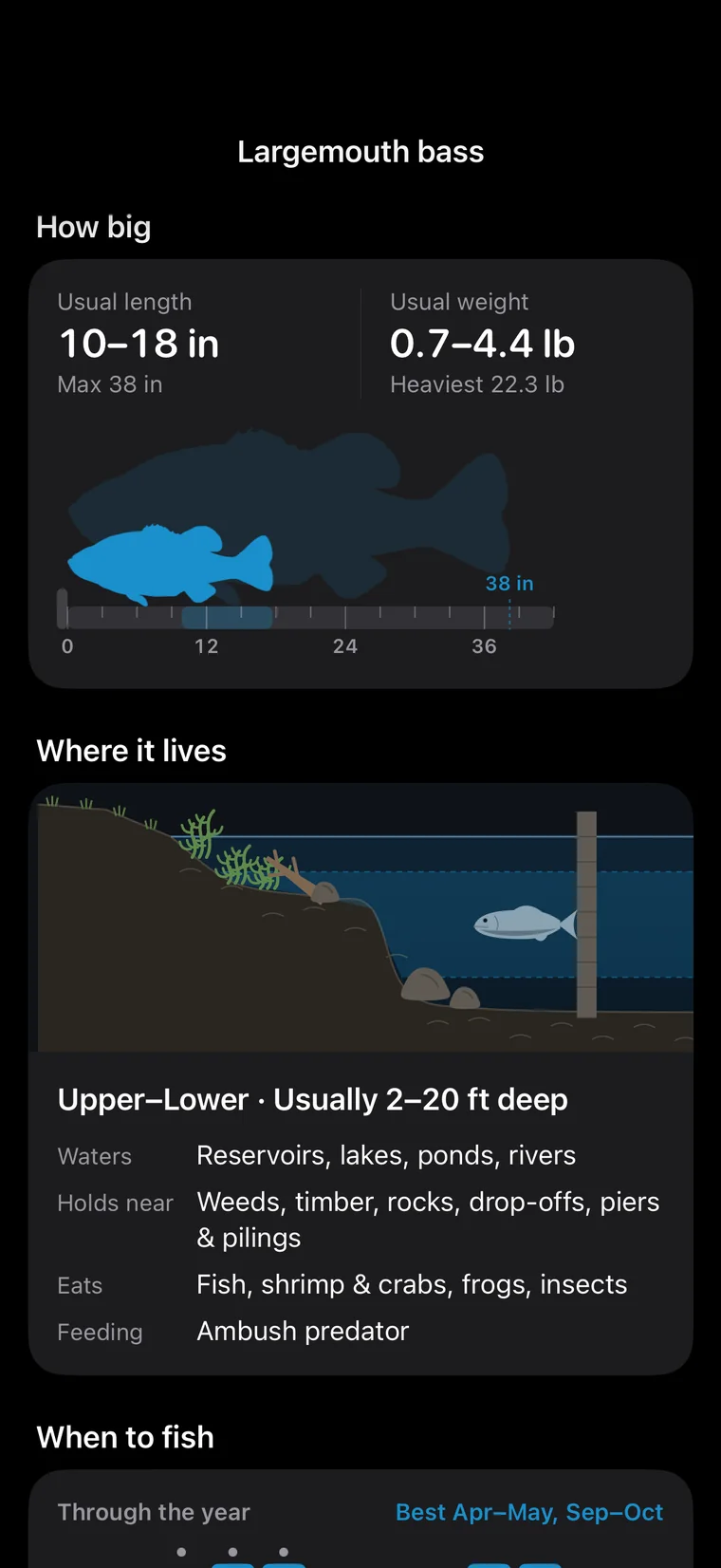
The usual size, the record and your personal best, side by side on one board.
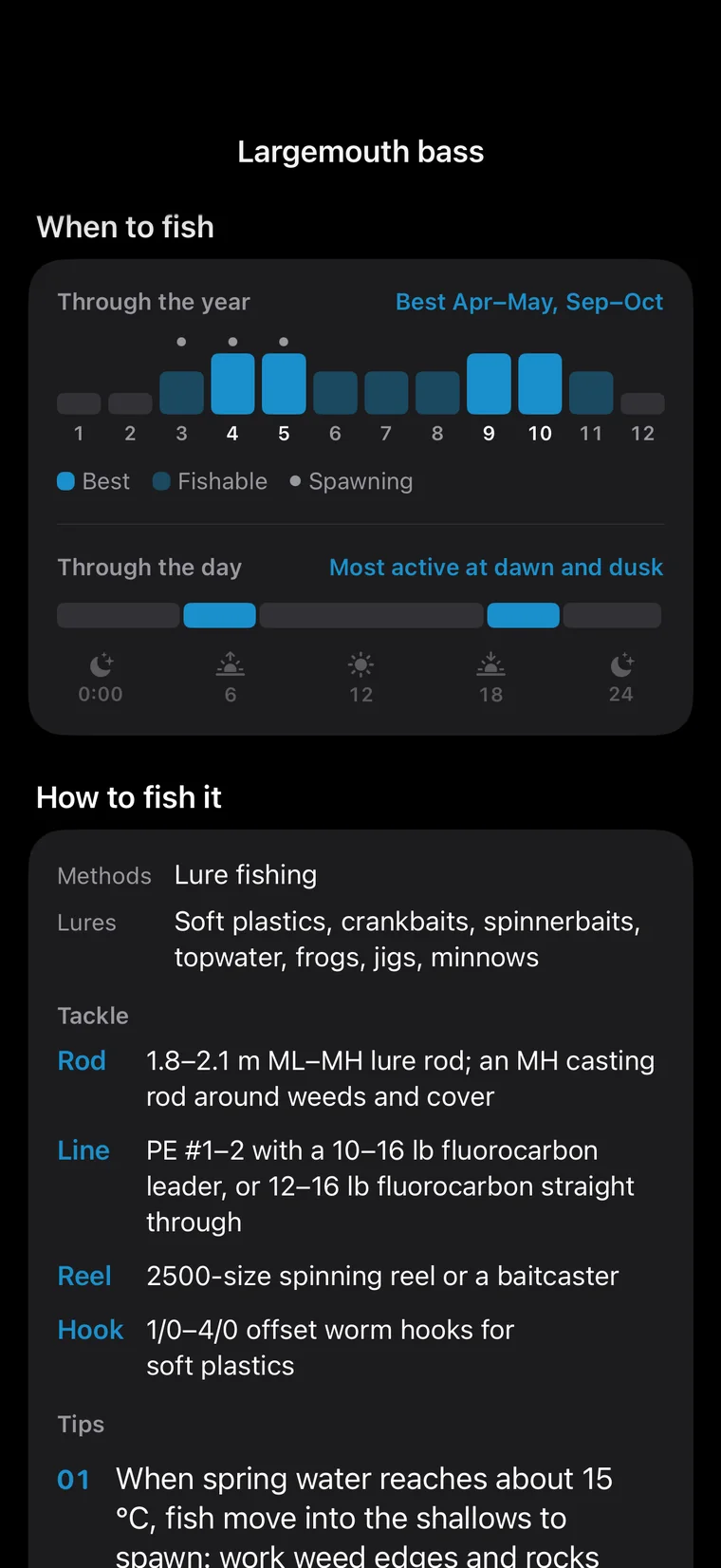
Which layer of the water, what structure it likes, its range, and its best months.
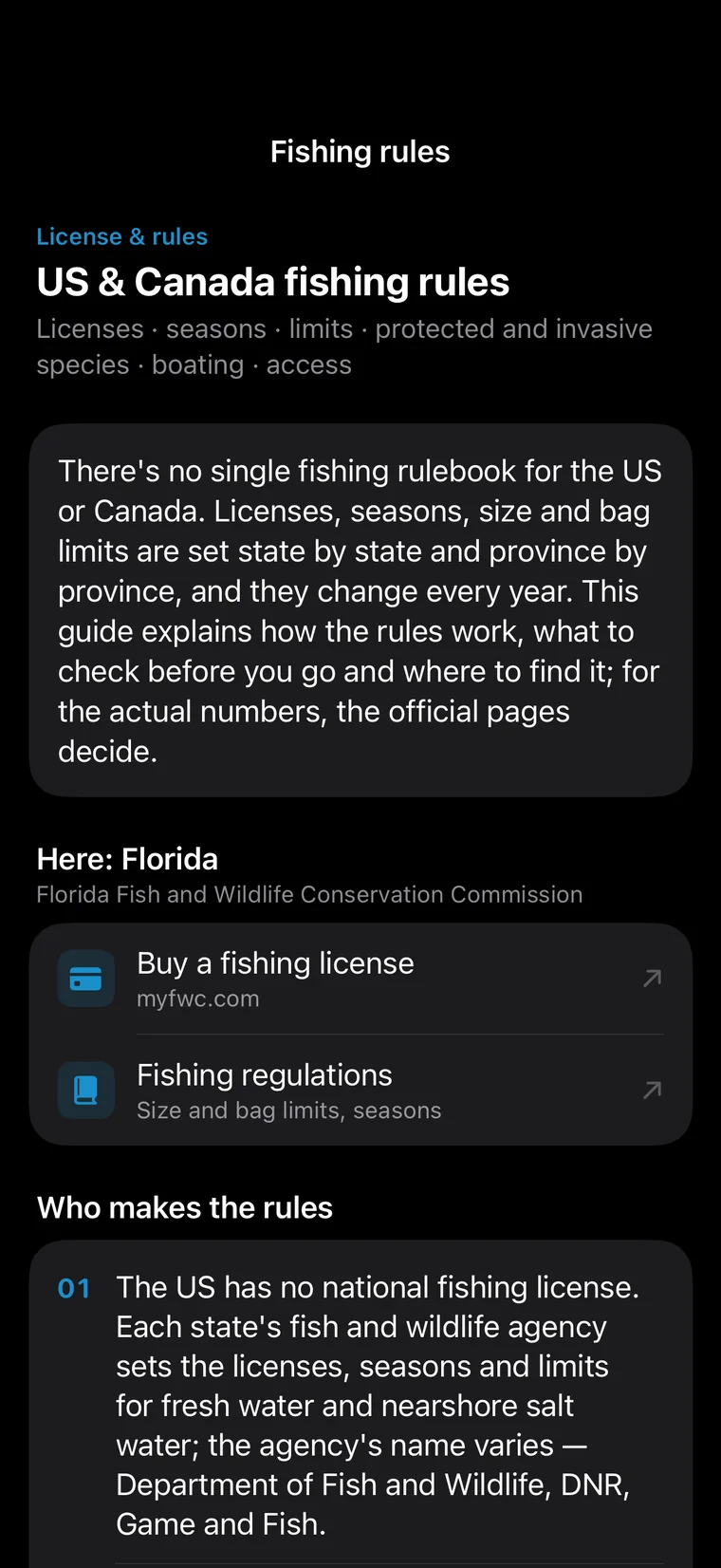
License and regulation pages for all 50 states, DC and every Canadian province and territory, one tap away — and a warning for invasive fish you must not release.
Fish photos come from Wikimedia Commons and iNaturalist, each credited in the app.
114 lessons, from your first cast to advanced technique. More than 100 step-by-step animations draw every move, with a quick quiz at the end.
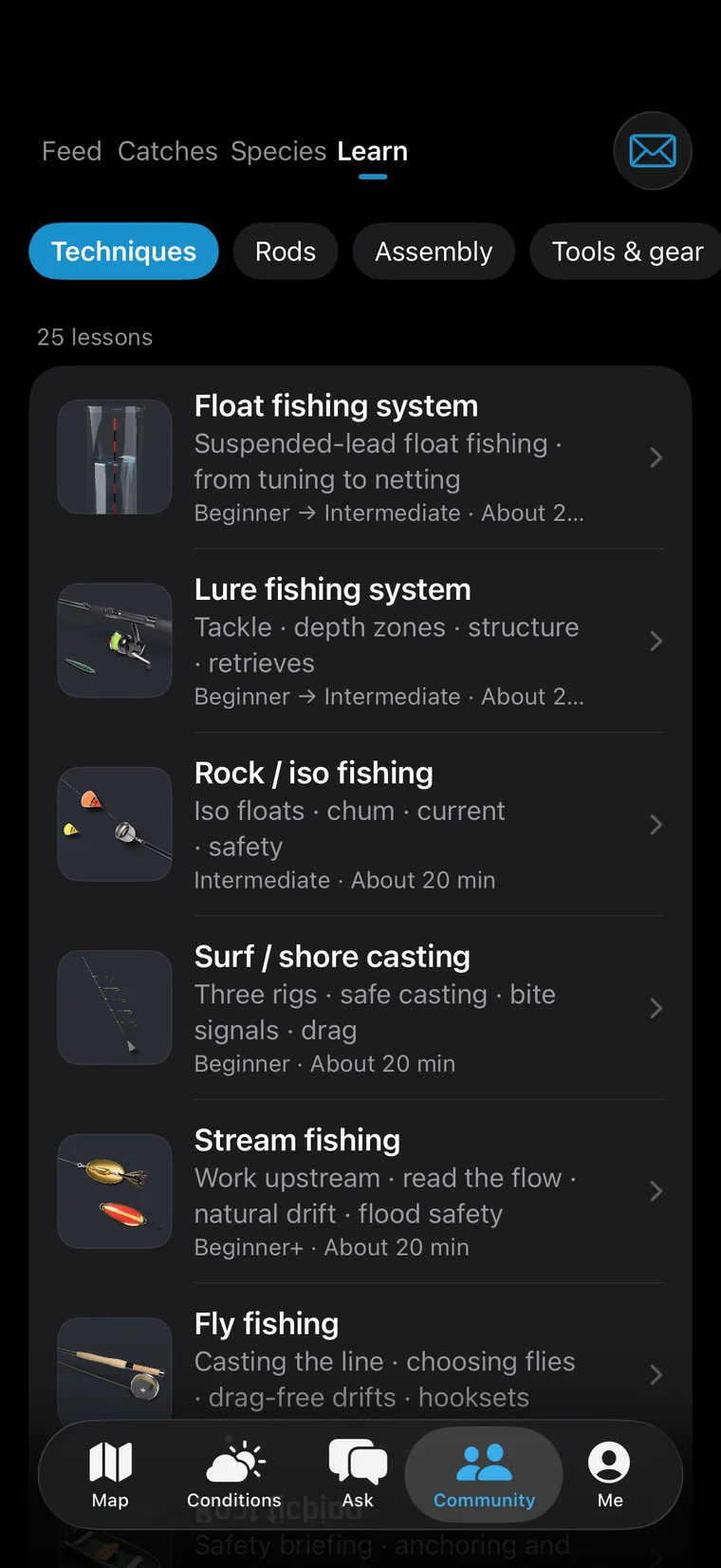
Knots, rigs, lures, bait, methods and gear, with the way you fish first.
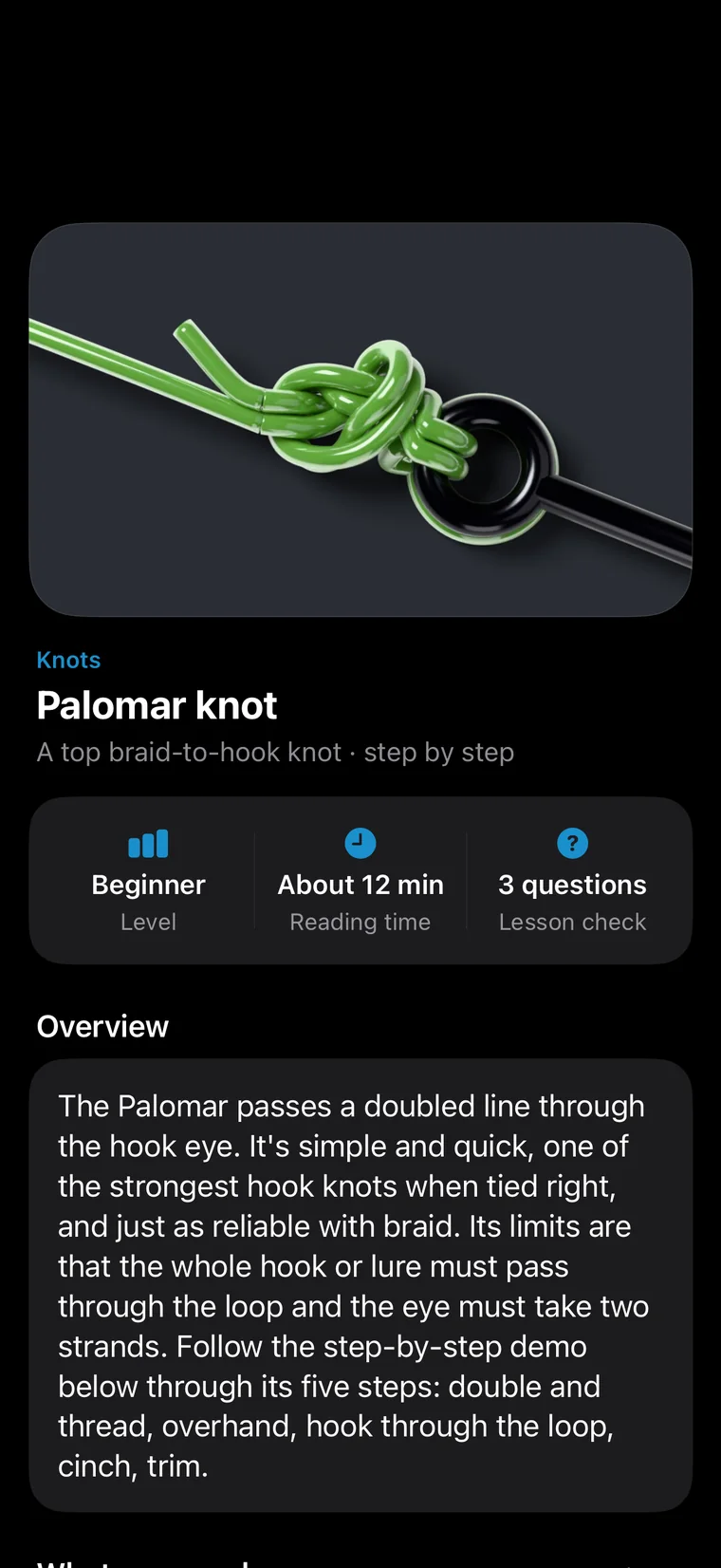
Clear steps, common mistakes and tips, illustrated from start to finish.
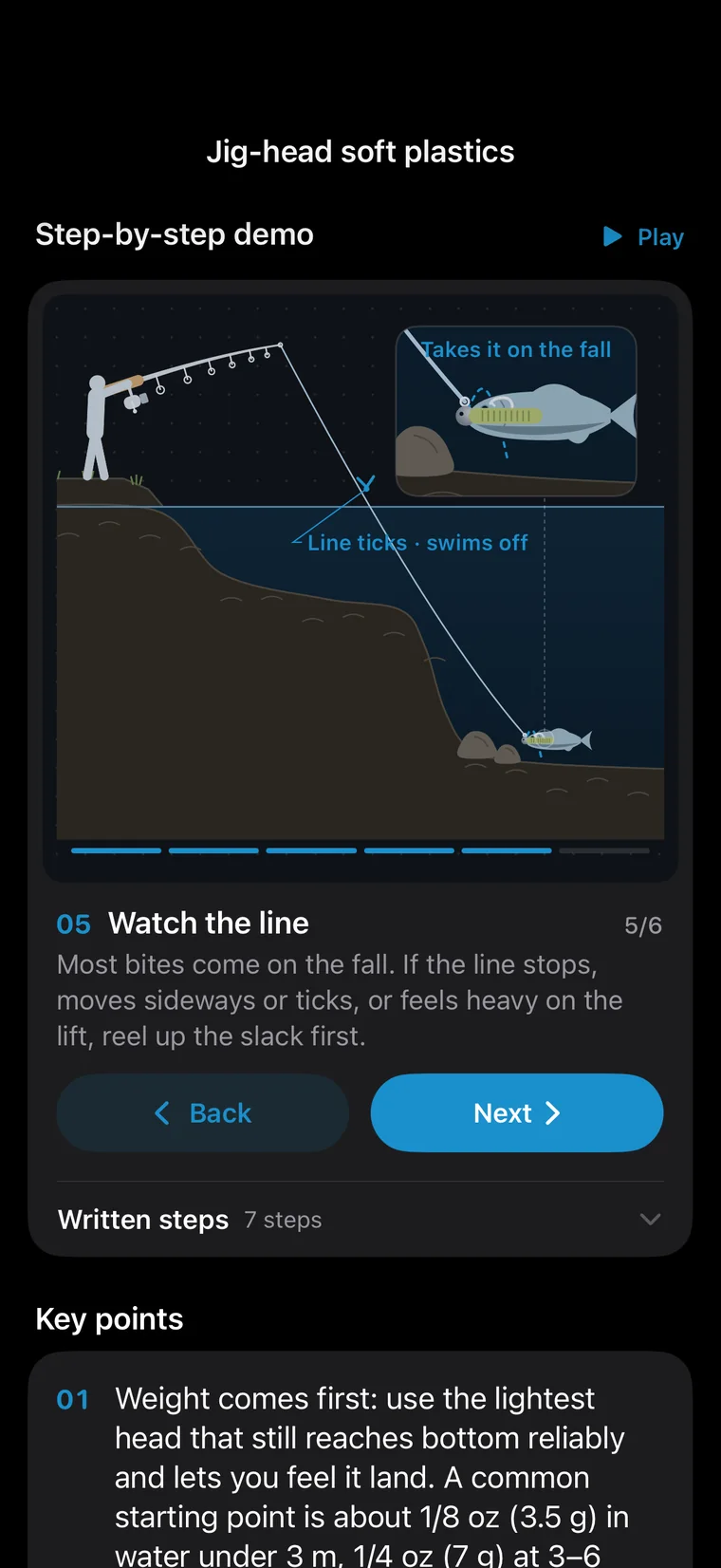
How a jig falls and the moment a fish takes it, animated one step at a time.
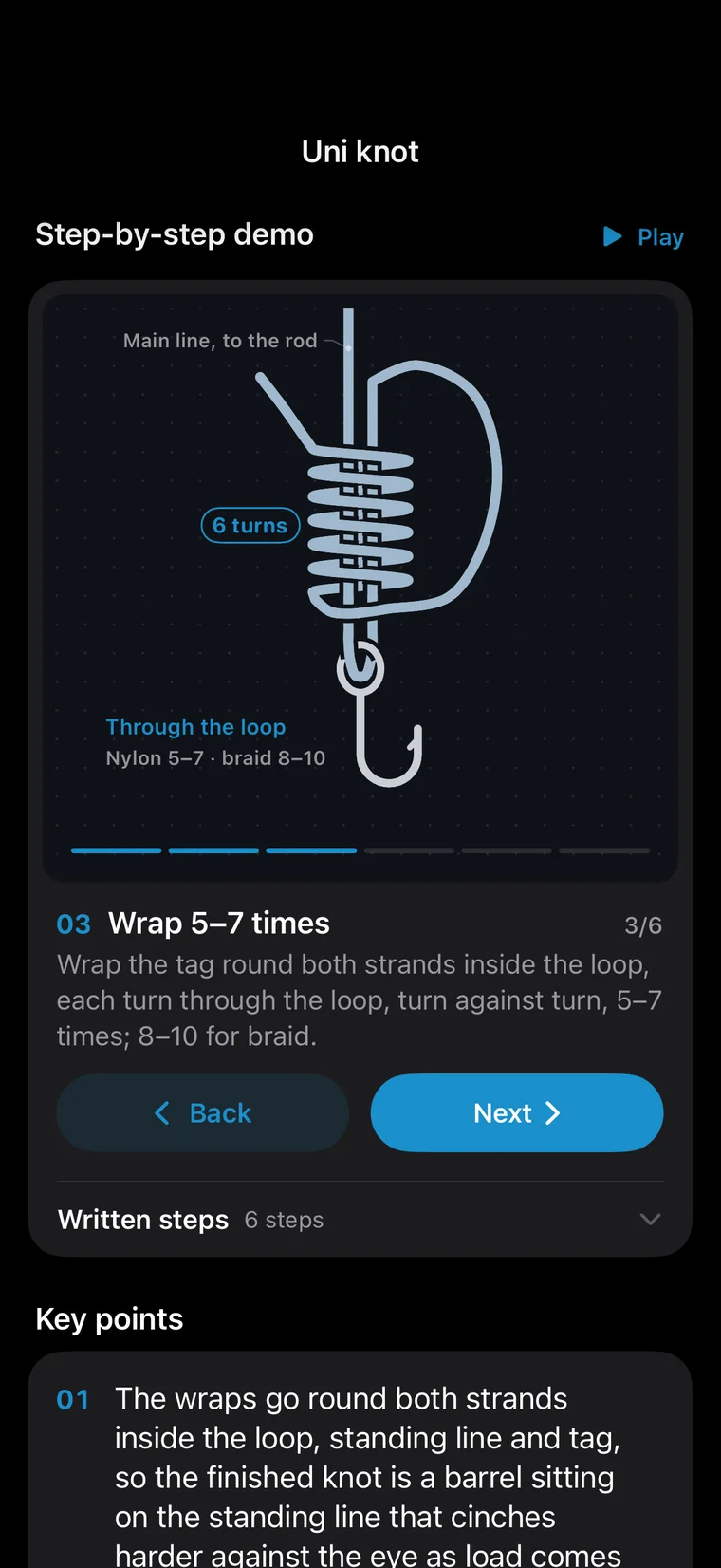
How many wraps a uni knot takes and where the tag goes back through — drawn step by step.
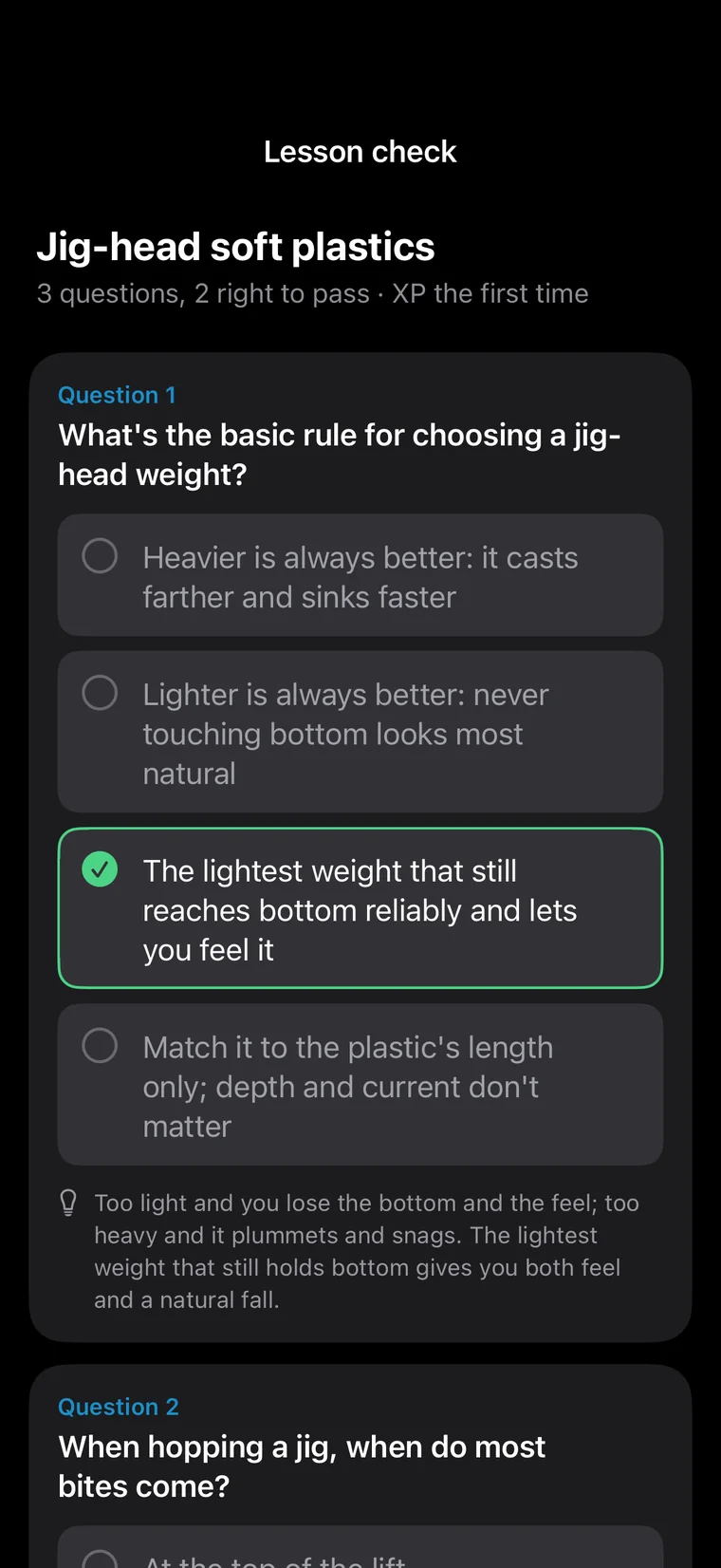
Three questions after each lesson. Get them right to earn XP.
From day one AskFish was built for anglers in the US and Canada: official data, every state's and province's rules, the local fish and lessons — in five languages.
Posting catches, sharing posts, lessons and new species all earn XP. A hundred levels unlock avatar frames, chat bubbles, chat backgrounds and nameplates.
 Default · Lv.1
 Ocean tide · Lv.6
 Gold scale · Lv.18
 Ember · Lv.28
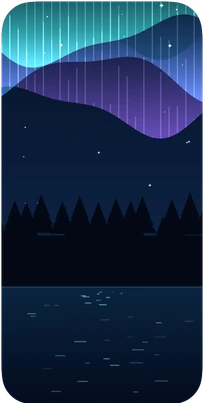
 Night lake · Lv.40
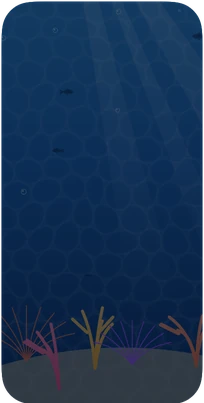
 Coral · Lv.55
 Aurora · Lv.72
 Sovereign · River Sovereign
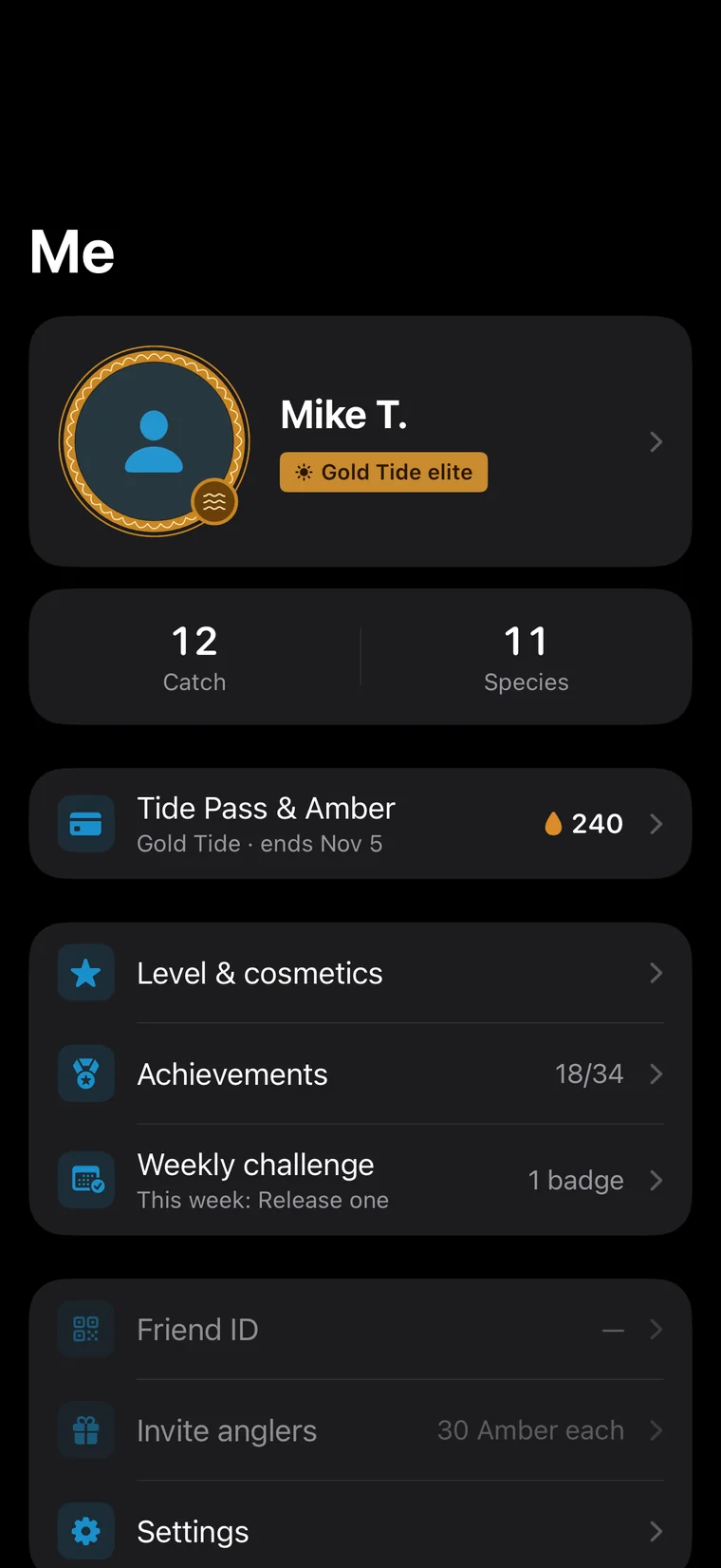
Frame, nameplate and title together, so anglers know you at a glance.
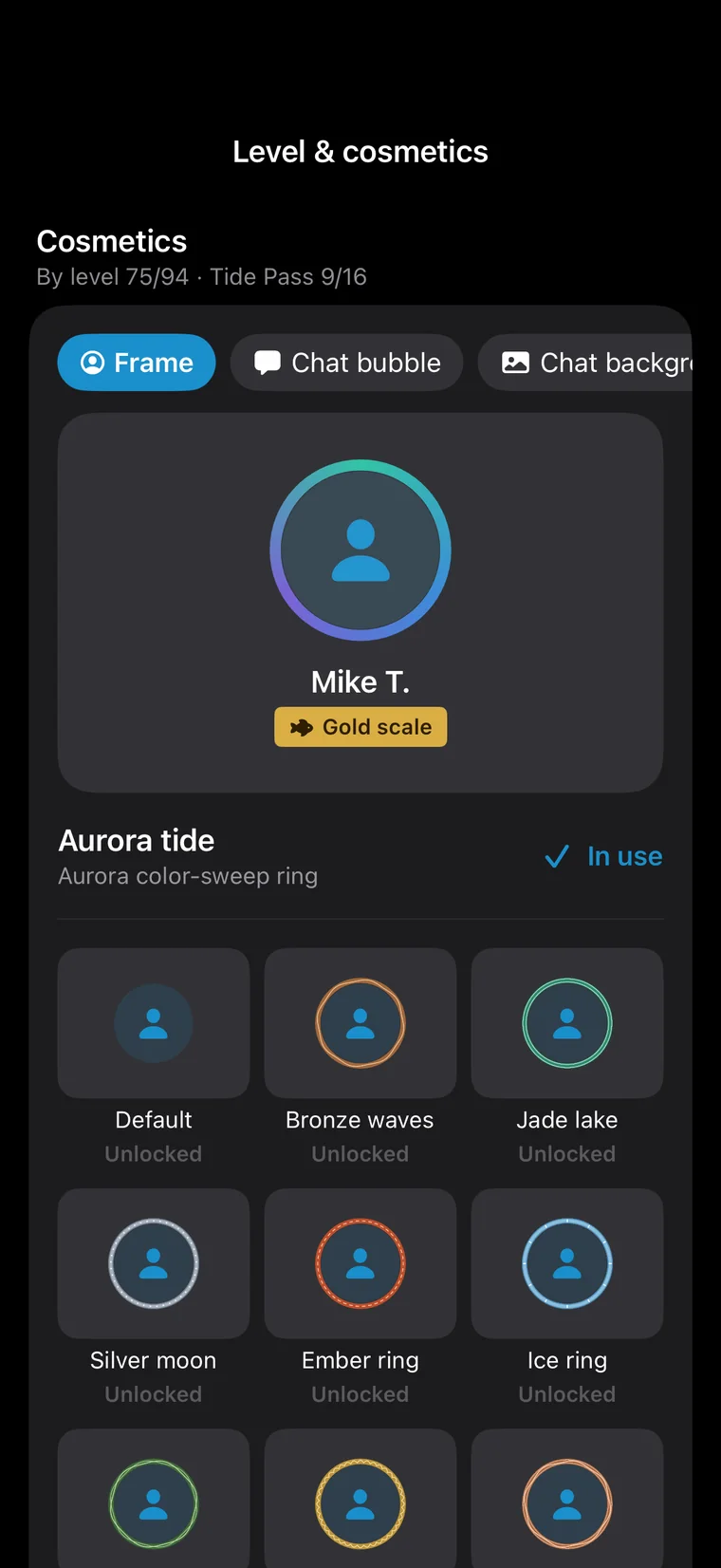
Try on items before you unlock them, then level up for the ones you like.
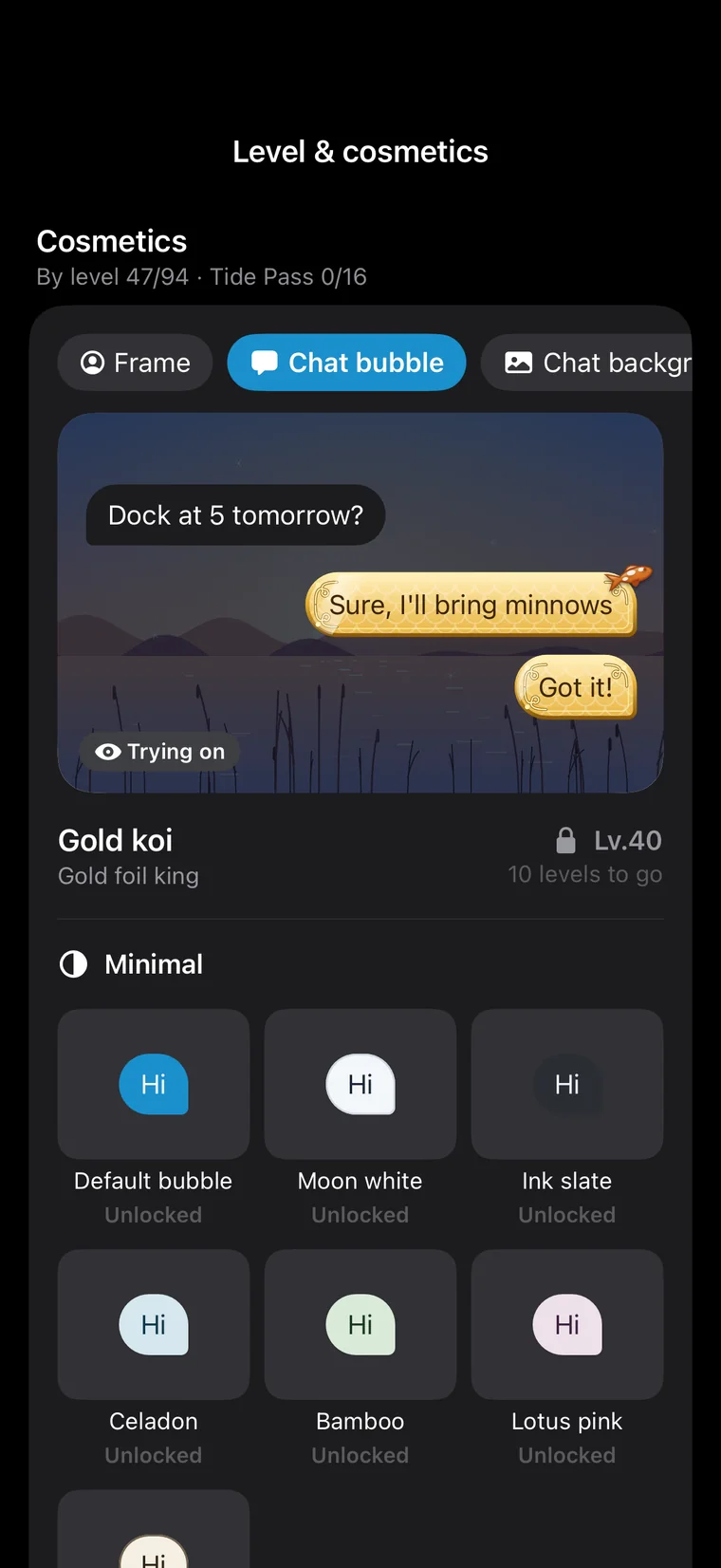
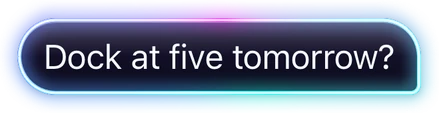
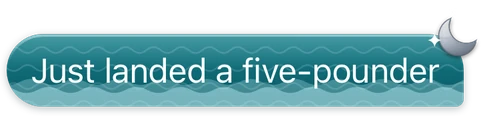
Plain, patterned or members-only, shown in messages and in Ask.
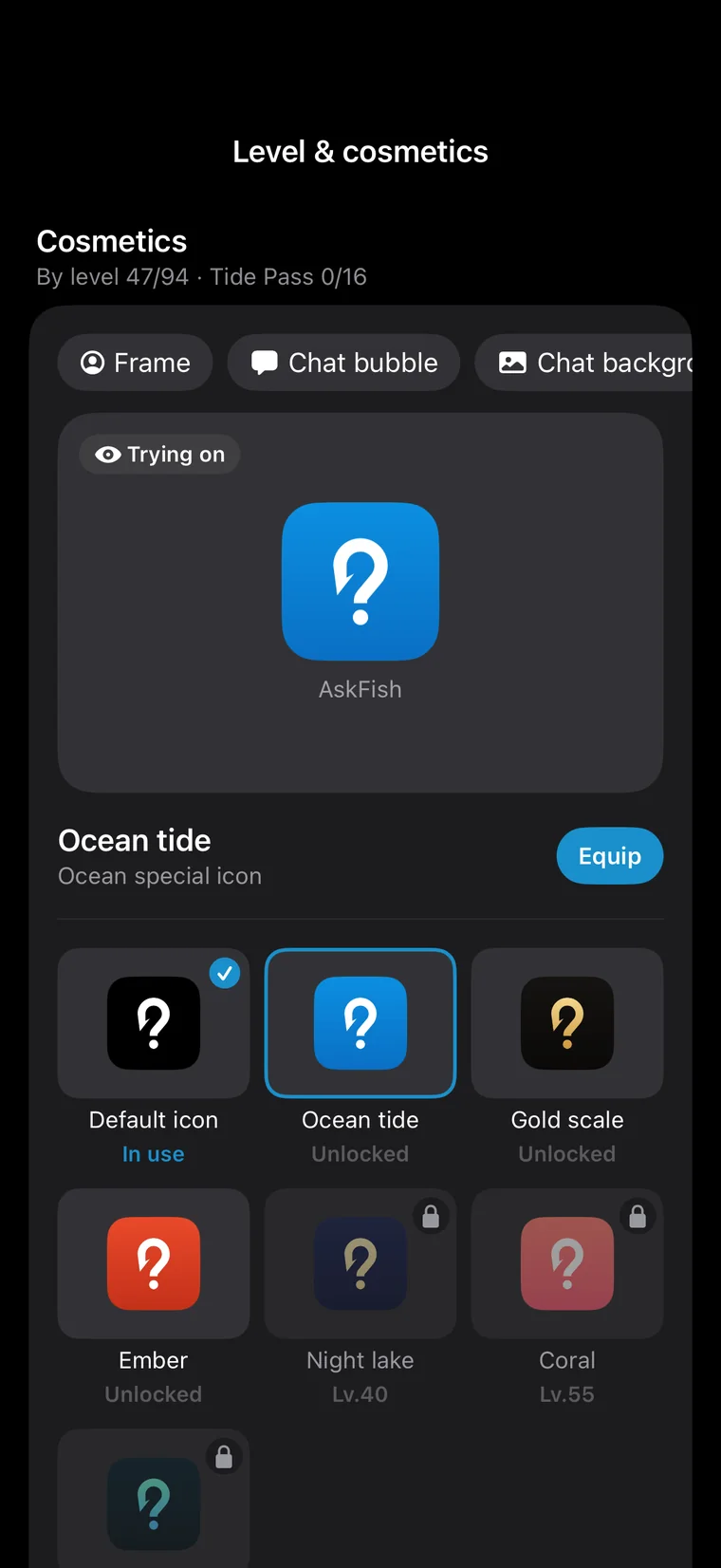
Eight colorways of the app icon, unlocked with levels and passes.
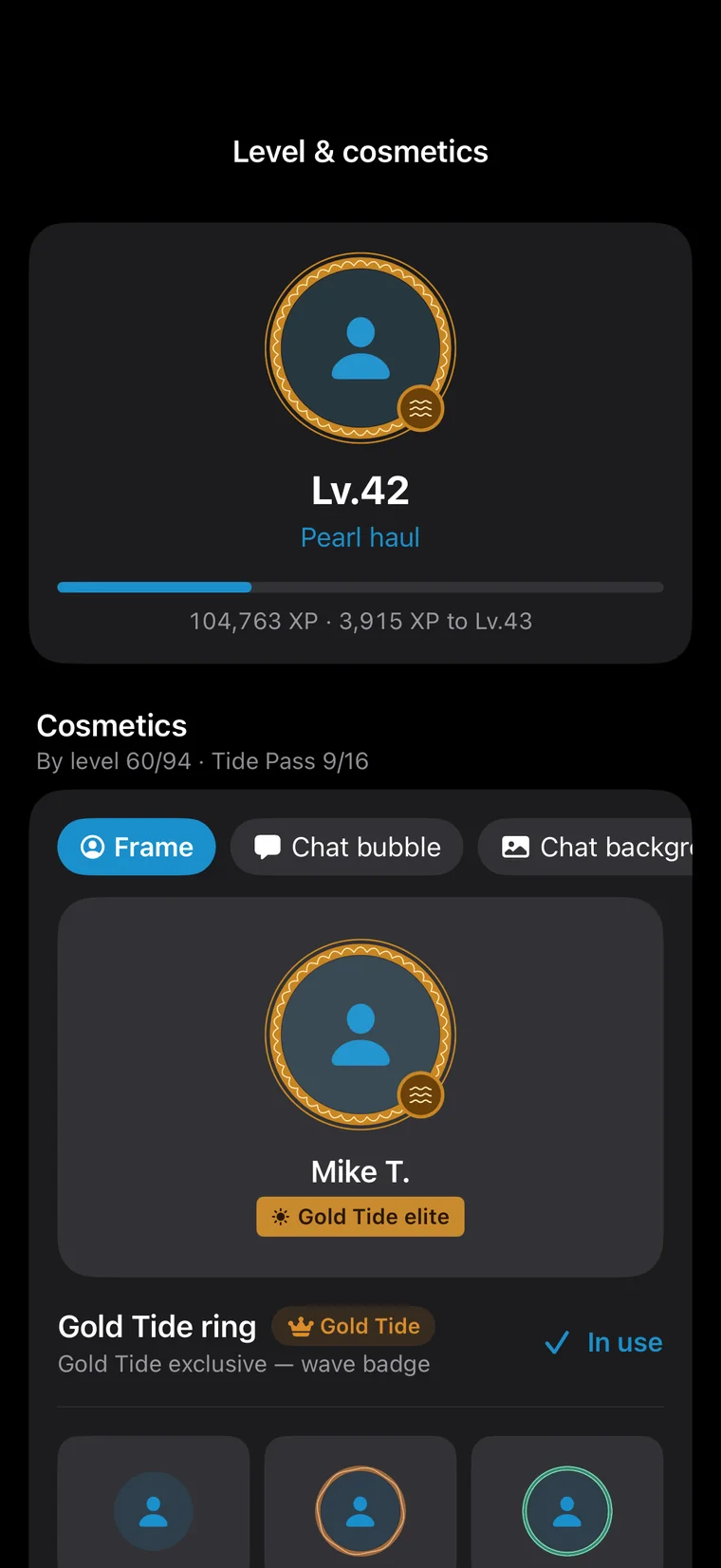
The level page shows what each level unlocks, and the next item ahead.
AskFish is free to download: the map, two-day conditions, the community, the fish guide, the academy and your catch log are all free. Questions to AskFish use Tide Amber; a Tide Pass adds Amber every month and opens more.
Free and Tide see today and tomorrow; Gold and Sovereign open the full 7 days, with pressure, wind and 24-hour curves.
Tide adds Standard, Gold moves up to Pro, and Sovereign adds Deep.
A pass turns on the catch heatmap and hex grid, and offline maps for your usual waters. Open-data spots stay free for everyone.
A title, frame, chat bubble and map pin; Gold adds a chat background, and Sovereign the violet-gold accent and its own app icon.
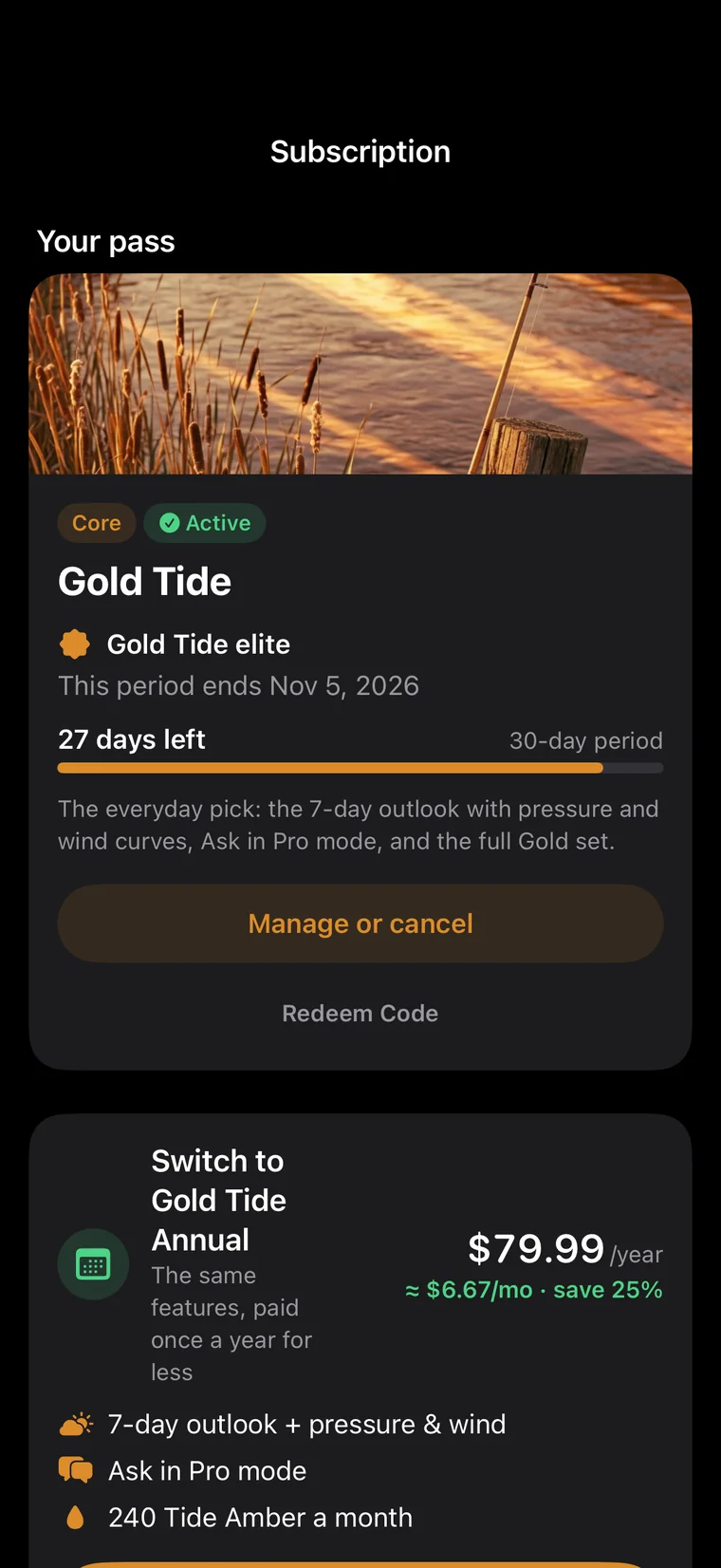
Days left, the renewal date and how to move to annual — all in Subscription.
A tier's monthly and annual plans open the same things and credit the same Amber each month. Annual is paid once a year and costs less.
For the heatmap and everyday questions
For weekly anglers: the 7-day outlook and Pro
For Deep mode and the full Sovereign set
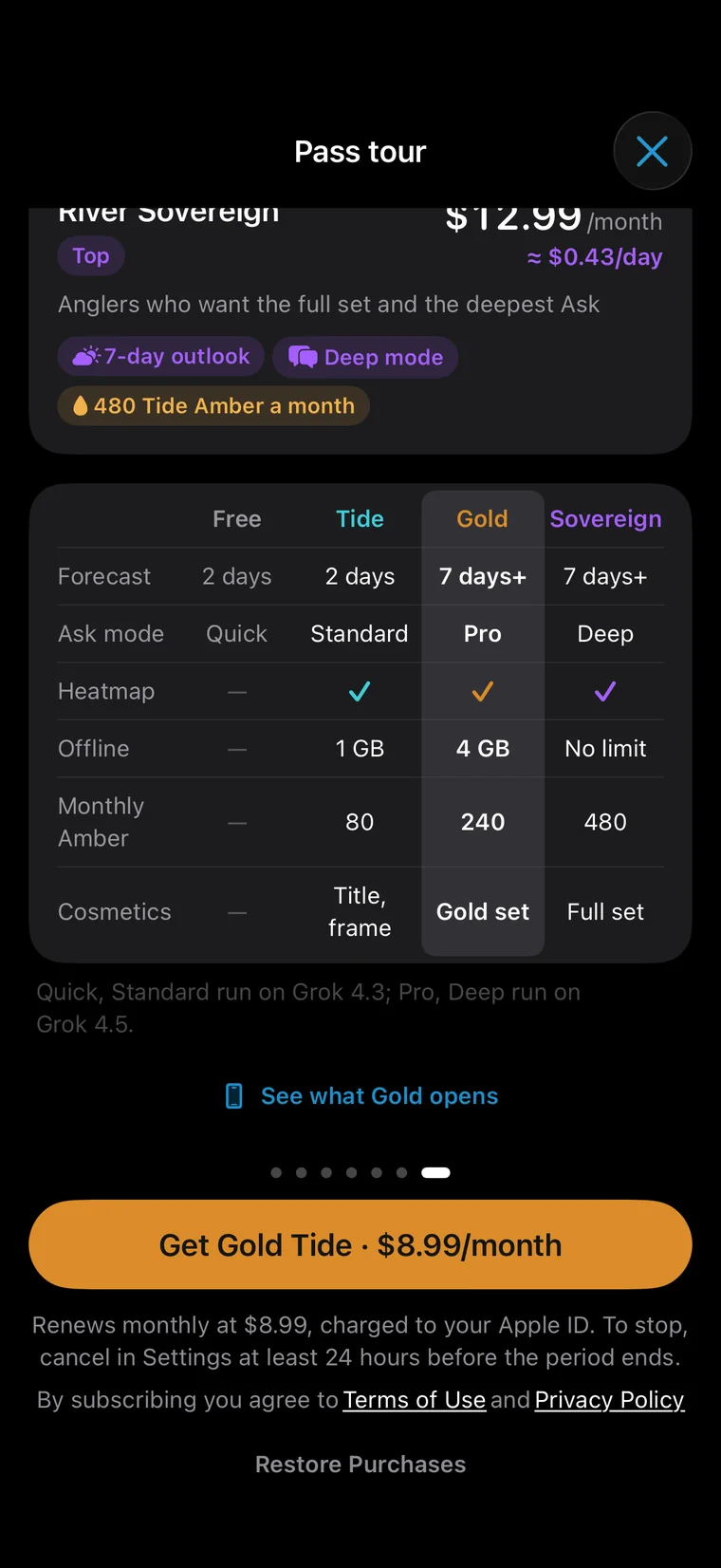
| Free | Tide | Gold | Sovereign | |
|---|---|---|---|---|
| Map, community, guide, academy, catch log | ✓ | ✓ | ✓ | ✓ |
| Forecast | 2 days | 2 days | 7 days | 7 days |
| 24-hour curves | — | — | ✓ | ✓ |
| Ask mode | Quick | Standard | Pro | Deep |
| Heatmap | — | ✓ | ✓ | ✓ |
| Offline maps | — | 1 GB | 4 GB | Largest |
| Monthly Amber | — | 80 | 240 | 480 |
| Pass style | — | Title, frame | Gold set | Full set |
Each question spends Amber by mode, and the price shows before you send. Packs work without a pass.
U.S. prices shown; the App Store shows the price where you are. Passes are bought in the app and charged to your Apple Account. Subscriptions renew automatically unless turned off at least 24 hours before the end of the period. Manage or cancel in iPhone Settings › Apple Account › Subscriptions.
Anglers guard their spots. AskFish was built that way from the start:
Yes, it's free to download. The map, two-day conditions, the community, the fish guide, the academy and your catch log are free. Questions to AskFish and photo IDs use Tide Amber, sold in packs or credited monthly with a Tide Pass.
Quick costs 6 Amber a question, Standard 18, Pro 32 and Deep 85; a photo ID is 11. The price shows before you send. Packs start at 150 Amber, passes credit 80–480 a month, and when a friend you invite logs a first catch or post, you each get 30.
Yes. Tap “Look around first” on the sign-in screen to browse public spots on the map, conditions, the fish guide and the academy without an account.
iPhone, with iOS 26.2 or later.
The map, conditions and Ask work anywhere. In the US and Canada you also get every state's and province's license and rule pages, NOAA tides, USGS river flows and NWS alerts.
No. Saved spots stay on your phone, posts carry only a rough location of about a kilometer, and share cards never show your exact spot.
With Apple, Google or email. Signing up by email sends a verification code to confirm it's you.
Your catch log, Ask chats, account memory, level and style follow your account — sign in and they're back. Saved spots stay only on the old phone; they're never uploaded.
In iPhone Settings › Apple Account › Subscriptions. Turn it off at least 24 hours before the period ends and it won't renew.
AskFish checks its answers against the map, spot data and the weather, but they are written by AI and can still be wrong. Check local rules, weather and water safety before you go.

Free to download on iPhone.

 Scan with your
Ask the way you'd ask a friend who knows the water. AskFish first works out which fish you're after, which fish actually live there and what kind of water it is — then checks the weather, the spots and recent catches, and tells you when to go, where to cast and what to throw.
Before every answer AskFish writes itself a fishing brief: the fish you named → the species in the guide → the species that really live there → the water and structure they like. Ask about catfish near Goleta and it won't send you to a sea pier.
It looks close by first and widens the circle only when nothing suitable turns up, and it searches place names in the local language — so lakes and piers with English names come up whatever language you ask in.
The verdict first (the window and the place), then three to five steps you can follow, then cards for the trip plan, spots, fish and lessons — tap any of them for the details.
Free · iPhone · iOS 26.2 or laterThe easiest mistake for an AI is a place that doesn't exist. Every water and pier an AskFish answer names is checked against the map and spot data; if one doesn't check out, it says so instead of inventing a location.
Once written, the answer is checked again: does the water suit the target fish, did it call a lake the sea, did it skip a better spot? If something's off it reviews once more before you see it.
Every spot in an answer opens on the map: see where it is, navigate there, save it to My spots, or long-press for its conditions.
Free · iPhone · iOS 26.2 or laterAsk where and when to go tomorrow and AskFish answers with a trip plan: a bite score for every hour of the day, the two best windows, the weather and wind, and the spots to try.
The same engine as Conditions: water temperature, time of day, pressure trend, wind, light, rain and tide, scored hour by hour for the fish you're after.
Free · iPhone · iOS 26.2 or laterCaught something you don't recognize? Take or pick a photo in Ask: it names the species, explains how to tell it from look-alikes, reminds you what to check before keeping it, and how to catch more.
In an Ask chat a photo adds 7–9 Amber to the mode's price; AI ID in Log catch costs 11 Amber. The price shows before it runs.
The photo is used for this ID and your catch log only. Before you first use AI, the app explains which service writes the answers and asks for your consent, which you can withdraw in Settings.
Free · iPhone · iOS 26.2 or laterAskFish isn't a black box. Above each answer is a line like “Thought for 9s · checked the weather and 2 spots”. Tap it to see exactly what it did: which water it placed you on, which day's weather it read, which spots it searched, which fish it looked up.
You can see at a glance whether it understood you — and if it placed you on the wrong water, just correct it in one line.
Free · iPhone · iOS 26.2 or laterThe answer mode sits right under the text box. Open it to see what each of the four modes is good at, what a question costs in Amber, and which pass each one needs. Pick one and your next questions use it.
Without a pass you ask in Quick. Tide Pass opens Standard, Gold Tide opens Pro and River Sovereign opens Deep. Each tier includes every mode below it, and monthly and annual plans open exactly the same.
Free · iPhone · iOS 26.2 or laterThe lightest, fastest and cheapest mode, open to everyone. It runs the same steps as the others — weather, spots, the guide — but thinks less, so answers are shorter and more direct.
Light reasoning: quick and short. For questions that weigh many things at once — planning a whole day, say — a deeper mode gives more careful advice.
6 Amber a question; the 150-Amber Creek pouch covers about 25. The price shows before you send.
Free · iPhone · iOS 26.2 or laterOne step beyond Quick: the same model with balanced reasoning, weighing the weather, the spots and your target fish together for fuller answers with clearer reasons. Tide Pass or above.
It compares more candidate spots and times, and explains why this place and why this hour.
18 Amber a question. Tide Pass credits 80 Amber a month — about 4 Standard questions — and you can drop back to Quick any time.
Free · iPhone · iOS 26.2 or laterA stronger model with balanced reasoning. Sharper on spots, baits, trip plans and fish ID — the mode to use on new water or before a trip that matters. Gold Tide or above.
The stronger model understands structure, seasons and fish behaviour more deeply, identifies fish more reliably, and lines up windows and spots that hold up on the water.
32 Amber a question, plus 9 with a photo to identify. Gold Tide credits 240 Amber a month — about 7 Pro questions.
Free · iPhone · iOS 26.2 or laterThe strongest model with the deepest reasoning. It takes longer and thinks hard problems through: comparing several waters, plans across several days, unusual rigs and tricky identifications. River Sovereign only.
Deeper reasoning: it lays out more possibilities, weighs them, and gives a better-argued conclusion. Slower, and worth reading closely.
85 Amber a question, plus 9 with a photo. River Sovereign credits 480 Amber a month — keep Deep for the truly hard questions and drop down for everyday ones.
Free · iPhone · iOS 26.2 or later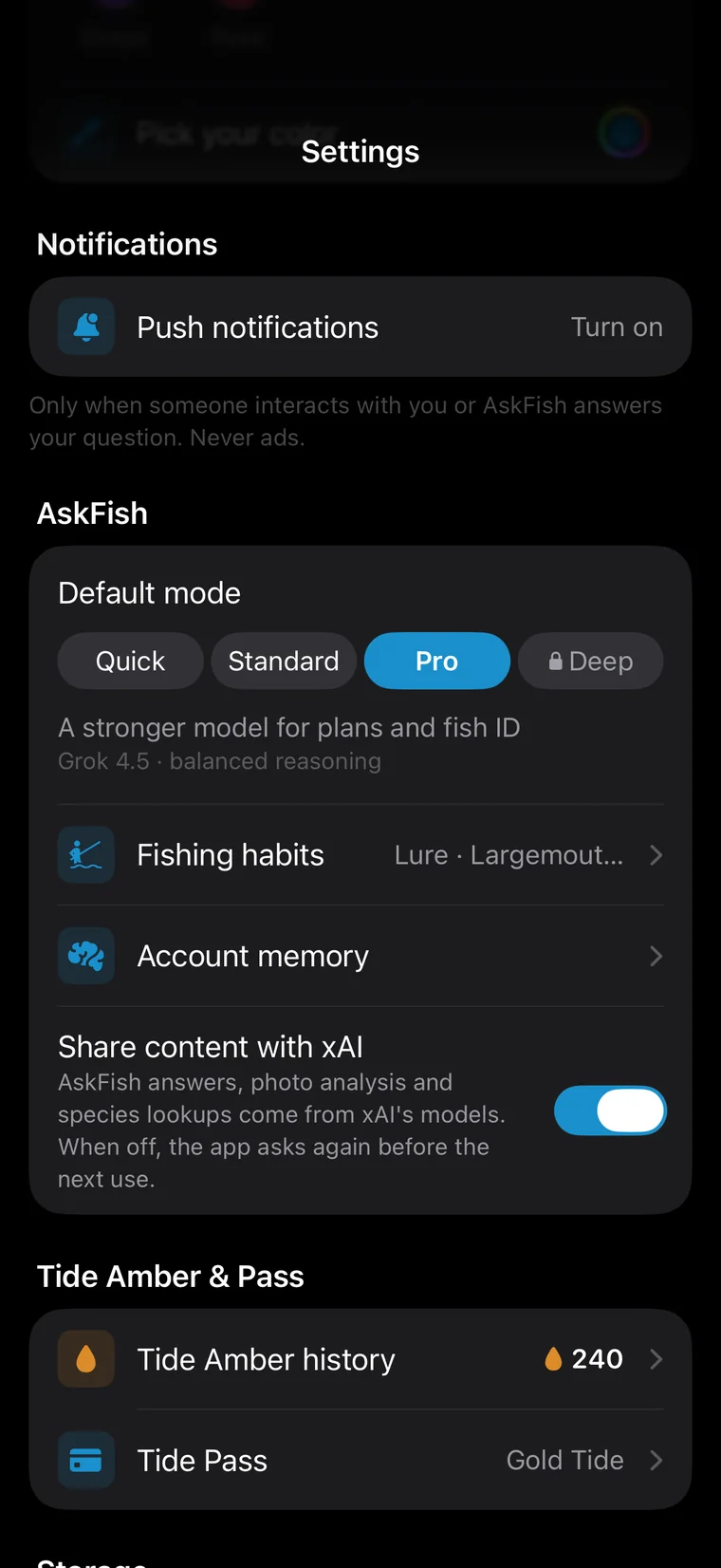
When you first open the app it asks how you fish, how long you've fished and which fish you want; preferences you mention in chats go into your account memory. Memory only fills gaps — what you say now always wins.
View, add or delete account memory in the app any time, or clear it all; it follows your account to a new phone.
Free · iPhone · iOS 26.2 or later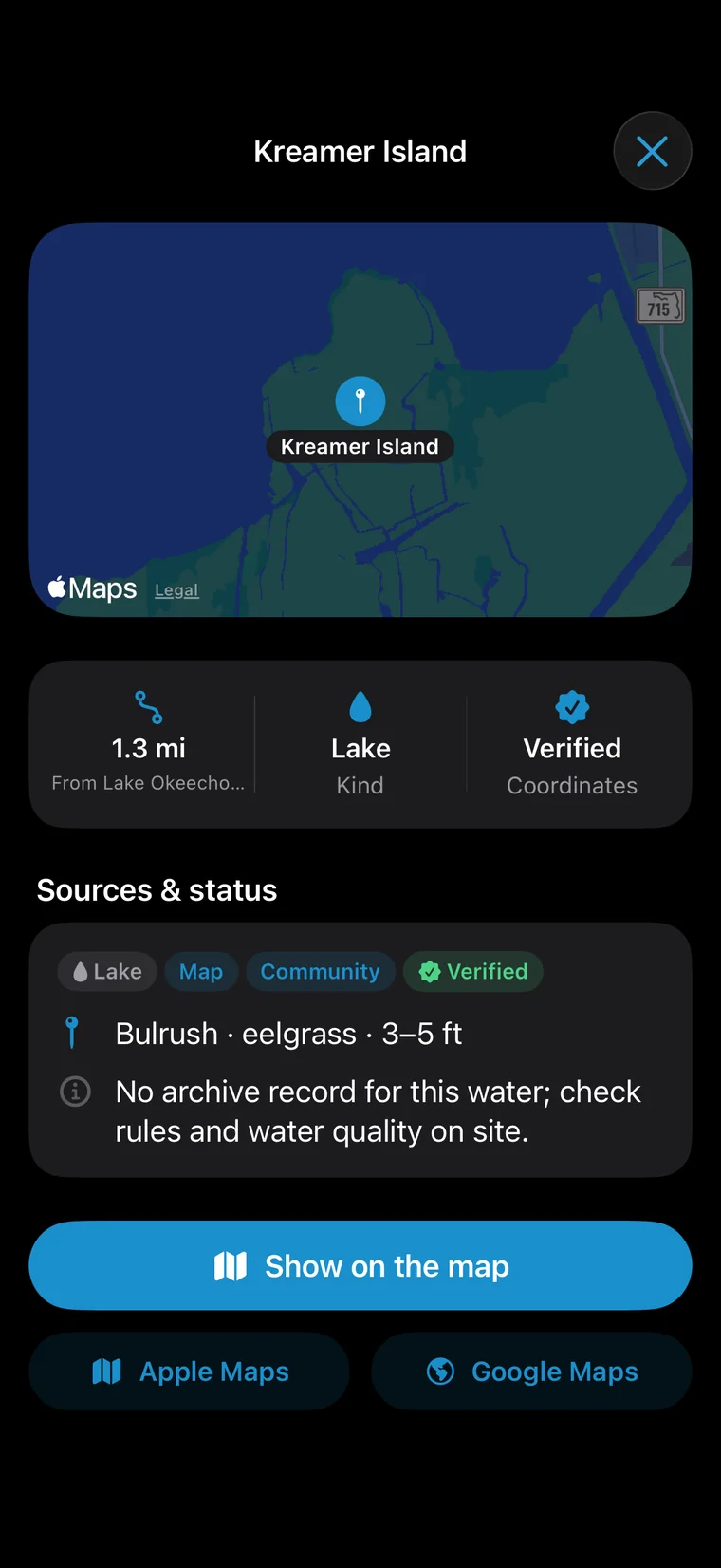
AskFish first works out where you mean: a place in this message comes first, then the chat so far, then your phone's location. Say “not that lake, the one next to it” and it follows.
If a name could mean several places, it checks with you instead of guessing.
Free · iPhone · iOS 26.2 or laterThings an answer mentions come as cards: a trip plan, spots, fish, lessons and conditions. No copy-and-search — tap and the page opens.
Free · iPhone · iOS 26.2 or laterWhen AskFish is thinking, switch apps freely. The answer keeps going on the server and is there when you come back; if the network drops, Retry never charges you again.
Past chats live in your history and follow you to a new phone.
Free · iPhone · iOS 26.2 or laterSome things only the web knows: local catch reports, pier hours, recent stocking notices. For questions like these AskFish searches online and marks where each line came from.
Free · iPhone · iOS 26.2 or laterThe app comes in English, Simplified and Traditional Chinese, Japanese and Korean, and AskFish answers in your language. Ask in your own language in North America and it searches local lake and pier names in English, then answers in yours.
Inches, pounds and °F, or centimeters, kilograms and °C — follow your region automatically or pick in Settings.
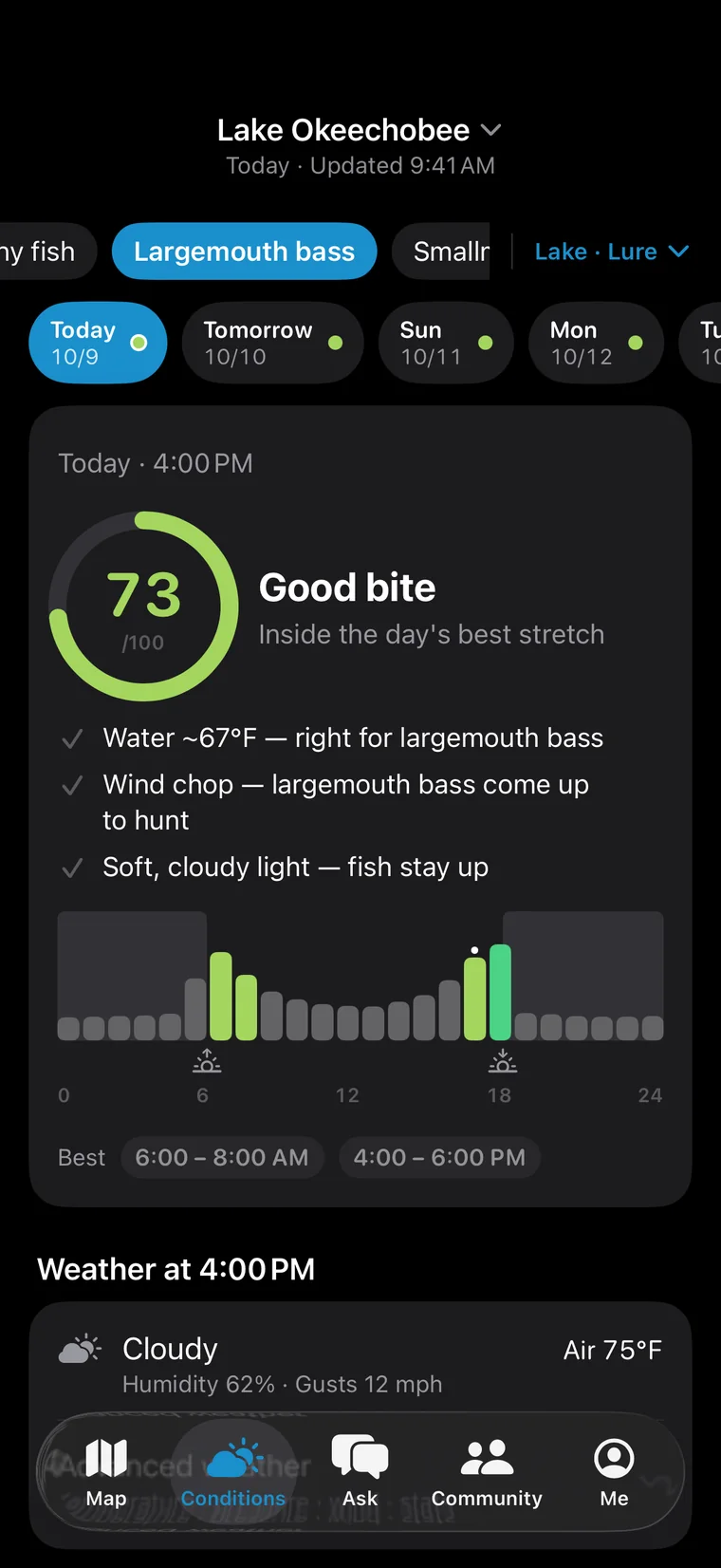
Free · iPhone · iOS 26.2 or laterOpen Conditions and the verdict comes first: today's bite score (0–100), a one-line call like “Good bite”, why, and the best stretch of the day. Under the number come the reasons — the good and the bad.
“73 · Good bite · inside the day's best stretch” — water about 67°F, right for largemouth; a wind chop gets them hunting; soft, cloudy light keeps them up.
Switch between today, tomorrow and the days after; Gold Tide and River Sovereign see the full 7 days.
Free · iPhone · iOS 26.2 or later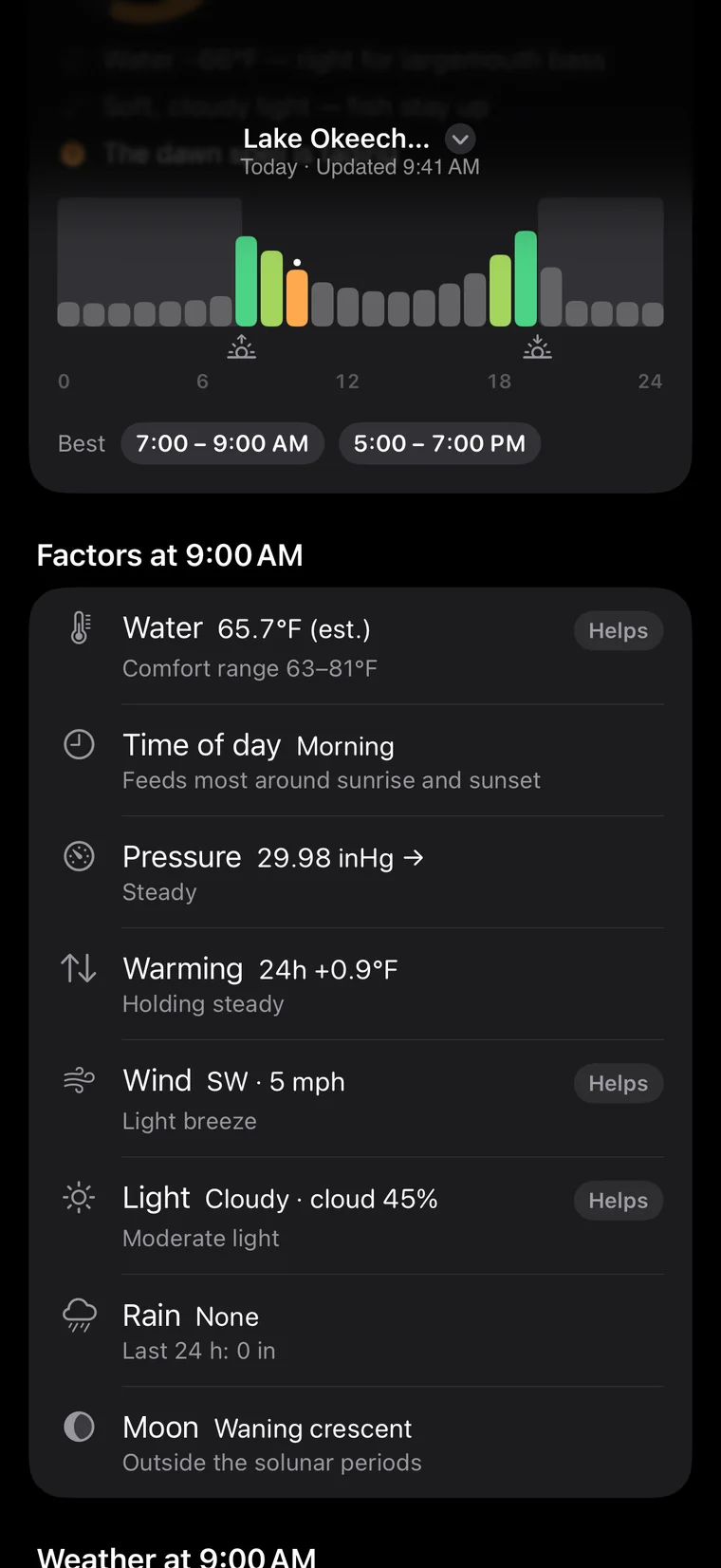
Twenty-four bars are the bite score for every hour, with the best stretches labelled. Pick any hour and each factor for that hour is listed below — helping or hurting, at a glance.
Free · iPhone · iOS 26.2 or laterThe same weather means different things for a pond bluegill and a coastal redfish. Conditions scores the water, fish and method you pick — change the mix and the score and advice change with it.
Each target fish has its own profile: its comfortable water temperatures, day or night activity, and how much light, pressure, rain, wind and tide matter. The method sets how much wind and swell you can still fish in.
Free · iPhone · iOS 26.2 or laterOn the coast the tide often matters more than the weather. Conditions draws the day's tide curve with highs, lows and turns, and scores it together with spring and neap tides, sunrise and sunset, moonrise and moonset.
Free · iPhone · iOS 26.2 or laterFish feel the water, not the air. The bigger the water, the slower it follows: a pond catches up in two or three days, a river in about four, a lake in about a week. Conditions estimates water temperature from two weeks of air temperatures for the water you pick.
After a cold snap the air may already be warm while the lake is still cold and the fish still slow. Scoring by water temperature keeps a day or two of weather from fooling the verdict.
On the coast it uses the sea-surface temperature forecast directly.
Free · iPhone · iOS 26.2 or laterOn US coasts (and Canadian coasts near the US), Conditions uses the nearest official NOAA tide station. The station, its distance and the source sit under the curve.
Where there's no official station, it uses an ocean-model tide forecast and says so.
Free · iPhone · iOS 26.2 or laterRiver anglers watch the water. In the US, Conditions reads the nearest USGS gauge live: flow, gauge height, the last 24 hours, and how today compares with the median for the date.
Free · iPhone · iOS 26.2 or laterAlerts from the US National Weather Service — wind, thunderstorms, floods, heat — sit at the top of Conditions; tap for the full text and when it's in effect. Safety comes before the bite.
Free · iPhone · iOS 26.2 or later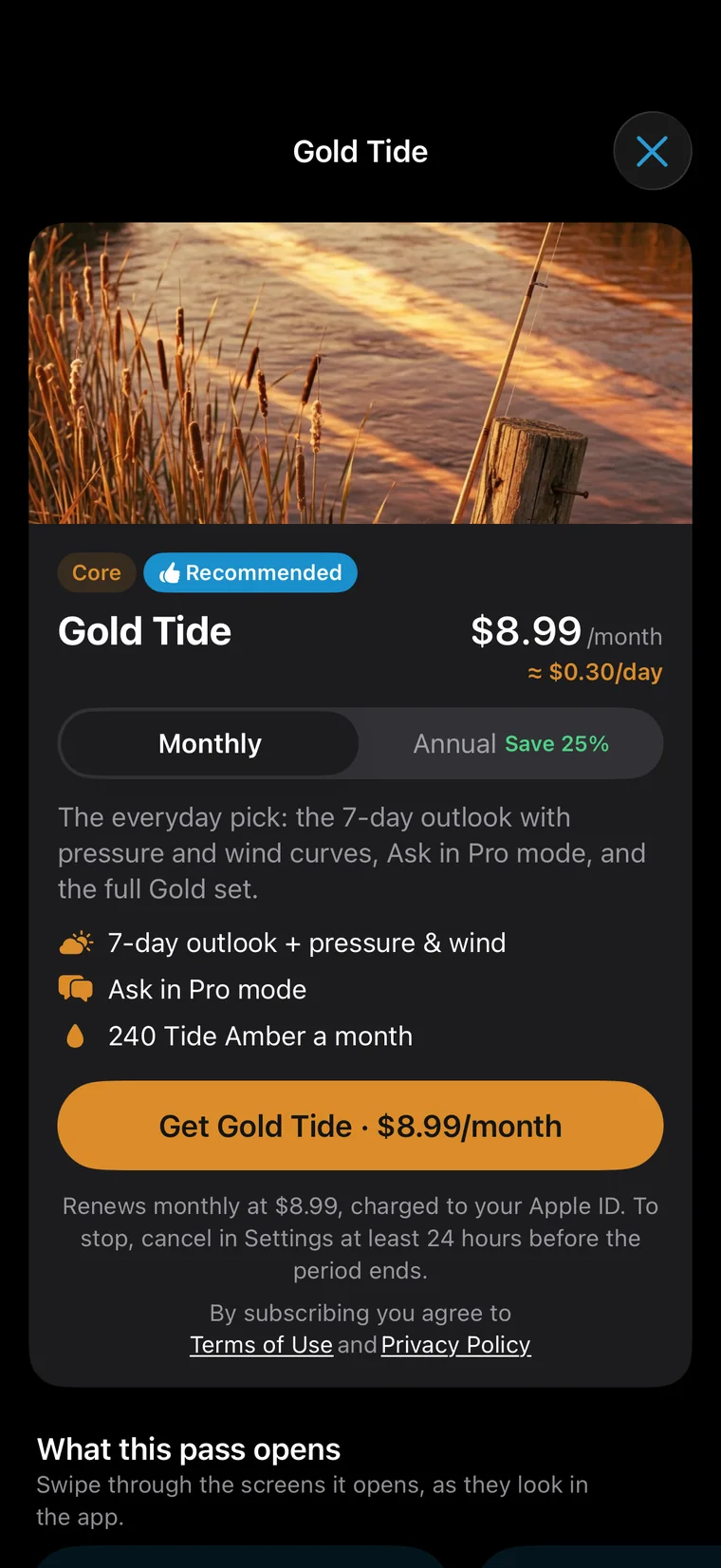
Free and Tide Pass see today and tomorrow; Gold Tide and River Sovereign open all 7 days with each day's score side by side, plus 24-hour curves for pressure, wind and temperature — pick your day in advance.
Free · iPhone · iOS 26.2 or laterThe map loads open fishing spots around you: fishing spots, piers, boat ramps and marinas, with places marked no-fishing shown in red. Open-data spots are free for everyone.
See what kind of spot it is and which water it's on; navigate there, save it or check its conditions.
Free · iPhone · iOS 26.2 or laterPress and hold anywhere on the map for that point's conditions: weather, bite score and the best time, plus anglers' catches within 3 km. It recognizes when you've pressed on a named water and links to its page.
Free · iPhone · iOS 26.2 or laterTap “N catches nearby” at the top of the map for the catches in view: how many, how many species, the latest one, the busiest hours, and each species' share.
Before you go, see what's been caught on this water and when, then pair it with Conditions to pick your time.
Free · iPhone · iOS 26.2 or laterNamed lakes, reservoirs and rivers have a page of their own: conditions scored for that water, the spots on it, and anglers' catches there. Heading somewhere new? Read its page first.
Free · iPhone · iOS 26.2 or laterA good spot is yours. Saved spots stay on your phone — never uploaded, never visible to anyone else. Add notes, see the distance, navigate in one tap.
Free · iPhone · iOS 26.2 or later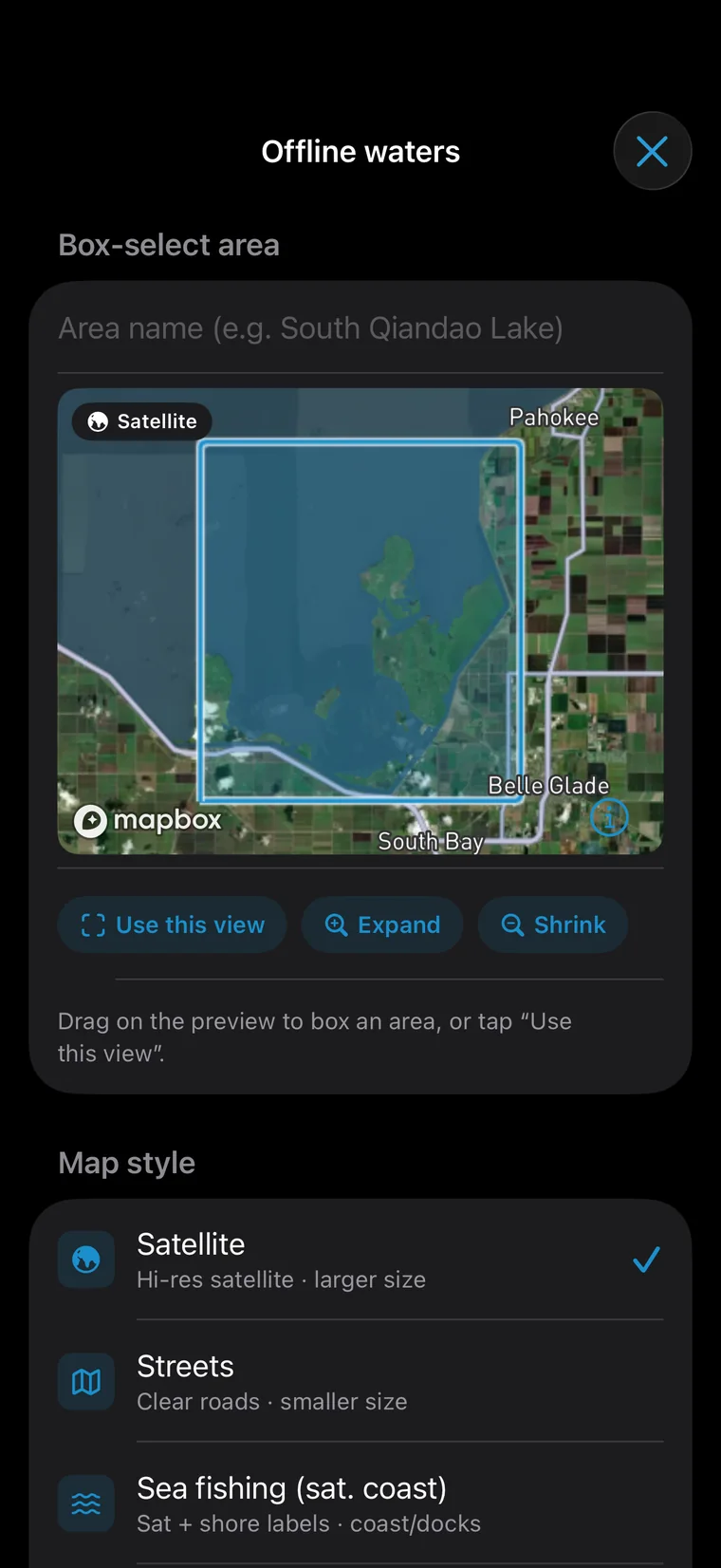
A pass opens the map's advanced layers: a catch heatmap (the redder, the busier), a hex grid and water outlines. Download your usual waters for offline use — no signal needed.
Open spots, anglers' catches, long-press conditions, area insights and My spots.
Map © Mapbox © OpenStreetMap © Maxar
Free · iPhone · iOS 26.2 or laterWhen anglers share a catch, the server rounds its location to about a kilometer, and the map shows an area — never the swim. Only when the poster links a public spot does that spot appear.
Free · iPhone · iOS 26.2 or laterCommunity has three feeds: For you shows what everyone's catching, Following the anglers you follow, Local the anglers in your county or city. Posts in your language come first, and when it's quiet the feed widens rather than sitting empty.
Browse as a photo grid or a single column.
Free · iPhone · iOS 26.2 or laterPost a question in the community and AskFish gives the first answer (3 a day each), then anglers nearby add theirs. Mark the most helpful one and its author earns XP.
Free · iPhone · iOS 26.2 or laterEvery catch post carries a small map of roughly where it was caught. Tap “See on map” to jump to that water and check its conditions and other catches.
Free · iPhone · iOS 26.2 or laterSend friends text, photos, voice notes and stickers, and set the next meetup. Only friends can message each other, and only friends see when you're online.
Your chat bubble and background show in the conversation — friends see them too.
Free · iPhone · iOS 26.2 or laterThe community posts in many languages. Tap Translate on any post or comment you can't read — it uses Apple's built-in translation.
Free · iPhone · iOS 26.2 or laterA new challenge every Monday — release a fish, land one at sunset, catch a new species, two different species… Finish a week and you keep that week's badge. No leaderboard; you only race yourself.
Only catches shot with the in-app camera and named by AI count; library photos and typed-in species or sizes don't.
Free · iPhone · iOS 26.2 or laterEvery angler has a profile: level and title, avatar frame, achievements, followers, and the catches they've posted. Like how someone fishes? Follow them or send a friend request.
Free · iPhone · iOS 26.2 or laterThe local feed gathers posts from your own county or city, so nearby anglers and what's biting locally are easy to find. Posts are grouped by county or city only — no exact places.
Free · iPhone · iOS 26.2 or laterWhen someone likes or comments on your post, answers your question, messages you or adds you — or AskFish answers your community question — you get a notification, and tapping it opens that post, chat or friend request.
Switch likes, comments, friends and messages off one by one in Settings.
The app only asks about notifications after your first post, comment or friend request.
Free · iPhone · iOS 26.2 or later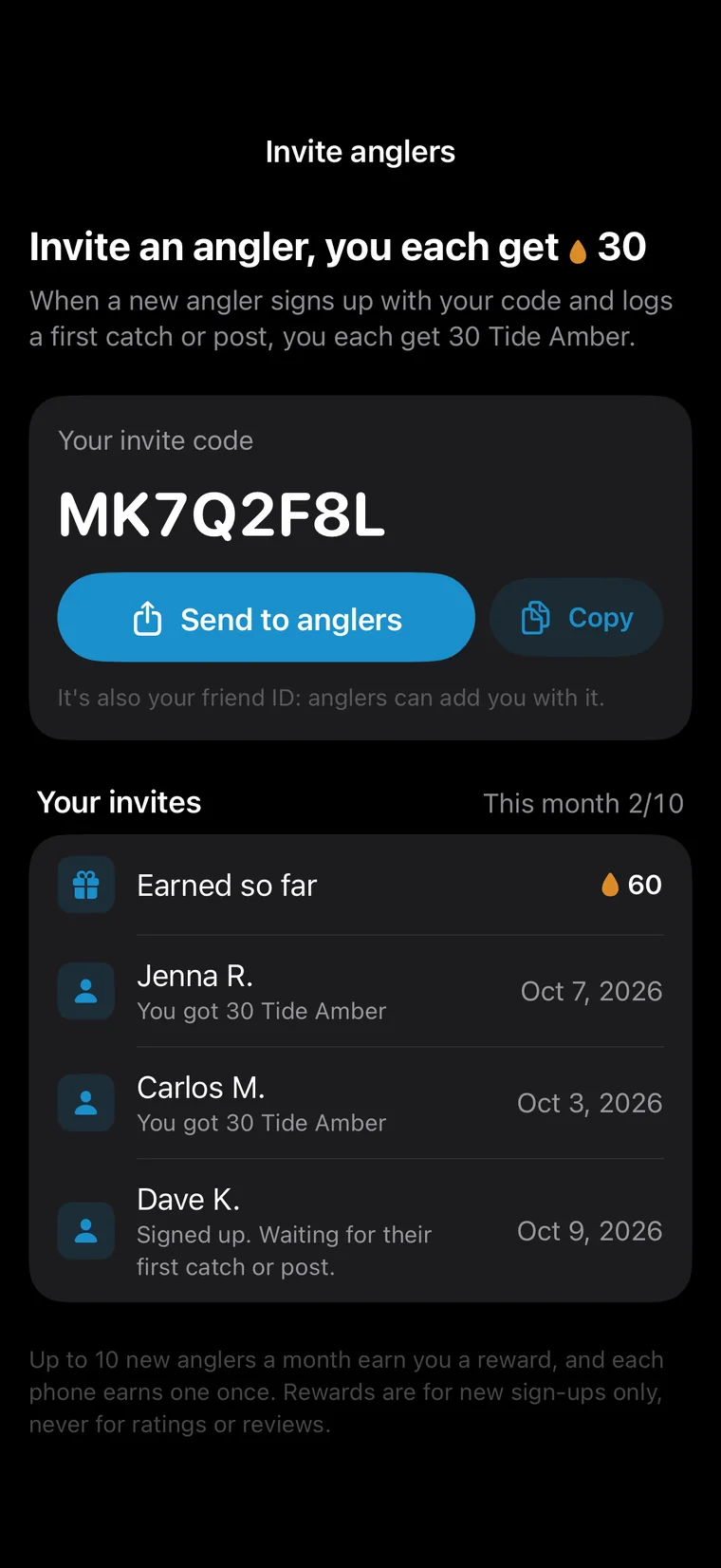
Send a friend your invite link or code. When they sign up, enter the code and make a first catch or post, you each get 30 Tide Amber.
Free · iPhone · iOS 26.2 or laterPosts, comments, messages, profiles and AskFish answers can all be reported, and every report is reviewed within 24 hours. Block anyone in one tap and you stop seeing each other.
Free · iPhone · iOS 26.2 or laterLog every catch: species, length, weight, count, bait, method, water and spot — and mark it released. The log is sorted by date and species and synced to your account, so it survives a new phone.
Inches and pounds or centimeters and kilograms — switch any time without losing precision.
Catch photos are kept in private storage that only you can see, unless you post them.
Free · iPhone · iOS 26.2 or laterCaught and released is worth sharing too. After you log a released catch, the app offers once to post it as a release report — the photo stays, the place shows only the city.
Free · iPhone · iOS 26.2 or laterAchievements and weekly challenges count only verified catches: shot with the in-app camera, named by AI as a species in the guide, with the shutter time and place recorded. Library photos and typed numbers don't count — every badge is a real fish.
Community posts can still use library photos; they just don't count toward achievements.
Free · iPhone · iOS 26.2 or laterBadges come in three families: species (fish AI named from your live photos), sky & season (the sun, moon and season when the shutter fired) and journeys (where and when the photo was taken). Each climbs from bronze through silver and gold to master.
Tiers unlock by species named, places fished (3 km apart counts as new), days out and distance travelled.
Free · iPhone · iOS 26.2 or laterOpen any badge to see which fish unlocked it, on what day and where. When one unlocks, the app tells you with its coin.
Free · iPhone · iOS 26.2 or laterTurn any catch into a share card — the photo (or the guide's fish), species, size, date and general area, with a QR code for AskFish. A card never shows your exact spot.
Save it as an image for WeChat, Xiaohongshu, Instagram or anywhere, or share just the text.
Free · iPhone · iOS 26.2 or laterStats turn your log into numbers: days out, fish caught, species, total and average weight, the last six months month by month, and the fish you catch most.
Free · iPhone · iOS 26.2 or laterThe guide covers 650+ game fish — fresh, salt and migratory — organized by family and habits. Fish found near you come first, and you can search by a name in any of the five languages or by the scientific name.
Fish are shown in real photos from Wikimedia Commons and iNaturalist, each credited with its author and license in the app.
Free · iPhone · iOS 26.2 or laterEach species page opens on a measuring board: the usual size, how big it gets, and your own personal best, side by side on one ruler — so you know at a glance whether yours is a good one.
Free · iPhone · iOS 26.2 or laterA cross-section shows where it usually holds — top, middle or bottom, around weeds, timber, rock or pilings. Below are a range map (native and introduced marked apart), its best months of the year and its most active hours of the day.
Free · iPhone · iOS 26.2 or laterThere's no single fishing rulebook in the US or Canada: licenses, seasons, size and bag limits are set by each state and province and change every year. AskFish links the license and regulation pages of all 50 states, DC and every Canadian province and territory — straight to the official page.
Free · iPhone · iOS 26.2 or laterThe academy has 114 lessons: methods, rods, rigging, tools and gear, knots and baits — plus lessons written for North America like the Ned rig, stocked trout, walleye and catfish. The way you fish comes first.
Free · iPhone · iOS 26.2 or laterTake the Palomar knot: what it's for (braid to hook), what you need, five steps to tie it and why it holds, then the mistakes people make. Knot lessons have covers made to show the knot itself.
Free · iPhone · iOS 26.2 or laterMore than 100 technique lessons come with a step-by-step animation that draws what words can't: how a jig falls, the moment a fish takes it, how the line runs, how to set a float. Play it or step through.
Step 5, “Watch the line”: most bites come on the fall. If the line stops, moves sideways, ticks or feels heavy, reel up the slack and set the hook.
Free · iPhone · iOS 26.2 or laterEach lesson ends with three questions; get two right to pass, and earn XP the first time. They test calls you'll make on the water, like how heavy a jig head should be.
Free · iPhone · iOS 26.2 or laterThe Me page is your fishing card: frame, nameplate and title on, with your catches, species, pass and Amber, level and style, achievements and weekly challenge below.
Free · iPhone · iOS 26.2 or laterPosting catches and posts, likes and comments, daily check-ins, meeting new species in the guide, finishing lessons, passing quizzes and having an answer marked most helpful all earn XP. There are 100 levels, and the level page shows what each one unlocks — the next item is always in sight.
Free · iPhone · iOS 26.2 or laterTry anything on first — frames, chat bubbles, chat backgrounds and nameplates you haven't unlocked yet. Level rewards and pass-only items sit on separate shelves and never crowd each other.
Frames are quiet, flat rings with a fishing motif — ripples, ticks, braid, scales; patterns are kept for chat bubbles.
Free · iPhone · iOS 26.2 or laterThirty chat bubbles in three shelves — plain, patterned and members-only: quiet ones like moon white and rice paper, patterned ones like blue-and-white porcelain, lotus pond and night float, some with gentle motion. They show in messages and in Ask.
Free · iPhone · iOS 26.2 or laterAskFish's icon is a fishing hook bent into a question mark — white on black by default. Level up for Ocean tide, Gold scale, Ember, Night lake, Coral and Aurora; River Sovereign adds its own violet-gold icon.
Free · iPhone · iOS 26.2 or laterFree and Tide Pass see today and tomorrow; Gold Tide and River Sovereign open the full 7 days with pressure, wind and 24-hour curves — pick the day and hour a week ahead.
Free · iPhone · iOS 26.2 or laterWithout a pass you ask in Quick and pay per question in Amber. Tide adds Standard, Gold moves up to Pro and Sovereign adds Deep. Each tier includes every mode below it, so you can drop to a cheaper one for everyday questions.
Free · iPhone · iOS 26.2 or laterA pass turns on the catch heatmap — the redder, the busier — plus a hex grid, water outlines and marina points, and offline maps for your usual waters. Open spots and long-press conditions stay free for everyone.
Map © Mapbox © OpenStreetMap © Maxar
Free · iPhone · iOS 26.2 or laterMembers get their own shelf: a title, frame, chat bubble and map pin; Gold adds a chat background, and Sovereign the violet-gold accent and its own app icon. Worn while the pass is live, alongside your level rewards.
Free · iPhone · iOS 26.2 or later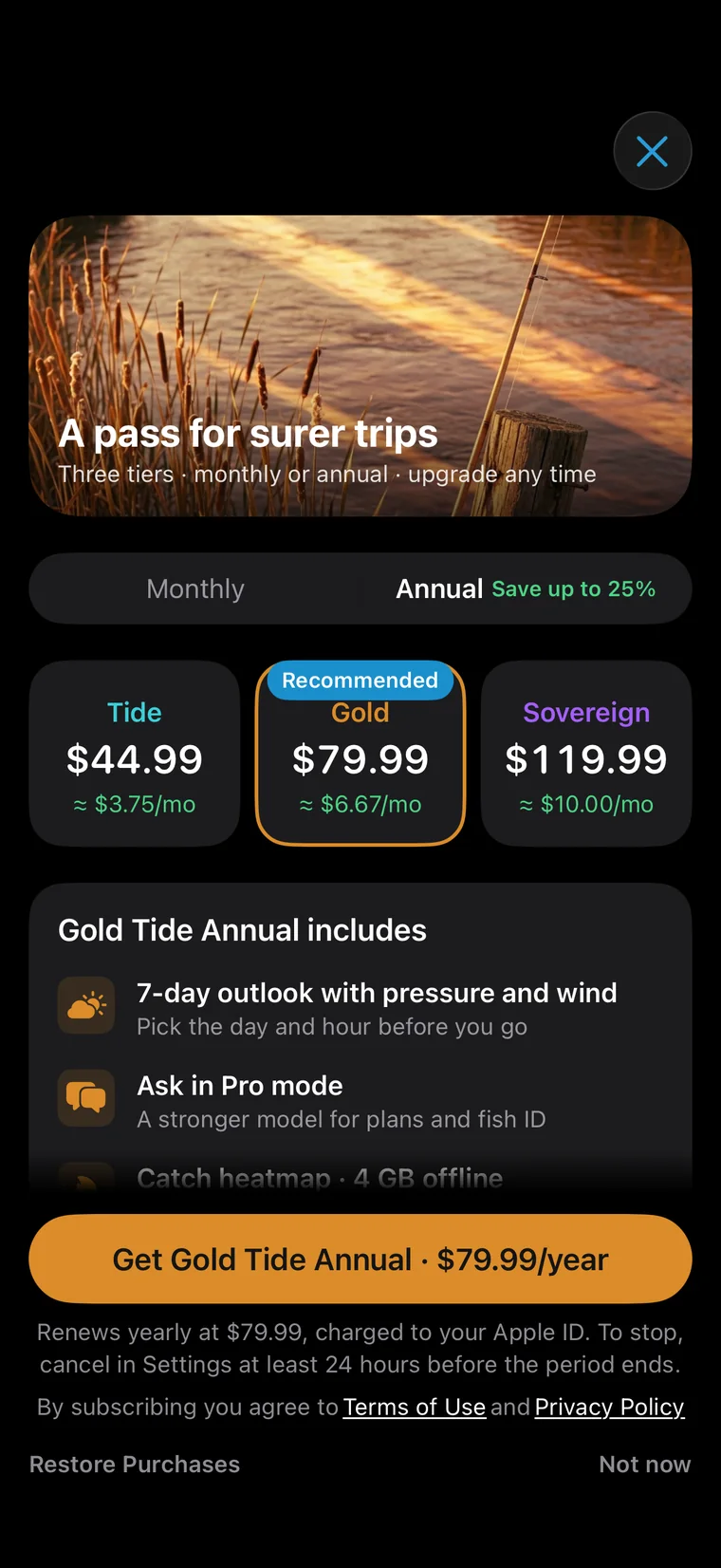
A tier's monthly and annual plans open exactly the same things and credit the same Tide Amber each month; they differ only in how you pay. Annual is paid once a year, saves 23–25%, and still credits Amber month by month.
Free · iPhone · iOS 26.2 or laterTide Pass is $4.99 a month or $44.99 a year. It credits 80 Tide Amber every month and opens Standard mode in Ask.
These are US prices; the App Store shows the price where you are. Passes are bought in the app and billed by Apple.
Free · iPhone · iOS 26.2 or laterGold Tide is $8.99 a month or $79.99 a year. It credits 240 Tide Amber every month and opens Pro mode in Ask.
These are US prices; the App Store shows the price where you are. Passes are bought in the app and billed by Apple.
Free · iPhone · iOS 26.2 or laterRiver Sovereign is $12.99 a month or $119.99 a year. It credits 480 Tide Amber every month and opens Deep mode in Ask.
These are US prices; the App Store shows the price where you are. Passes are bought in the app and billed by Apple.
Free · iPhone · iOS 26.2 or later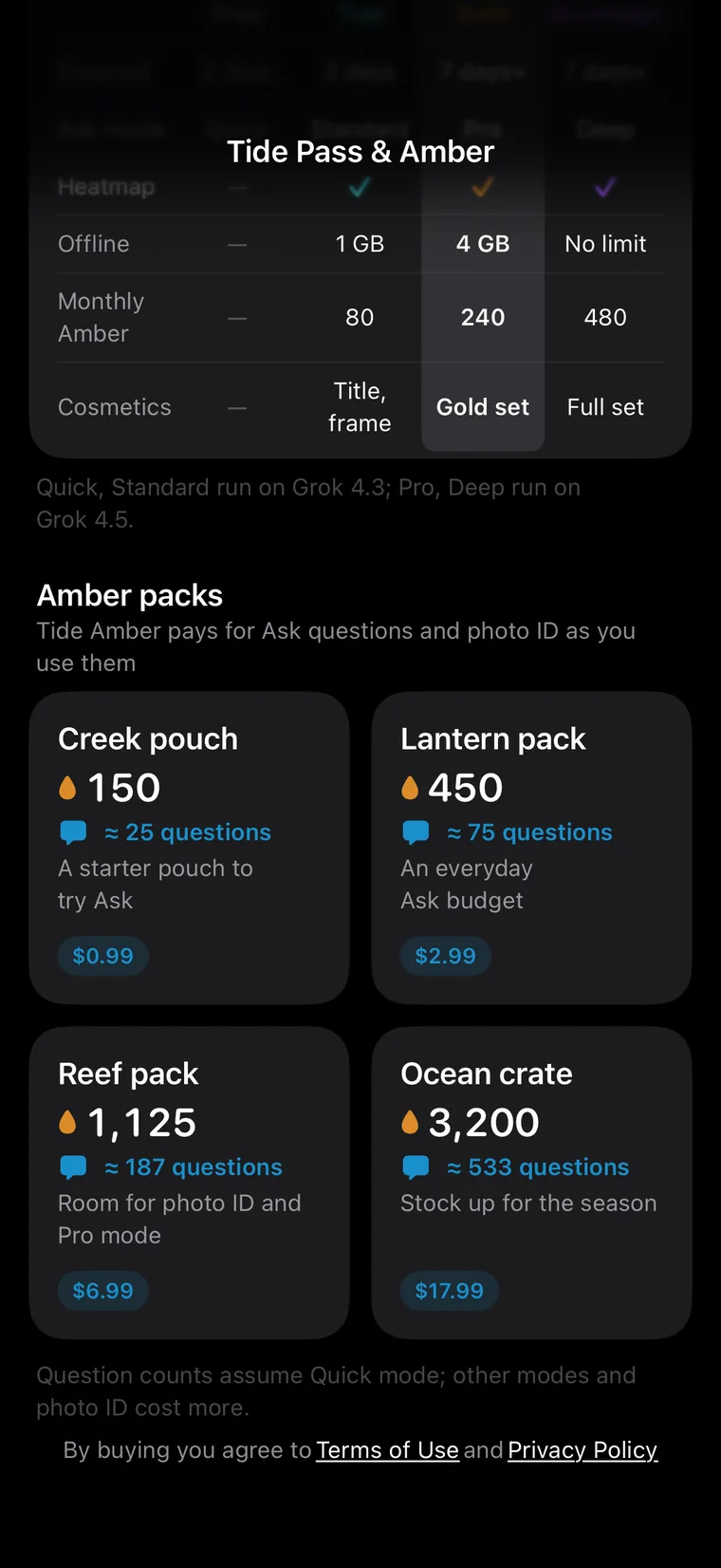
Tide Amber is what Ask runs on: each question spends some by mode, and photo ID uses it too. Buy packs on their own, get it monthly with a pass, or earn 30 each by inviting a friend.
Free · iPhone · iOS 26.2 or later